> ## Documentation Index
> Fetch the complete documentation index at: https://docs.daily.co/llms.txt
> Use this file to discover all available pages before exploring further.
# Changelog archive: 2021
> Archived Daily changelog entries from 2021 (12 updates), retained for reference.
Archived changelog entries from 2021. For the latest updates, see the [changelog](/changelog).
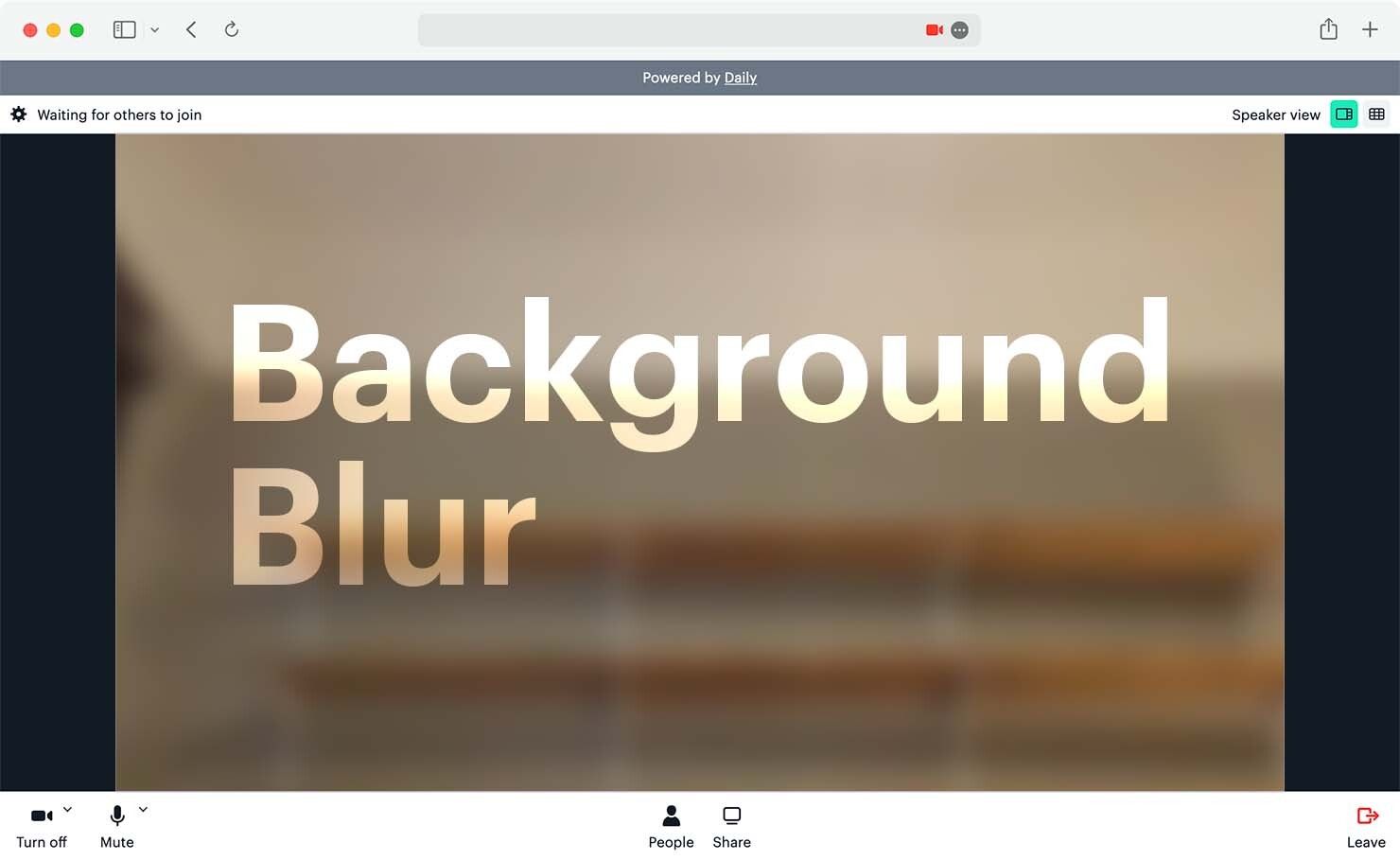
The latest updates to the Daily real-time audio and video API include background blur for Daily Prebuilt and more.
 ## daily-js 0.21.0
* ✨ **Beta** ✨ Blur participant backgrounds on Daily video calls via a new `inputSettings` [DailyIframe property](/reference/daily-js/types/daily-call-options) or [`updateInputSettings()`](/reference/daily-js/instance-methods/update-input-settings) method.
* ✨ **Beta** ✨ Determine whether a browser supports background blur by checking the `supportsVideoProcessing` property returned by [`supportedBrowser()`](/reference/daily-js/static-methods/supported-browser).
* 🎥 All `recording-started` events now include the type of recording started (`"local"`, `"cloud"`, `"rtp-tracks"`, `"output-byte-stream"`, or `"cloud-beta"`). When the type is `"cloud-beta"` or `"rtp-tracks"`, the `recording-started` event will also include `startedBy` with the participant ID of the person who started the recording. `"cloud-beta"` recordings will also include the same `layout` property as [live streaming events](/reference/daily-js/events/live-streaming-events).
* ☁️ The `"cloud-beta"` recording type now emits `recording-started` and `recording-stopped` [events](/reference/daily-js/events/recording-events).
* 🇷🇺 Added Russian language support. Set the DailyIframe `lang` [property](/reference/daily-js/types/daily-call-options) to `"ru"`, or pass `"ru"` to [`setDailyLang()`](/reference/daily-js/instance-methods/set-daily-lang) to specify Russian as the language of choice.
## Daily Prebuilt
* ✨ **Beta** ✨ Toggle background blur participant controls in Daily Prebuilt. The new `enable_video_processing_ui` property, avaliable at the [room](/reference/rest-api/rooms/get-room#response-config) or [domain](/reference/rest-api/domain/get-domain-config#response-config) level, displays a UI that allows participants to blur or unblur their backgrounds. This property defaults to `true` (showing the controls) if not explicitly set to `false`.
* 📜 Chat history is now visible to all participants during a call, even if they join after the call (and witty side banter) started.
* 🎥 Added support for `"cloud-beta"` recording.
* 🙅♀️ Improved Safari 15 blocked device handling.
* 🤳 Updated the tray buttons and Leave button locations on mobile.
* 🔘 Improved usability of the Share and Record stop buttons.
* 🐛 Other bug fixes and improvements.
## Daily Dashboard
* 🌫 Enable or disable `enable_video_processing_ui` for your [domain](/reference/rest-api/domain/get-domain-config#response-config) or [room](/reference/rest-api/rooms/get-room#response-config) to toggle **beta** background blur controls in Daily Prebuilt.
* 🇷🇺 Set `"ru"` as the language for a room.
Introducing beta Deepgram transcription, a show-local-video-changed event, getNetworkTopology() method, and more in the latest updates to the Daily real-time audio and video API.
## daily-js 0.19.0
* ✨ **Beta** ✨ Introduced Deepgram transcription support. Have a look at [`startTranscription()`](/reference/daily-js/instance-methods/start-transcription) to get started.
* 🙈 Added `show-local-video-changed` event that fires when a local participant hides or shows their own video element (when the [`setShowLocalVideo()`](/reference/daily-js/instance-methods/set-show-local-video) method is called).
* 🚢 Shipped [`getNetworkTopology()`](/reference/daily-js/instance-methods/get-network-topology) instance method that indicates whether the call is happening over an `"sfu"` or `"peer"` connection type.
* 📱 Launched mobile-friendly `"portrait"` layout option for live streaming, where up to two participants will be shown. An additional `variant` key may be specified. Valid values are `"vertical"` for a vertical grid layout (the default), and `"inset"`for having one participant's video take up the entire screen, and the other inset in a smaller rectangle. Participants' videos are scaled and cropped to fit the entire available space. Participants with the `is_owner` flag are shown lower in the grid (vertical variant), or full screen (inset variant).
## Daily Prebuilt
* 🛠 Implemented new [`getNetworkTopology()`](/reference/daily-js/instance-methods/get-network-topology) method.
* 💻 Improved device management in settings for cases when browser access hasn't been granted.
* 🛑 Disabled the Record button when a cloud recording has stopped and is in the process of being uploaded.
* 🐛 Other bug fixes and technical debt improvements.
## Daily dashboard
* 📆 Sped up Past Sessions data retrieval by restricting results to the previous 21 days.
* 🎥 Updated Recordings table to only display finished recordings.
* 📝 Added a note to the Create Room page: any participant will be able to start a recording if recording is set at the room level.
### Coming soon in daily-js 0.20.0
* We’re adding a `max_participants` property to the data returned from the [`/meetings`](/reference/rest-api/meetings) REST API endpoint, so please make sure your client code is ready!
Control how you receive video and audio tracks on a call, customize the number of participant videos displayed, and more updates to the Daily real-time audio and video WebRTC API.
## daily-js 0.21.0
* ✨ **Beta** ✨ Blur participant backgrounds on Daily video calls via a new `inputSettings` [DailyIframe property](/reference/daily-js/types/daily-call-options) or [`updateInputSettings()`](/reference/daily-js/instance-methods/update-input-settings) method.
* ✨ **Beta** ✨ Determine whether a browser supports background blur by checking the `supportsVideoProcessing` property returned by [`supportedBrowser()`](/reference/daily-js/static-methods/supported-browser).
* 🎥 All `recording-started` events now include the type of recording started (`"local"`, `"cloud"`, `"rtp-tracks"`, `"output-byte-stream"`, or `"cloud-beta"`). When the type is `"cloud-beta"` or `"rtp-tracks"`, the `recording-started` event will also include `startedBy` with the participant ID of the person who started the recording. `"cloud-beta"` recordings will also include the same `layout` property as [live streaming events](/reference/daily-js/events/live-streaming-events).
* ☁️ The `"cloud-beta"` recording type now emits `recording-started` and `recording-stopped` [events](/reference/daily-js/events/recording-events).
* 🇷🇺 Added Russian language support. Set the DailyIframe `lang` [property](/reference/daily-js/types/daily-call-options) to `"ru"`, or pass `"ru"` to [`setDailyLang()`](/reference/daily-js/instance-methods/set-daily-lang) to specify Russian as the language of choice.
## Daily Prebuilt
* ✨ **Beta** ✨ Toggle background blur participant controls in Daily Prebuilt. The new `enable_video_processing_ui` property, avaliable at the [room](/reference/rest-api/rooms/get-room#response-config) or [domain](/reference/rest-api/domain/get-domain-config#response-config) level, displays a UI that allows participants to blur or unblur their backgrounds. This property defaults to `true` (showing the controls) if not explicitly set to `false`.
* 📜 Chat history is now visible to all participants during a call, even if they join after the call (and witty side banter) started.
* 🎥 Added support for `"cloud-beta"` recording.
* 🙅♀️ Improved Safari 15 blocked device handling.
* 🤳 Updated the tray buttons and Leave button locations on mobile.
* 🔘 Improved usability of the Share and Record stop buttons.
* 🐛 Other bug fixes and improvements.
## Daily Dashboard
* 🌫 Enable or disable `enable_video_processing_ui` for your [domain](/reference/rest-api/domain/get-domain-config#response-config) or [room](/reference/rest-api/rooms/get-room#response-config) to toggle **beta** background blur controls in Daily Prebuilt.
* 🇷🇺 Set `"ru"` as the language for a room.
Introducing beta Deepgram transcription, a show-local-video-changed event, getNetworkTopology() method, and more in the latest updates to the Daily real-time audio and video API.
## daily-js 0.19.0
* ✨ **Beta** ✨ Introduced Deepgram transcription support. Have a look at [`startTranscription()`](/reference/daily-js/instance-methods/start-transcription) to get started.
* 🙈 Added `show-local-video-changed` event that fires when a local participant hides or shows their own video element (when the [`setShowLocalVideo()`](/reference/daily-js/instance-methods/set-show-local-video) method is called).
* 🚢 Shipped [`getNetworkTopology()`](/reference/daily-js/instance-methods/get-network-topology) instance method that indicates whether the call is happening over an `"sfu"` or `"peer"` connection type.
* 📱 Launched mobile-friendly `"portrait"` layout option for live streaming, where up to two participants will be shown. An additional `variant` key may be specified. Valid values are `"vertical"` for a vertical grid layout (the default), and `"inset"`for having one participant's video take up the entire screen, and the other inset in a smaller rectangle. Participants' videos are scaled and cropped to fit the entire available space. Participants with the `is_owner` flag are shown lower in the grid (vertical variant), or full screen (inset variant).
## Daily Prebuilt
* 🛠 Implemented new [`getNetworkTopology()`](/reference/daily-js/instance-methods/get-network-topology) method.
* 💻 Improved device management in settings for cases when browser access hasn't been granted.
* 🛑 Disabled the Record button when a cloud recording has stopped and is in the process of being uploaded.
* 🐛 Other bug fixes and technical debt improvements.
## Daily dashboard
* 📆 Sped up Past Sessions data retrieval by restricting results to the previous 21 days.
* 🎥 Updated Recordings table to only display finished recordings.
* 📝 Added a note to the Create Room page: any participant will be able to start a recording if recording is set at the room level.
### Coming soon in daily-js 0.20.0
* We’re adding a `max_participants` property to the data returned from the [`/meetings`](/reference/rest-api/meetings) REST API endpoint, so please make sure your client code is ready!
Control how you receive video and audio tracks on a call, customize the number of participant videos displayed, and more updates to the Daily real-time audio and video WebRTC API.
 *Self-view, if enabled, now floats to the top of a Daily Prebuilt call with [`setShowParticipantsBar(false)`](/reference/daily-js/instance-methods/set-show-participants-bar).*
## daily-js 0.17.0
* 🗣 Shipped `activeSpeakerMode` [iframe property](/reference/daily-js/types/daily-call-options) to control whether [Daily Prebuilt](https://www.daily.co/prebuilt) displays the person currently speaking (`{ activeSpeakerMode: true }`; this is the default) or a grid of call participants (`{ activeSpeakerMode: false }` ).
```javascript theme={null}
// Set Daily Prebuilt to grid mode
DailyIFrame.createFrame({ activeSpeakerMode: false });
```
* 🧩 New [iframe property](/reference/daily-js/types/daily-call-options) `layoutConfig` customizes how the grid of video tiles behaves when the browser is resized (if the call is in grid mode, of course).
```javascript theme={null}
// Example layoutConfig usage
DailyIframe.createFrame({
layoutConfig: {
grid: {
minTilesPerPage: 3, // default: 1, minimum required: 1
maxTilesPerPage: 36, // default: 25, maximum allowable: 49
},
},
});
```
* 🎭 Added ['staged' media track subscription state](/reference/daily-js/instance-methods/update-participant) that corresponds to setting up the connections for a track, but not transmitting data across that connection. This lets you "stage" tracks that you know you'll need soon, for later rapid transition into the fully "subscribed" state, without using any extra bandwidth. *Reminder: Track subscriptions are only supported when your call is in [SFU mode](/docs/guides/architecture-and-monitoring/intro-to-video-arch#the-architecture-of-a-room-p2p-vs-sfu-calls).*
```javascript theme={null}
// Example 'staged' usage
call.updateParticipant(id, {
setSubscribedTracks: {
video: 'staged',
},
});
```
* 🎁 Launched several affordances to give you control over how you want to receive the video tracks that you're subscribed to. These are referred to as receive settings. The first—and so far only—configurable receive settings are the desired maximum simulcast layers for `video` and `screenVideo`. A higher simulcast layer corresponds to higher quality. The new affordances are:
* [`getReceiveSettings()`](/reference/daily-js/instance-methods/get-receive-settings) and [`updateReceiveSettings()`](/reference/daily-js/instance-methods/update-receive-settings) instance methods
* [`receiveSettings`](/reference/daily-js/types/daily-call-options) DailyIframe property
* [`receive-settings-updated`](/reference/daily-js/events/settings-events#receive-settings-updated) event
*Note: Simulcast layer settings only apply when a call is in [SFU mode](/docs/guides/architecture-and-monitoring/intro-to-video-arch#the-architecture-of-a-room-p2p-vs-sfu-calls).*
```javascript theme={null}
// Example usage: update receive settings for a participant on the fly
call.updateReceiveSettings({
'some-participant-id': { video: { layer: 0 } },
});
```
## react-native-daily-js 0.14.0
* 🎁 Same receive settings updates as daily-js 0.17.0 (see above)
* 🎥 You can now [live stream](https://www.daily.co/livestreaming) with react-native-daily-js. To get started, check out our docs on [live streaming instance methods](/reference/react-native/instance-methods/start-live-streaming).
## Daily Prebuilt
* 🙈 You can now toggle whether or not you see your own video during a call.
* 🧩 The new `layoutConfig` [iframe property](/reference/daily-js/types/daily-call-options) lets you customize the number of participant videos displayed when a call is in grid mode (see daily-js update above).
* 🎶 Use [`setPlayNewParticipantSound()`](/reference/daily-js/instance-methods/set-play-new-participant-sound) to turn off the default sound when a new participant joins a call (`setPlayNewParticipantSound(false)`).
* ☁ Updated [`setShowParticipantsBar()`](/reference/daily-js/instance-methods/set-show-participants-bar) when set to `false` with self-view still visible to float the self-view to the upper left corner of the call.
* 🐛 Fixed a bug that occasionally prevented [color themes](/reference/daily-js/instance-methods/set-theme) from being applied.
* 📛 Added a badge that notifies call participants when a call is being live streamed.
The latest improvements, including color theming, to Daily Prebuilt, a ready-to-use video chat app built on WebRTC that developers can plug into their websites and apps.
*Self-view, if enabled, now floats to the top of a Daily Prebuilt call with [`setShowParticipantsBar(false)`](/reference/daily-js/instance-methods/set-show-participants-bar).*
## daily-js 0.17.0
* 🗣 Shipped `activeSpeakerMode` [iframe property](/reference/daily-js/types/daily-call-options) to control whether [Daily Prebuilt](https://www.daily.co/prebuilt) displays the person currently speaking (`{ activeSpeakerMode: true }`; this is the default) or a grid of call participants (`{ activeSpeakerMode: false }` ).
```javascript theme={null}
// Set Daily Prebuilt to grid mode
DailyIFrame.createFrame({ activeSpeakerMode: false });
```
* 🧩 New [iframe property](/reference/daily-js/types/daily-call-options) `layoutConfig` customizes how the grid of video tiles behaves when the browser is resized (if the call is in grid mode, of course).
```javascript theme={null}
// Example layoutConfig usage
DailyIframe.createFrame({
layoutConfig: {
grid: {
minTilesPerPage: 3, // default: 1, minimum required: 1
maxTilesPerPage: 36, // default: 25, maximum allowable: 49
},
},
});
```
* 🎭 Added ['staged' media track subscription state](/reference/daily-js/instance-methods/update-participant) that corresponds to setting up the connections for a track, but not transmitting data across that connection. This lets you "stage" tracks that you know you'll need soon, for later rapid transition into the fully "subscribed" state, without using any extra bandwidth. *Reminder: Track subscriptions are only supported when your call is in [SFU mode](/docs/guides/architecture-and-monitoring/intro-to-video-arch#the-architecture-of-a-room-p2p-vs-sfu-calls).*
```javascript theme={null}
// Example 'staged' usage
call.updateParticipant(id, {
setSubscribedTracks: {
video: 'staged',
},
});
```
* 🎁 Launched several affordances to give you control over how you want to receive the video tracks that you're subscribed to. These are referred to as receive settings. The first—and so far only—configurable receive settings are the desired maximum simulcast layers for `video` and `screenVideo`. A higher simulcast layer corresponds to higher quality. The new affordances are:
* [`getReceiveSettings()`](/reference/daily-js/instance-methods/get-receive-settings) and [`updateReceiveSettings()`](/reference/daily-js/instance-methods/update-receive-settings) instance methods
* [`receiveSettings`](/reference/daily-js/types/daily-call-options) DailyIframe property
* [`receive-settings-updated`](/reference/daily-js/events/settings-events#receive-settings-updated) event
*Note: Simulcast layer settings only apply when a call is in [SFU mode](/docs/guides/architecture-and-monitoring/intro-to-video-arch#the-architecture-of-a-room-p2p-vs-sfu-calls).*
```javascript theme={null}
// Example usage: update receive settings for a participant on the fly
call.updateReceiveSettings({
'some-participant-id': { video: { layer: 0 } },
});
```
## react-native-daily-js 0.14.0
* 🎁 Same receive settings updates as daily-js 0.17.0 (see above)
* 🎥 You can now [live stream](https://www.daily.co/livestreaming) with react-native-daily-js. To get started, check out our docs on [live streaming instance methods](/reference/react-native/instance-methods/start-live-streaming).
## Daily Prebuilt
* 🙈 You can now toggle whether or not you see your own video during a call.
* 🧩 The new `layoutConfig` [iframe property](/reference/daily-js/types/daily-call-options) lets you customize the number of participant videos displayed when a call is in grid mode (see daily-js update above).
* 🎶 Use [`setPlayNewParticipantSound()`](/reference/daily-js/instance-methods/set-play-new-participant-sound) to turn off the default sound when a new participant joins a call (`setPlayNewParticipantSound(false)`).
* ☁ Updated [`setShowParticipantsBar()`](/reference/daily-js/instance-methods/set-show-participants-bar) when set to `false` with self-view still visible to float the self-view to the upper left corner of the call.
* 🐛 Fixed a bug that occasionally prevented [color themes](/reference/daily-js/instance-methods/set-theme) from being applied.
* 📛 Added a badge that notifies call participants when a call is being live streamed.
The latest improvements, including color theming, to Daily Prebuilt, a ready-to-use video chat app built on WebRTC that developers can plug into their websites and apps.
 *Explore new custom colors in Daily Prebuilt.*
## Daily Prebuilt
* 🎨 You can now customize colors in Daily Prebuilt! Pass your own hex codes as a `theme` property to [`join()`](/reference/daily-js/instance-methods/join) or [`createFrame()`](/reference/daily-js/factory-methods/create-frame), or use the new [`setTheme()`](/reference/daily-js/instance-methods/set-theme) method. See the [full guide](/docs/prebuilt/customizing-daily-prebuilt-calls-with-color-themes).
* 🌗 Daily Prebuilt’s default light and dark color themes have been updated (and can now be overridden with the color theming feature).
* 💨 In speaker view, when scrolling the participant bar, remote video feeds will be displayed faster.
* 📞 Added support for the recent-call parameter, when using the `redirect_on_meeting_exit` property.
* 🤫 Meeting owners will now see an option to mute all participants.
* 🎙 Updated the microphone level indicator to reflect when a participant changes their audio device.
* 🐛 Fixed a bug so that the lobby’s name entry screen no longer flashes when a name is cached or provided via a token.
## New blog posts and other articles
The latest improvements to Daily Prebuilt, a ready-to-use video chat app built on WebRTC that developers can plug into their websites and apps.
*Explore new custom colors in Daily Prebuilt.*
## Daily Prebuilt
* 🎨 You can now customize colors in Daily Prebuilt! Pass your own hex codes as a `theme` property to [`join()`](/reference/daily-js/instance-methods/join) or [`createFrame()`](/reference/daily-js/factory-methods/create-frame), or use the new [`setTheme()`](/reference/daily-js/instance-methods/set-theme) method. See the [full guide](/docs/prebuilt/customizing-daily-prebuilt-calls-with-color-themes).
* 🌗 Daily Prebuilt’s default light and dark color themes have been updated (and can now be overridden with the color theming feature).
* 💨 In speaker view, when scrolling the participant bar, remote video feeds will be displayed faster.
* 📞 Added support for the recent-call parameter, when using the `redirect_on_meeting_exit` property.
* 🤫 Meeting owners will now see an option to mute all participants.
* 🎙 Updated the microphone level indicator to reflect when a participant changes their audio device.
* 🐛 Fixed a bug so that the lobby’s name entry screen no longer flashes when a name is cached or provided via a token.
## New blog posts and other articles
The latest improvements to Daily Prebuilt, a ready-to-use video chat app built on WebRTC that developers can plug into their websites and apps.
 *Our revamped mobile Prebuilt*
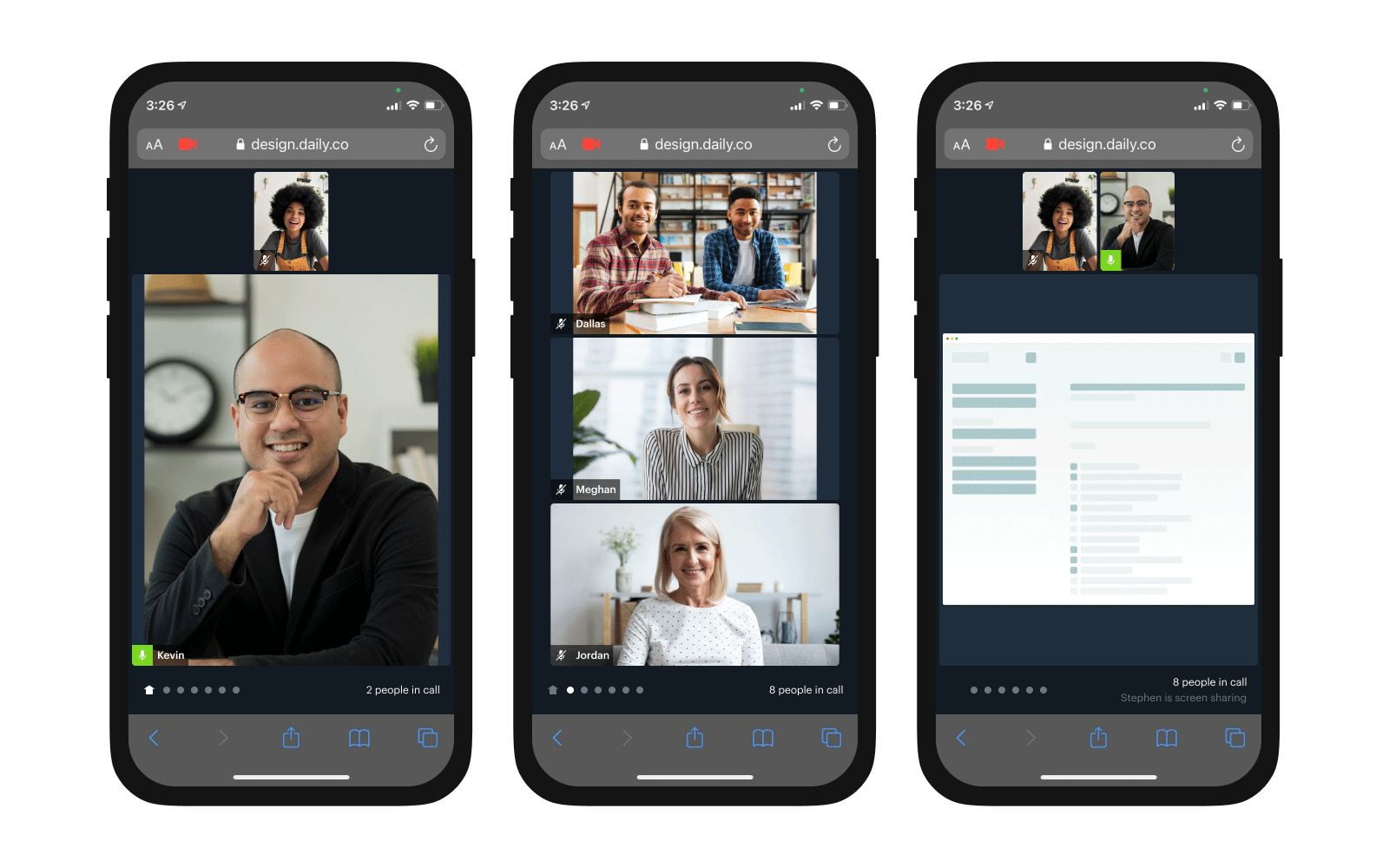
The engineering team has been working diligently to improve your Daily Prebuilt experience, especially on mobile.
## Daily Prebuilt
Completely redesigned mobile client, including:
* A home page that highlights the active speaker and screen shares.
* Additional pages that can be swiped through to reveal up to 3 remote video feeds.
* A new controller bar at the bottom of the UI which shows page position, participant count, and the name of \* the screen sharer.
* Mobile UI now runs exclusively on touch enabled tablets and phones.
* Lots of performance improvements!
Additionally:
* Improved audio playback when a Bluetooth device is disconnected.
* Drastically improved active speaker switching performance on mobile.
* Updated participant bar to prioritize participants with cameras on.
* Participant bar scroll position is now preserved after open/close.
* Fixed issue where the wrong active speaker might be displayed on join, thanks to a bug fix shipped with `daily-js 0.15.0`
* Added new icons for Firefox.
* Updated German translations.
## Core call experience
* Fixed issue where a participants’ audio failed to send at join time if the room/token had `start_video_off`and `start_audio_off` and then immediately called `setLocalAudio(true)` `setLocalVideo(true)`.
* Fixed an issue with Daily Prebuilt that could cause multiple meeting moves at the start of a call when the lobby is enabled.
* Reduced superfluous error logs generated as fallout from a stale websocket.
* Fixed issue causing `stopLiveStreaming()` to fail.
* Self-signed meeting tokens with `is_owner`set to true can now start recordings.
## daily-js 0.14.0
* Added `byDeviceInUse` as a possible `participants().local.tracks.video.blocked` property. Now, when Daily can't access a camera on Windows because another app is using it, `participants().local.tracks.video.blocked.byDeviceInUse` will be set to `true`, and a `'participant-updated'` event will fire. This sets you up to handle the use case (say, by showing a prompt asking your user to close other apps that might be using the camera).
## react-native-daily-js 0.11.0
* Fixed `setNativeInCallAudioMode()`.
* Synced Daily's `react-native-webrtc` fork with the upstream version 1.89.2, which contains a more modern M89 build of libwebrtc (we were previously relying on M75). With this update, you can make release builds on iOS that leverage bitcode (see [README](https://github.com/daily-co/react-native-daily-js/blob/main/README.md) for details). Some things to keep in mind:
* Since `@daily-co/react-native-webrtc` is specified as a peer dependency of `react-native-daily-js`, you'll need to update your project to depend on the appropriate version. You should get a warning at `npm install` time about the version you need—heed it.
* iOS 10 and below are no longer supported starting with this version.
* Use of the Chrome debugger is no longer supported due to a change ([Android](https://github.com/react-native-webrtc/react-native-webrtc/commit/1fbe7e14bf540e1651c98ee11fc11f690f61f622#diff-6732b1c8f20f6bb8141dcabe3d92b5d92afe0cbc8ce806d3dd7d68bfe9cb26c3R399), [iOS](https://github.com/react-native-webrtc/react-native-webrtc/commit/1fbe7e14bf540e1651c98ee11fc11f690f61f622#diff-93e1cc169a518e187322d0d98a18998cf673577b238639e681cc96b5c2278c6cR88)) in the upstream `react-native-webrtc`. We recommend instead [using the Safari debugger](https://reactnative.dev/docs/debugging#safari-developer-tools) for debugging JavaScript on iOS.
## Other bug fixes and improvements
* We switched the default `signaling_impl` for all Daily domains to `"ws"` (WebSocket signaling) to increase connection speed and network reliability across calls.
*Our revamped mobile Prebuilt*
The engineering team has been working diligently to improve your Daily Prebuilt experience, especially on mobile.
## Daily Prebuilt
Completely redesigned mobile client, including:
* A home page that highlights the active speaker and screen shares.
* Additional pages that can be swiped through to reveal up to 3 remote video feeds.
* A new controller bar at the bottom of the UI which shows page position, participant count, and the name of \* the screen sharer.
* Mobile UI now runs exclusively on touch enabled tablets and phones.
* Lots of performance improvements!
Additionally:
* Improved audio playback when a Bluetooth device is disconnected.
* Drastically improved active speaker switching performance on mobile.
* Updated participant bar to prioritize participants with cameras on.
* Participant bar scroll position is now preserved after open/close.
* Fixed issue where the wrong active speaker might be displayed on join, thanks to a bug fix shipped with `daily-js 0.15.0`
* Added new icons for Firefox.
* Updated German translations.
## Core call experience
* Fixed issue where a participants’ audio failed to send at join time if the room/token had `start_video_off`and `start_audio_off` and then immediately called `setLocalAudio(true)` `setLocalVideo(true)`.
* Fixed an issue with Daily Prebuilt that could cause multiple meeting moves at the start of a call when the lobby is enabled.
* Reduced superfluous error logs generated as fallout from a stale websocket.
* Fixed issue causing `stopLiveStreaming()` to fail.
* Self-signed meeting tokens with `is_owner`set to true can now start recordings.
## daily-js 0.14.0
* Added `byDeviceInUse` as a possible `participants().local.tracks.video.blocked` property. Now, when Daily can't access a camera on Windows because another app is using it, `participants().local.tracks.video.blocked.byDeviceInUse` will be set to `true`, and a `'participant-updated'` event will fire. This sets you up to handle the use case (say, by showing a prompt asking your user to close other apps that might be using the camera).
## react-native-daily-js 0.11.0
* Fixed `setNativeInCallAudioMode()`.
* Synced Daily's `react-native-webrtc` fork with the upstream version 1.89.2, which contains a more modern M89 build of libwebrtc (we were previously relying on M75). With this update, you can make release builds on iOS that leverage bitcode (see [README](https://github.com/daily-co/react-native-daily-js/blob/main/README.md) for details). Some things to keep in mind:
* Since `@daily-co/react-native-webrtc` is specified as a peer dependency of `react-native-daily-js`, you'll need to update your project to depend on the appropriate version. You should get a warning at `npm install` time about the version you need—heed it.
* iOS 10 and below are no longer supported starting with this version.
* Use of the Chrome debugger is no longer supported due to a change ([Android](https://github.com/react-native-webrtc/react-native-webrtc/commit/1fbe7e14bf540e1651c98ee11fc11f690f61f622#diff-6732b1c8f20f6bb8141dcabe3d92b5d92afe0cbc8ce806d3dd7d68bfe9cb26c3R399), [iOS](https://github.com/react-native-webrtc/react-native-webrtc/commit/1fbe7e14bf540e1651c98ee11fc11f690f61f622#diff-93e1cc169a518e187322d0d98a18998cf673577b238639e681cc96b5c2278c6cR88)) in the upstream `react-native-webrtc`. We recommend instead [using the Safari debugger](https://reactnative.dev/docs/debugging#safari-developer-tools) for debugging JavaScript on iOS.
## Other bug fixes and improvements
* We switched the default `signaling_impl` for all Daily domains to `"ws"` (WebSocket signaling) to increase connection speed and network reliability across calls.
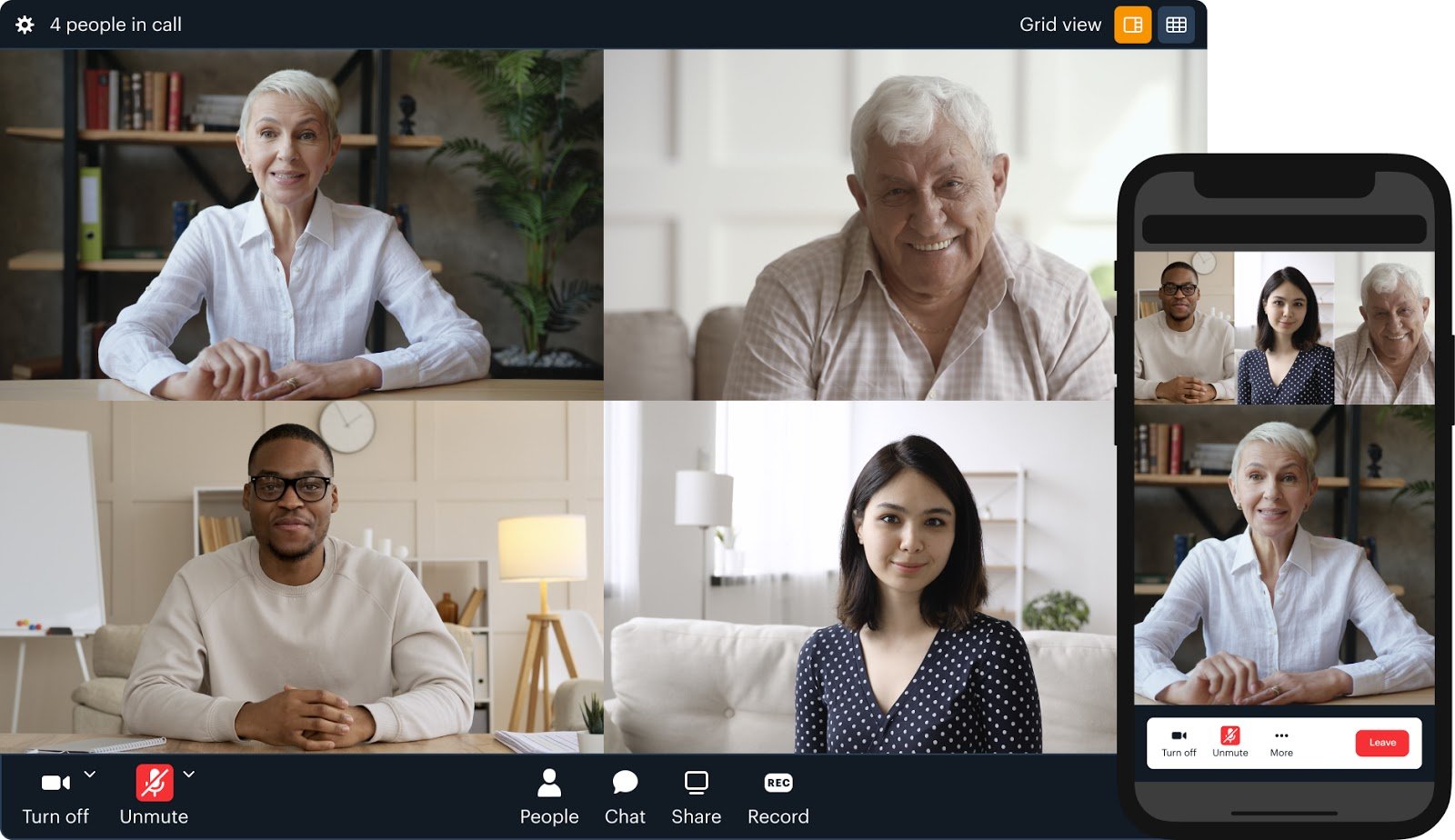 *Introducing [the new Daily Prebuilt](https://www.daily.co/blog/announcing-the-new-daily-prebuilt-for-developers/)*
We've shipped two new products since we last wrote! Find the full details about [Daily Prebuilt](https://www.daily.co/blog/announcing-the-new-daily-prebuilt-for-developers/) and [Live Streaming](https://www.daily.co/blog/announcing-daily-live-streaming/) over on [the blog](https://www.daily.co/blog/). Or, keep reading here for other updates! As always, if you have feedback, [we'd love to hear it](https://www.daily.co/contact).
*P.s. Join us on Clubhouse! We'll be hosting [recurring conversations](https://twitter.com/trydaily/status/1391582009823166466) about the creator economy. It'd be great if you could make it.*
## daily-js 0.13.0
* 🗺 Added [`'lang-updated'`](/reference/daily-js/events/iframe-ui-events#lang-updated) event that fires when [setDailyLang()](/reference/daily-js/instance-methods/set-daily-lang) is called and changes the call language. The payload includes two values: `lang` and `langSetting`. `lang` is the language currently in effect. `langSetting` is the value the user explicitly specified (e.g. via `setDailyLang()`) that resulted in that language ultimately being set. For example, if you call `setDailyLang('en')`, both your `lang` and your `langSetting` will be `'en'`. If you call `setDailyLang('user')`, where `'user'` is a special language setting that instructs Daily to use the user’s browser’s language preference, then `langSetting` will be `'user'` and `lang` will be the language chosen based on the browser setting: `'en'`, `'fr'`, `'pt'`, or any other Daily-supported language.
* 🎫 Shipped [`getMeetingSession()`](/reference/daily-js/instance-methods/get-meeting-session) method that returns the current meeting session id. A [meeting session](/reference/rest-api/meetings) is a set of one or more people in a room together during a specific time window.
* ✨ Released [`'meeting-session-updated'`](/reference/daily-js/events/messaging-events#meeting-session-updated) event that fires when the meeting session changes. One meeting session ends and another begins, for example, when you've been sitting alone in a room for 10 minutes.
* 🇳🇴 Added Norwegian language support in [Daily Prebuilt](/docs/prebuilt) (language code `"no"`).
## react-native-daily-js 0.10.0
* ⬆️ See above!
## Bugfixes
* 🐛 Squashed! If you invoked two or more async methods (like [`getInputDevices()`](/reference/daily-js/instance-methods/get-input-devices), [`room()`](/reference/daily-js/instance-methods/room), [`requestAccess()`](/reference/daily-js/instance-methods/request-access), etc.) within the same millisecond, some of those methods might never have resolved.
* 🚨 When a call-ending error happens while using [Daily Prebuilt](/docs/prebuilt), the call iframe will no longer be cleared. Instead, a relevant user-friendly error message (which might be an oxymoron) will be displayed.
* ✅ Improved a11y on [Daily Prebuilt](/docs/prebuilt) close button
* 🚀 Other [Daily Prebuilt](/docs/prebuilt) performance improvements
*Introducing [the new Daily Prebuilt](https://www.daily.co/blog/announcing-the-new-daily-prebuilt-for-developers/)*
We've shipped two new products since we last wrote! Find the full details about [Daily Prebuilt](https://www.daily.co/blog/announcing-the-new-daily-prebuilt-for-developers/) and [Live Streaming](https://www.daily.co/blog/announcing-daily-live-streaming/) over on [the blog](https://www.daily.co/blog/). Or, keep reading here for other updates! As always, if you have feedback, [we'd love to hear it](https://www.daily.co/contact).
*P.s. Join us on Clubhouse! We'll be hosting [recurring conversations](https://twitter.com/trydaily/status/1391582009823166466) about the creator economy. It'd be great if you could make it.*
## daily-js 0.13.0
* 🗺 Added [`'lang-updated'`](/reference/daily-js/events/iframe-ui-events#lang-updated) event that fires when [setDailyLang()](/reference/daily-js/instance-methods/set-daily-lang) is called and changes the call language. The payload includes two values: `lang` and `langSetting`. `lang` is the language currently in effect. `langSetting` is the value the user explicitly specified (e.g. via `setDailyLang()`) that resulted in that language ultimately being set. For example, if you call `setDailyLang('en')`, both your `lang` and your `langSetting` will be `'en'`. If you call `setDailyLang('user')`, where `'user'` is a special language setting that instructs Daily to use the user’s browser’s language preference, then `langSetting` will be `'user'` and `lang` will be the language chosen based on the browser setting: `'en'`, `'fr'`, `'pt'`, or any other Daily-supported language.
* 🎫 Shipped [`getMeetingSession()`](/reference/daily-js/instance-methods/get-meeting-session) method that returns the current meeting session id. A [meeting session](/reference/rest-api/meetings) is a set of one or more people in a room together during a specific time window.
* ✨ Released [`'meeting-session-updated'`](/reference/daily-js/events/messaging-events#meeting-session-updated) event that fires when the meeting session changes. One meeting session ends and another begins, for example, when you've been sitting alone in a room for 10 minutes.
* 🇳🇴 Added Norwegian language support in [Daily Prebuilt](/docs/prebuilt) (language code `"no"`).
## react-native-daily-js 0.10.0
* ⬆️ See above!
## Bugfixes
* 🐛 Squashed! If you invoked two or more async methods (like [`getInputDevices()`](/reference/daily-js/instance-methods/get-input-devices), [`room()`](/reference/daily-js/instance-methods/room), [`requestAccess()`](/reference/daily-js/instance-methods/request-access), etc.) within the same millisecond, some of those methods might never have resolved.
* 🚨 When a call-ending error happens while using [Daily Prebuilt](/docs/prebuilt), the call iframe will no longer be cleared. Instead, a relevant user-friendly error message (which might be an oxymoron) will be displayed.
* ✅ Improved a11y on [Daily Prebuilt](/docs/prebuilt) close button
* 🚀 Other [Daily Prebuilt](/docs/prebuilt) performance improvements
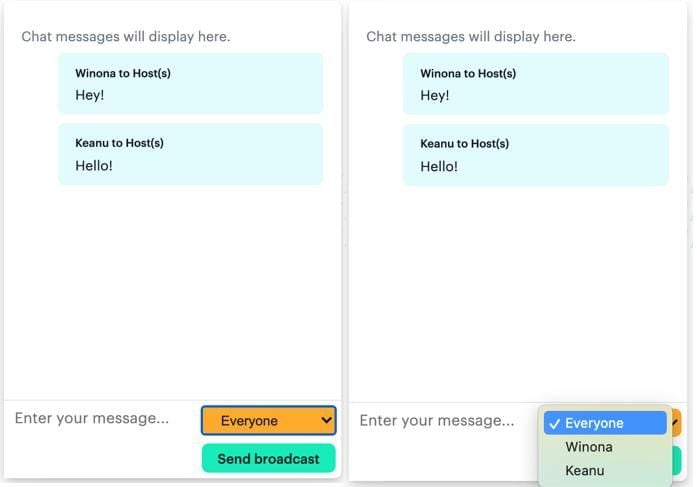 *Use the Daily [sendAppMessage()](/reference/daily-js/instance-methods/send-app-message) method to build a React chat component in our new tutorial.*
## daily-js 0.12.0
* 🛤 Built support for custom tracks outside of the standard Daily built-in `cam-audio`, `cam-video`, `screen-audio`, `screen-video`. [Contact us](https://www.daily.co/contact) for beta docs.
* 📈 Enhanced network stats detection
* ❗️ Created error message to specify if a participant has been `ejected-from-meeting`
* 🛑 Added an optional `error` field to the `'camera-error'` and `'error'` event payloads, in addition to the existing `errorMsg` field. This new `error` field includes a type (which you can think of as an error code but a string constant) and an optional `localizedMsg`, which can provide you with a localized UI-friendly message describing the error. See [index.d.ts's](https://github.com/daily-co/daily-js/blob/main/index.d.ts) `DailyCameraErrorType` and `DailyFatalErrorType` for supported error types so far.
* ❌ Improved preauth for expired or invalid meeting tokens and rooms
* 🗺 Shipped [`getDailyLang()`](), which returns a Promise that resolves to `{ lang: , langSetting: }`, telling you both the language actually in effect and the language you've specified. For example, if you've specified `'user'` as your language, `getDailyLang()` might return `{ lang: 'en', langSetting: 'user'}`.
* 🌎 Added `'user'` as a possible value when invoking [`setDailyLang()`](/reference/daily-js/instance-methods/set-daily-lang) or as a `lang` property when invoking [`join()`](/reference/daily-js/instance-methods/join), [`preAuth()`](/reference/daily-js/instance-methods/pre-auth), [`startCamera()`](/reference/daily-js/instance-methods/start-camera), or factory methods like [`createFrame()`](/reference/daily-js/factory-methods/create-frame). `'user'` instructs Daily to use the user's preferred language as specified by the browser.
## react-native-daily-js 0.9.0
* ❗️ See the `ejected-from-meeting`, preauth, and `'error'` event payload updates above.
## Bugfixes and other improvements
* 🐛 Updated error handling for revoked camera and mic permissions mid-call
* 👋 So long, Edge 18, it's been a wild ride. [`supportedBrowser().supported`](/reference/daily-js/static-methods/supported-browser) now returns `false` for Edge 18.
## New blog posts and podcasts
*Use the Daily [sendAppMessage()](/reference/daily-js/instance-methods/send-app-message) method to build a React chat component in our new tutorial.*
## daily-js 0.12.0
* 🛤 Built support for custom tracks outside of the standard Daily built-in `cam-audio`, `cam-video`, `screen-audio`, `screen-video`. [Contact us](https://www.daily.co/contact) for beta docs.
* 📈 Enhanced network stats detection
* ❗️ Created error message to specify if a participant has been `ejected-from-meeting`
* 🛑 Added an optional `error` field to the `'camera-error'` and `'error'` event payloads, in addition to the existing `errorMsg` field. This new `error` field includes a type (which you can think of as an error code but a string constant) and an optional `localizedMsg`, which can provide you with a localized UI-friendly message describing the error. See [index.d.ts's](https://github.com/daily-co/daily-js/blob/main/index.d.ts) `DailyCameraErrorType` and `DailyFatalErrorType` for supported error types so far.
* ❌ Improved preauth for expired or invalid meeting tokens and rooms
* 🗺 Shipped [`getDailyLang()`](), which returns a Promise that resolves to `{ lang: , langSetting: }`, telling you both the language actually in effect and the language you've specified. For example, if you've specified `'user'` as your language, `getDailyLang()` might return `{ lang: 'en', langSetting: 'user'}`.
* 🌎 Added `'user'` as a possible value when invoking [`setDailyLang()`](/reference/daily-js/instance-methods/set-daily-lang) or as a `lang` property when invoking [`join()`](/reference/daily-js/instance-methods/join), [`preAuth()`](/reference/daily-js/instance-methods/pre-auth), [`startCamera()`](/reference/daily-js/instance-methods/start-camera), or factory methods like [`createFrame()`](/reference/daily-js/factory-methods/create-frame). `'user'` instructs Daily to use the user's preferred language as specified by the browser.
## react-native-daily-js 0.9.0
* ❗️ See the `ejected-from-meeting`, preauth, and `'error'` event payload updates above.
## Bugfixes and other improvements
* 🐛 Updated error handling for revoked camera and mic permissions mid-call
* 👋 So long, Edge 18, it's been a wild ride. [`supportedBrowser().supported`](/reference/daily-js/static-methods/supported-browser) now returns `false` for Edge 18.
## New blog posts and podcasts
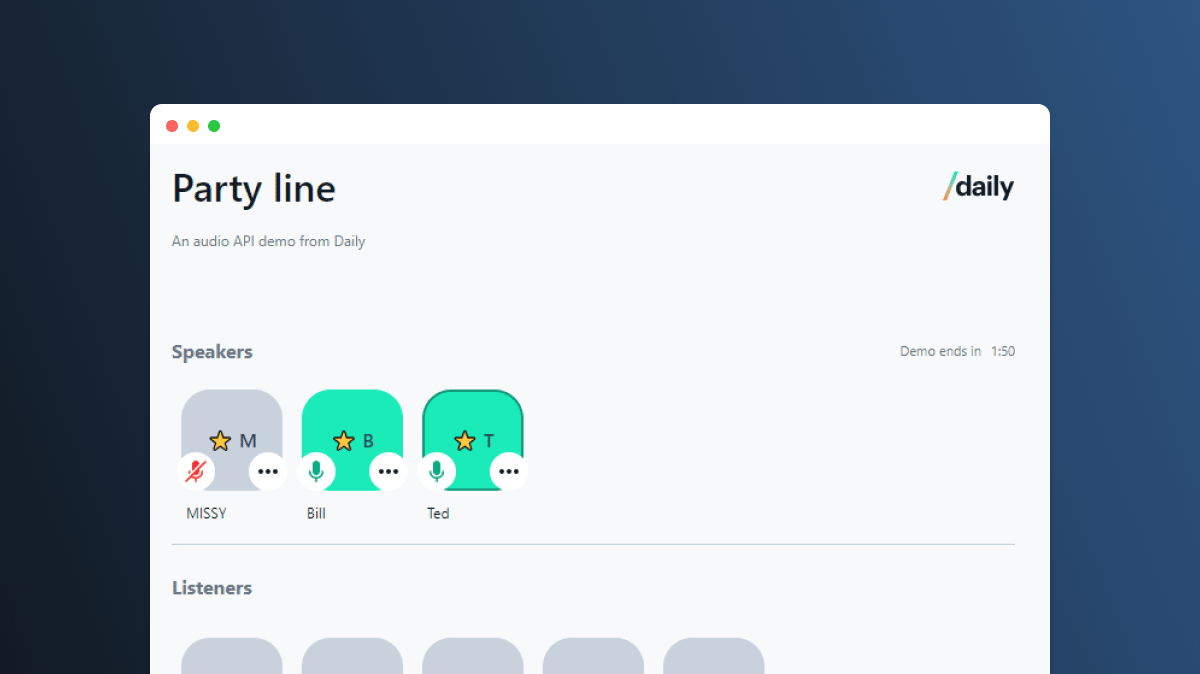 Test out an audio-only platform or build your own with our [Party Line](https://partyline.daily.co/) demo and [source code](https://github.com/daily-demos/party-line).
In addition to all changes below, since we last wrote we shipped a multi-platform audio-only demo we're calling [Party Line](https://partyline.daily.co/). Read on, then Party on!
## daily-js 0.11.0
### 🔇 More insight into why a participant's audio or video might be off.
If a meeting owner explicitly mutes a participant via `updateParticipant(id, { setAudio: false })` or `updateParticipant(id, { setVideo: false })`, or mutes multiple participants via `updateParticipants()`, then `participants()[id].tracks.audio.off` and `participants()[id].tracks.video.off` may now include `byRemoteRequest: true`.
> Note that when `byRemoteRequest: true` is set, `byUser: true` will also be set. You don't have to change any existing code and can continue treating meeting-owner-triggered mutes as regular mutes. When a user unmutes themselves, `byRemoteRequest` disappears along with `byUser.`
The current default value is 9, which is also the maximum number that may be specified.
### 🎥 Specify `max_cam_streams` used in a live stream.
When using the default `layout` in [startLiveStreaming()](/reference/daily-js/instance-methods/start-live-streaming), you can now limit the number of camera streams included in the live stream to the specified number.
```js theme={null}
startLiveStreaming({
rtmpUrl,
backgroundColor,
layout: { preset: 'default', max_cam_streams: 4 },
});
```
## react-native-daily-js 0.8.0
### 🔏 **(**BETA**) Room access control methods and events**
If you're using WebSocket signaling (`signaling_impl = 'ws'` in your [room config](/reference/rest-api/rooms/get-room#response-config)), then you can try out a new set of room access control APIs geared towards implementing a "lobby". Users can request "full" access to a meeting and wait for a meeting owner to let them in.
These new methods and events let you:
* Determine the local participant's access level, even before attempting to join a meeting: [`preAuth()`](/reference/daily-js/instance-methods/pre-auth), [`accessState()`](/reference/daily-js/instance-methods/access-state), [`'access-state-updated'`](/reference/daily-js/events/lifecycle-events#access-state-updated)
* Request elevated access to a meeting: [`requestAccess()`](/reference/daily-js/instance-methods/request-access)
* Manage pending access requests (if you're a meeting owner): [`waitingParticipants()`](/reference/daily-js/instance-methods/waiting-participants), [`updateWaitingParticipant()`](/reference/daily-js/instance-methods/update-waiting-participant), [`updateWaitingParticipants()`](/reference/daily-js/instance-methods/update-waiting-participants), [`'waiting-participant-added'`](/reference/daily-js/events/participant-events#waiting-participant-added), [`'waiting-participant-updated'`](/reference/daily-js/events/participant-events#waiting-participant-updated), [`'waiting-participant-removed'`](/reference/daily-js/events/participant-events#waiting-participant-removed)
### 🔇 More insight into why a participant's audio or video might be off (see `daily-js 0.11.0` above).
## **Bugfixes and other improvements**
* 📹 The [`'recording-started'`](/reference/daily-js/events/recording-events#recording-started) event payload now includes `local` and `recordingId`.
## New blog posts and podcasts
Test out an audio-only platform or build your own with our [Party Line](https://partyline.daily.co/) demo and [source code](https://github.com/daily-demos/party-line).
In addition to all changes below, since we last wrote we shipped a multi-platform audio-only demo we're calling [Party Line](https://partyline.daily.co/). Read on, then Party on!
## daily-js 0.11.0
### 🔇 More insight into why a participant's audio or video might be off.
If a meeting owner explicitly mutes a participant via `updateParticipant(id, { setAudio: false })` or `updateParticipant(id, { setVideo: false })`, or mutes multiple participants via `updateParticipants()`, then `participants()[id].tracks.audio.off` and `participants()[id].tracks.video.off` may now include `byRemoteRequest: true`.
> Note that when `byRemoteRequest: true` is set, `byUser: true` will also be set. You don't have to change any existing code and can continue treating meeting-owner-triggered mutes as regular mutes. When a user unmutes themselves, `byRemoteRequest` disappears along with `byUser.`
The current default value is 9, which is also the maximum number that may be specified.
### 🎥 Specify `max_cam_streams` used in a live stream.
When using the default `layout` in [startLiveStreaming()](/reference/daily-js/instance-methods/start-live-streaming), you can now limit the number of camera streams included in the live stream to the specified number.
```js theme={null}
startLiveStreaming({
rtmpUrl,
backgroundColor,
layout: { preset: 'default', max_cam_streams: 4 },
});
```
## react-native-daily-js 0.8.0
### 🔏 **(**BETA**) Room access control methods and events**
If you're using WebSocket signaling (`signaling_impl = 'ws'` in your [room config](/reference/rest-api/rooms/get-room#response-config)), then you can try out a new set of room access control APIs geared towards implementing a "lobby". Users can request "full" access to a meeting and wait for a meeting owner to let them in.
These new methods and events let you:
* Determine the local participant's access level, even before attempting to join a meeting: [`preAuth()`](/reference/daily-js/instance-methods/pre-auth), [`accessState()`](/reference/daily-js/instance-methods/access-state), [`'access-state-updated'`](/reference/daily-js/events/lifecycle-events#access-state-updated)
* Request elevated access to a meeting: [`requestAccess()`](/reference/daily-js/instance-methods/request-access)
* Manage pending access requests (if you're a meeting owner): [`waitingParticipants()`](/reference/daily-js/instance-methods/waiting-participants), [`updateWaitingParticipant()`](/reference/daily-js/instance-methods/update-waiting-participant), [`updateWaitingParticipants()`](/reference/daily-js/instance-methods/update-waiting-participants), [`'waiting-participant-added'`](/reference/daily-js/events/participant-events#waiting-participant-added), [`'waiting-participant-updated'`](/reference/daily-js/events/participant-events#waiting-participant-updated), [`'waiting-participant-removed'`](/reference/daily-js/events/participant-events#waiting-participant-removed)
### 🔇 More insight into why a participant's audio or video might be off (see `daily-js 0.11.0` above).
## **Bugfixes and other improvements**
* 📹 The [`'recording-started'`](/reference/daily-js/events/recording-events#recording-started) event payload now includes `local` and `recordingId`.
## New blog posts and podcasts
 *Watch our [first-ever video AMA](https://www.youtube.com/watch?v=erMBerV6CZ4\&t=1s) with Wesley.*
Read on for details about our first release under a new versioning scheme (we got tired of all those 9's).
## daily-js 0.10.0
### 🔏 (**BETA**) Room access control methods and events
If you're using the [Daily call object](/reference/daily-js/daily-call-client) along with WebSocket signaling (`signaling_impl = 'ws'` in your [room config](/reference/rest-api/rooms/get-room#response-config)), then you can try out a new set of room access control APIs geared towards implementing a "lobby". Users can request "full" access to a meeting and wait for a meeting owner to let them in.
These new methods and events let you:
* Determine the local participant's access level, even before attempting to join a meeting: [`preAuth()`](/reference/daily-js/instance-methods/pre-auth), [`accessState()`](/reference/daily-js/instance-methods/access-state), [`'access-state-updated'`](/reference/daily-js/events/lifecycle-events#access-state-updated)
* Request elevated access to a meeting: [`requestAccess()`](/reference/daily-js/instance-methods/request-access)
* Manage pending access requests (if you're a meeting owner): [`waitingParticipants()`](/reference/daily-js/instance-methods/waiting-participants), [`updateWaitingParticipant()`](/reference/daily-js/instance-methods/update-waiting-participant), [`updateWaitingParticipants()`](/reference/daily-js/instance-methods/update-waiting-participants), [`'waiting-participant-added'`](/reference/daily-js/events/participant-events#waiting-participant-added), [`'waiting-participant-updated'`](/reference/daily-js/events/participant-events#waiting-participant-updated), [`'waiting-participant-removed'`](/reference/daily-js/events/participant-events#waiting-participant-removed)
### 🐛 Bugfixes
* [`setInputDevicesAsync()`](/reference/daily-js/instance-methods/set-input-devices-async) and [`getInputDevices()`](/reference/daily-js/instance-methods/get-input-devices) can now more reliably be used any time before invoking [`join()`](/reference/daily-js/instance-methods/join).
* The ['fullscreen'](/reference/daily-js/events/iframe-ui-events#fullscreen) and ['exited-fullscreen'](/reference/daily-js/events/iframe-ui-events#exited-fullscreen) events now have the expected payloads: `{ action: 'fullscreen' }` and `{ action: 'exited-fullscreen' }`, respectively.
## New blog posts and podcasts
*Watch our [first-ever video AMA](https://www.youtube.com/watch?v=erMBerV6CZ4\&t=1s) with Wesley.*
Read on for details about our first release under a new versioning scheme (we got tired of all those 9's).
## daily-js 0.10.0
### 🔏 (**BETA**) Room access control methods and events
If you're using the [Daily call object](/reference/daily-js/daily-call-client) along with WebSocket signaling (`signaling_impl = 'ws'` in your [room config](/reference/rest-api/rooms/get-room#response-config)), then you can try out a new set of room access control APIs geared towards implementing a "lobby". Users can request "full" access to a meeting and wait for a meeting owner to let them in.
These new methods and events let you:
* Determine the local participant's access level, even before attempting to join a meeting: [`preAuth()`](/reference/daily-js/instance-methods/pre-auth), [`accessState()`](/reference/daily-js/instance-methods/access-state), [`'access-state-updated'`](/reference/daily-js/events/lifecycle-events#access-state-updated)
* Request elevated access to a meeting: [`requestAccess()`](/reference/daily-js/instance-methods/request-access)
* Manage pending access requests (if you're a meeting owner): [`waitingParticipants()`](/reference/daily-js/instance-methods/waiting-participants), [`updateWaitingParticipant()`](/reference/daily-js/instance-methods/update-waiting-participant), [`updateWaitingParticipants()`](/reference/daily-js/instance-methods/update-waiting-participants), [`'waiting-participant-added'`](/reference/daily-js/events/participant-events#waiting-participant-added), [`'waiting-participant-updated'`](/reference/daily-js/events/participant-events#waiting-participant-updated), [`'waiting-participant-removed'`](/reference/daily-js/events/participant-events#waiting-participant-removed)
### 🐛 Bugfixes
* [`setInputDevicesAsync()`](/reference/daily-js/instance-methods/set-input-devices-async) and [`getInputDevices()`](/reference/daily-js/instance-methods/get-input-devices) can now more reliably be used any time before invoking [`join()`](/reference/daily-js/instance-methods/join).
* The ['fullscreen'](/reference/daily-js/events/iframe-ui-events#fullscreen) and ['exited-fullscreen'](/reference/daily-js/events/iframe-ui-events#exited-fullscreen) events now have the expected payloads: `{ action: 'fullscreen' }` and `{ action: 'exited-fullscreen' }`, respectively.
## New blog posts and podcasts
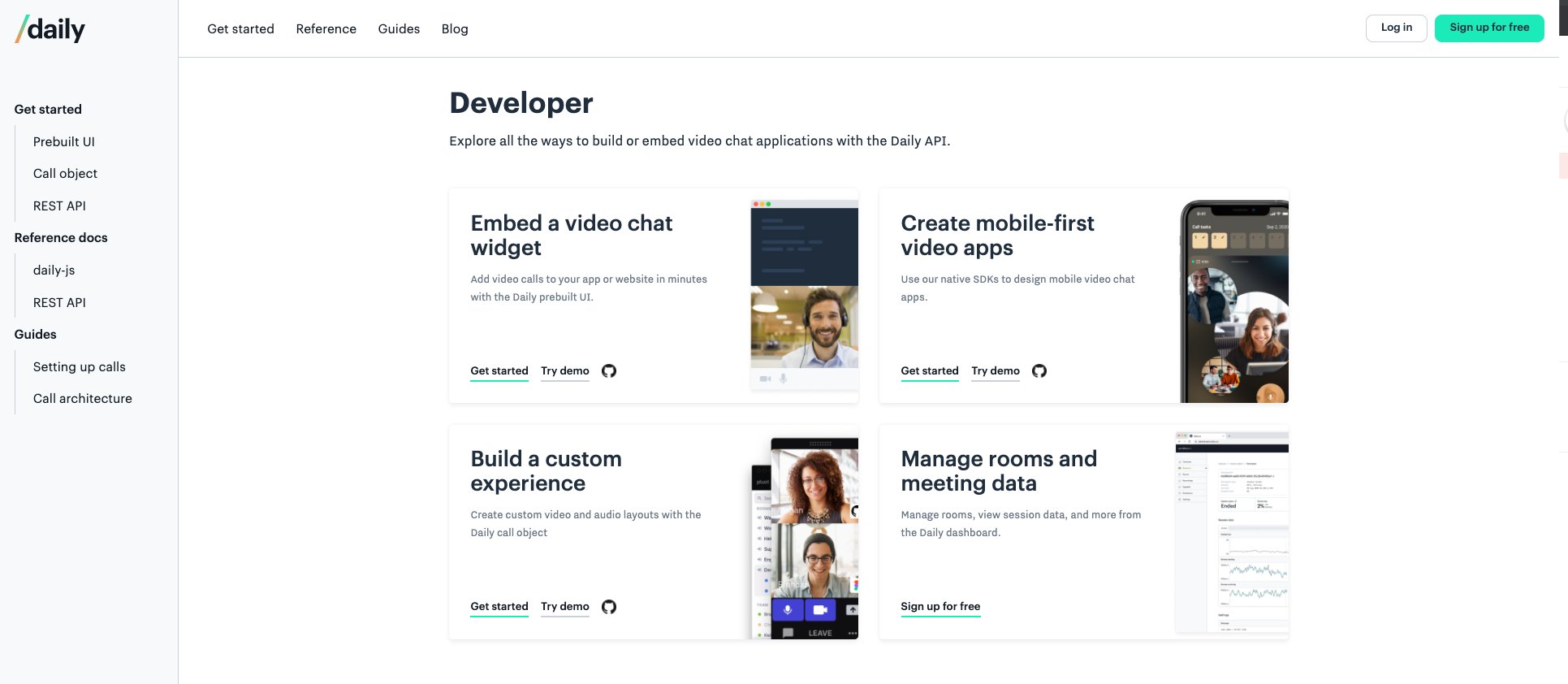 We launched a new [docs landing page](https://docs.daily.co/)! Have a look when you get a chance, and read on for more updates.
## daily-js 0.9.999 and react-native-daily-js 0.7.1
* 🔌 All new Daily domains now default to web socket signaling. Using web sockets makes muting, unmuting, and changing track subscriptions faster.
* 👩👩👧👧 You can now update all participants on a call at once when you pass `*` to the [`updateParticipants()`](/reference/daily-js/instance-methods/update-participants) method. For example, here's how you'd subscribe to all participants' media tracks: `callObject.updateParticipants({'*': {setSubscribedTracks: true}});`.
* 🚪 The [`room()`](/reference/daily-js/instance-methods/room) method now returns comprehensive `config` properties, including both explicitly-set and default values. To only see explicitly-set properties, pass in a new `{includeRoomConfigDefaults: false}` argument. `room()` now also returns `domainConfig` properties describing the room's domain.
* 🎥 `recording-started` and `recording-stopped` [events](/reference/daily-js/events/recording-events) now fire for all participants—not just the recorder—when someone starts recording the meeting. Additionally, `DailyParticipant` objects (the ones returned by `participants()`) have a new `record` field that indicates whether the participant is recording.
## Performance improvements
* 📺 Improved our RTMP pipeline performance, and reduced CPU usage during the background generation process. Added support for RTMPS.
* 🛤 Better [track subscription](https://www.daily.co/blog/create-dynamic-meetings-using-track-subscriptions/) performance, especially when updating multiple tracks.❗️important reminder: if you need to update multiple participants, call the [`updateParticipants()`](/reference/daily-js/instance-methods/update-participants) method once, *not* [`updateParticipant()`](/reference/daily-js/instance-methods/update-participant) multiple times.
## Other bug fixes
* 🐛 Fixed edge case that ignored [`max_participants`](/reference/rest-api/rooms/get-room#response-config) property.
* ⏰ Adjusted client-side timestamps sent in via logging and telemetry to align with server time.
* 🖌 UI [dashboard](https://dashboard.daily.co/) updates: centered chevron, added scroll away domain menu and tooltips on hover, new status codes on webhooks in API logs.
## New blog posts and podcasts
We launched a new [docs landing page](https://docs.daily.co/)! Have a look when you get a chance, and read on for more updates.
## daily-js 0.9.999 and react-native-daily-js 0.7.1
* 🔌 All new Daily domains now default to web socket signaling. Using web sockets makes muting, unmuting, and changing track subscriptions faster.
* 👩👩👧👧 You can now update all participants on a call at once when you pass `*` to the [`updateParticipants()`](/reference/daily-js/instance-methods/update-participants) method. For example, here's how you'd subscribe to all participants' media tracks: `callObject.updateParticipants({'*': {setSubscribedTracks: true}});`.
* 🚪 The [`room()`](/reference/daily-js/instance-methods/room) method now returns comprehensive `config` properties, including both explicitly-set and default values. To only see explicitly-set properties, pass in a new `{includeRoomConfigDefaults: false}` argument. `room()` now also returns `domainConfig` properties describing the room's domain.
* 🎥 `recording-started` and `recording-stopped` [events](/reference/daily-js/events/recording-events) now fire for all participants—not just the recorder—when someone starts recording the meeting. Additionally, `DailyParticipant` objects (the ones returned by `participants()`) have a new `record` field that indicates whether the participant is recording.
## Performance improvements
* 📺 Improved our RTMP pipeline performance, and reduced CPU usage during the background generation process. Added support for RTMPS.
* 🛤 Better [track subscription](https://www.daily.co/blog/create-dynamic-meetings-using-track-subscriptions/) performance, especially when updating multiple tracks.❗️important reminder: if you need to update multiple participants, call the [`updateParticipants()`](/reference/daily-js/instance-methods/update-participants) method once, *not* [`updateParticipant()`](/reference/daily-js/instance-methods/update-participant) multiple times.
## Other bug fixes
* 🐛 Fixed edge case that ignored [`max_participants`](/reference/rest-api/rooms/get-room#response-config) property.
* ⏰ Adjusted client-side timestamps sent in via logging and telemetry to align with server time.
* 🖌 UI [dashboard](https://dashboard.daily.co/) updates: centered chevron, added scroll away domain menu and tooltips on hover, new status codes on webhooks in API logs.
## New blog posts and podcasts
## January 26, 2021
 ## daily-js 0.9.997
* 🛤 The participant list returned by `participants()` (and all events that return a list of participants), now includes a `tracks` property which gives you a more granular representation of the state of each track. See [`participants()`](/reference/daily-js/instance-methods/participants) docs for more. (Also available in `react-native-daily-js`).
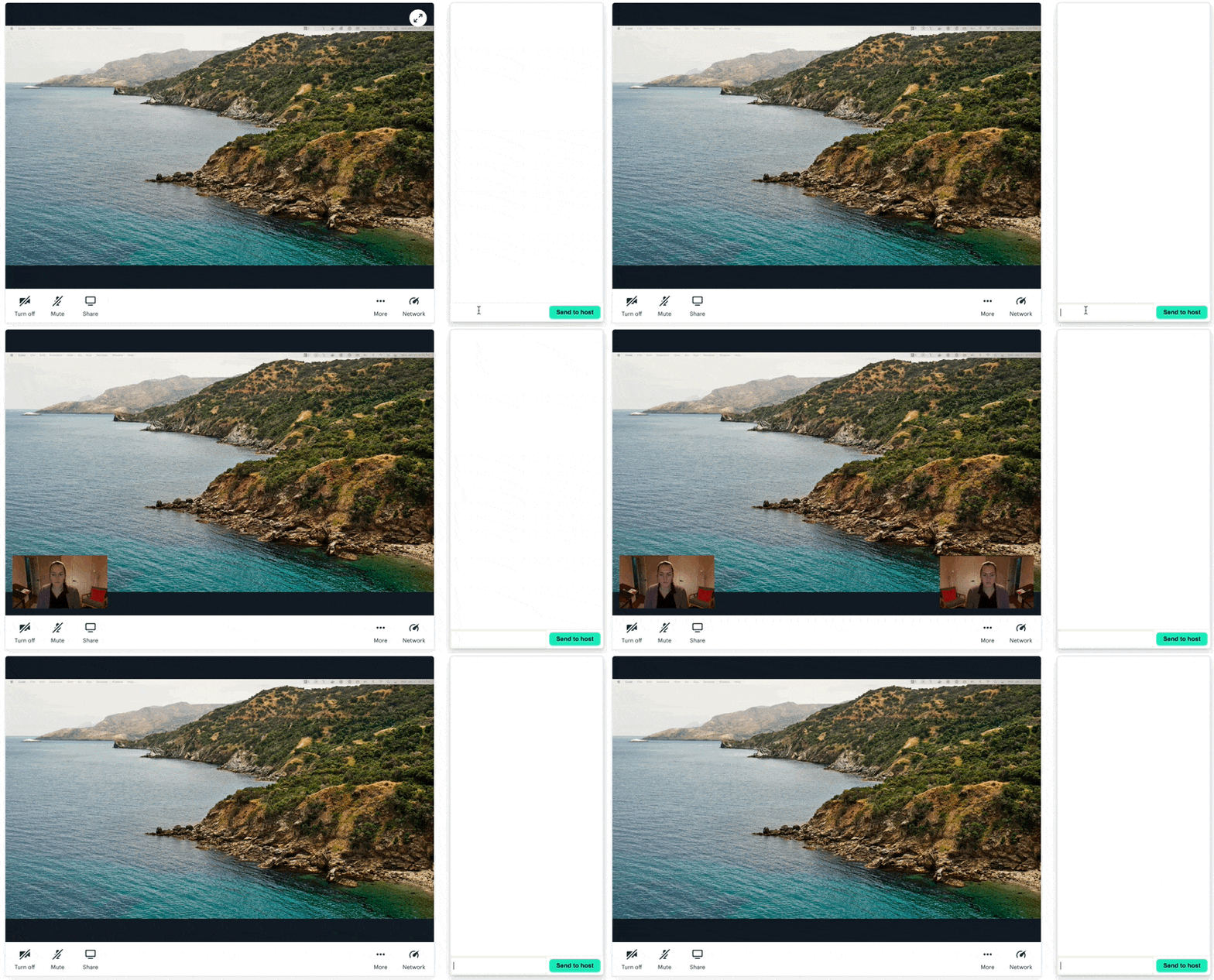
* 👩 In the prebuilt UI you can now control whether your local video is displayed in the corner, with a setter ([`setShowLocalVideo()`](/reference/daily-js/instance-methods/set-show-local-video)), a getter ([`showLocalVideo()`](/reference/daily-js/instance-methods/show-local-video)), and a property to pass into factory methods or at meeting join time (`showLocalVideo`).
* 👩👩👧👧 Additionally, in the prebuilt UI you can now control whether the participants bar (the row of videos during a screenshare) is displayed, with a setter ([`setShowParticipantsBar()`](/reference/daily-js/instance-methods/set-show-participants-bar)), a getter ([`showParticipantsBar()`](/reference/daily-js/instance-methods/show-participants-bar)), and a property to pass into factory methods or at meeting join time (`showParticipantsBar`).
* 📛 Added [`setUserName()`](/reference/daily-js/instance-methods/set-user-name) for programmatically setting the user name that other participants see either visually in the prebuilt UI or through the `user_name` property in the `participants` object corresponding to you.
* The new [`setInputDevicesAsync()`](/reference/daily-js/instance-methods/set-input-devices-async) method returns a Promise.
## Live streaming
* 📺 Our RTMP streaming backend is now more stable and compatible with more services.
* 🎞 The keyframe interval while live streaming has been dropped from 3 seconds to 2 seconds, in line with ingest stream recommendations on major streaming services.
## Bugfixes and other improvements
* 🐛 Fixed a bug where when leaving an iframe-based meeting by clicking the leave button in the iframe, stale participants from that meeting would "linger" in `participants()`, necessitating the creation of a new `DailyIframe` for a new meeting.
* 🛤 TypeScript declaration fixes for `track-started` and `track-stopped` events.
* 🎨 TypeScript declaration fixes wherever CSS properties are expected.
## daily-js 0.9.997
* 🛤 The participant list returned by `participants()` (and all events that return a list of participants), now includes a `tracks` property which gives you a more granular representation of the state of each track. See [`participants()`](/reference/daily-js/instance-methods/participants) docs for more. (Also available in `react-native-daily-js`).
* 👩 In the prebuilt UI you can now control whether your local video is displayed in the corner, with a setter ([`setShowLocalVideo()`](/reference/daily-js/instance-methods/set-show-local-video)), a getter ([`showLocalVideo()`](/reference/daily-js/instance-methods/show-local-video)), and a property to pass into factory methods or at meeting join time (`showLocalVideo`).
* 👩👩👧👧 Additionally, in the prebuilt UI you can now control whether the participants bar (the row of videos during a screenshare) is displayed, with a setter ([`setShowParticipantsBar()`](/reference/daily-js/instance-methods/set-show-participants-bar)), a getter ([`showParticipantsBar()`](/reference/daily-js/instance-methods/show-participants-bar)), and a property to pass into factory methods or at meeting join time (`showParticipantsBar`).
* 📛 Added [`setUserName()`](/reference/daily-js/instance-methods/set-user-name) for programmatically setting the user name that other participants see either visually in the prebuilt UI or through the `user_name` property in the `participants` object corresponding to you.
* The new [`setInputDevicesAsync()`](/reference/daily-js/instance-methods/set-input-devices-async) method returns a Promise.
## Live streaming
* 📺 Our RTMP streaming backend is now more stable and compatible with more services.
* 🎞 The keyframe interval while live streaming has been dropped from 3 seconds to 2 seconds, in line with ingest stream recommendations on major streaming services.
## Bugfixes and other improvements
* 🐛 Fixed a bug where when leaving an iframe-based meeting by clicking the leave button in the iframe, stale participants from that meeting would "linger" in `participants()`, necessitating the creation of a new `DailyIframe` for a new meeting.
* 🛤 TypeScript declaration fixes for `track-started` and `track-stopped` events.
* 🎨 TypeScript declaration fixes wherever CSS properties are expected.