> ## Documentation Index
> Fetch the complete documentation index at: https://docs.daily.co/llms.txt
> Use this file to discover all available pages before exploring further.
# Controlling who joins a meeting
> Use room privacy settings, meeting tokens, and knocking to restrict access to your Daily rooms.
## The room privacy setting
When a room is created, its `privacy` [setting](/reference/rest-api/rooms/create-room#body-privacy) defaults to `"public"`. **Anyone who knows the room's URL can join a public room.**
For many workflows, public rooms are the right approach. If you create rooms on the fly for one-time use, let the [room creation](/reference/rest-api/rooms/create-room) API generate a random name automatically — the URL will be impossible to guess, so only the people you share it with can join. You can also set an `exp` time on the room so it is automatically deleted after use.
For other workflows, you will want to restrict access. For example, if you use human-readable room names, someone could guess a room name and join uninvited. Or, if you reuse meeting rooms, you may want to control access so that even people who have the URL can't always join.
To restrict access, set the room's `privacy` to `"private"`.
A private room can be joined with a [meeting token](/docs/guides/privacy-and-security/meeting-tokens) or by knocking (if the room property `enable_knocking` is set to `true`).
If you change a room from public to private while participants are in it, those participants will remain. Anyone else who tries to join after the change will need a token or to knock.
## Meeting tokens
A [meeting token](/docs/guides/privacy-and-security/meeting-tokens) is the most flexible way to grant access to a private room. Tokens can be unique per participant, time-limited, and carry additional user properties.
Any valid meeting token grants access to a private room. The preferred way to pass a token is via the `token` parameter in [`join()`](/reference/daily-js/instance-methods/join) or [`preAuth()`](/reference/daily-js/instance-methods/pre-auth):
```javascript theme={null}
call.join({ url: DAILY_ROOM_URL, token: DAILY_MEETING_TOKEN });
```
Always set the `room_name` property when creating meeting tokens to control room access. A token without a `room_name` grants access to **any** room in your domain.
## Meeting owner privileges
Participants who join with the `is_owner` meeting token property set to `true` have access to elevated privileges during a call, including:
* Starting or stopping a live stream
* Allowing participants in (private rooms only)
* Triggering [`updateParticipant()`](/reference/daily-js/instance-methods/update-participant)
* Muting camera and microphone for others in [Daily Prebuilt](/docs/prebuilt)
## Knocking
To allow users to request access to a private room, set the room's `enable_knocking` property to `true`.
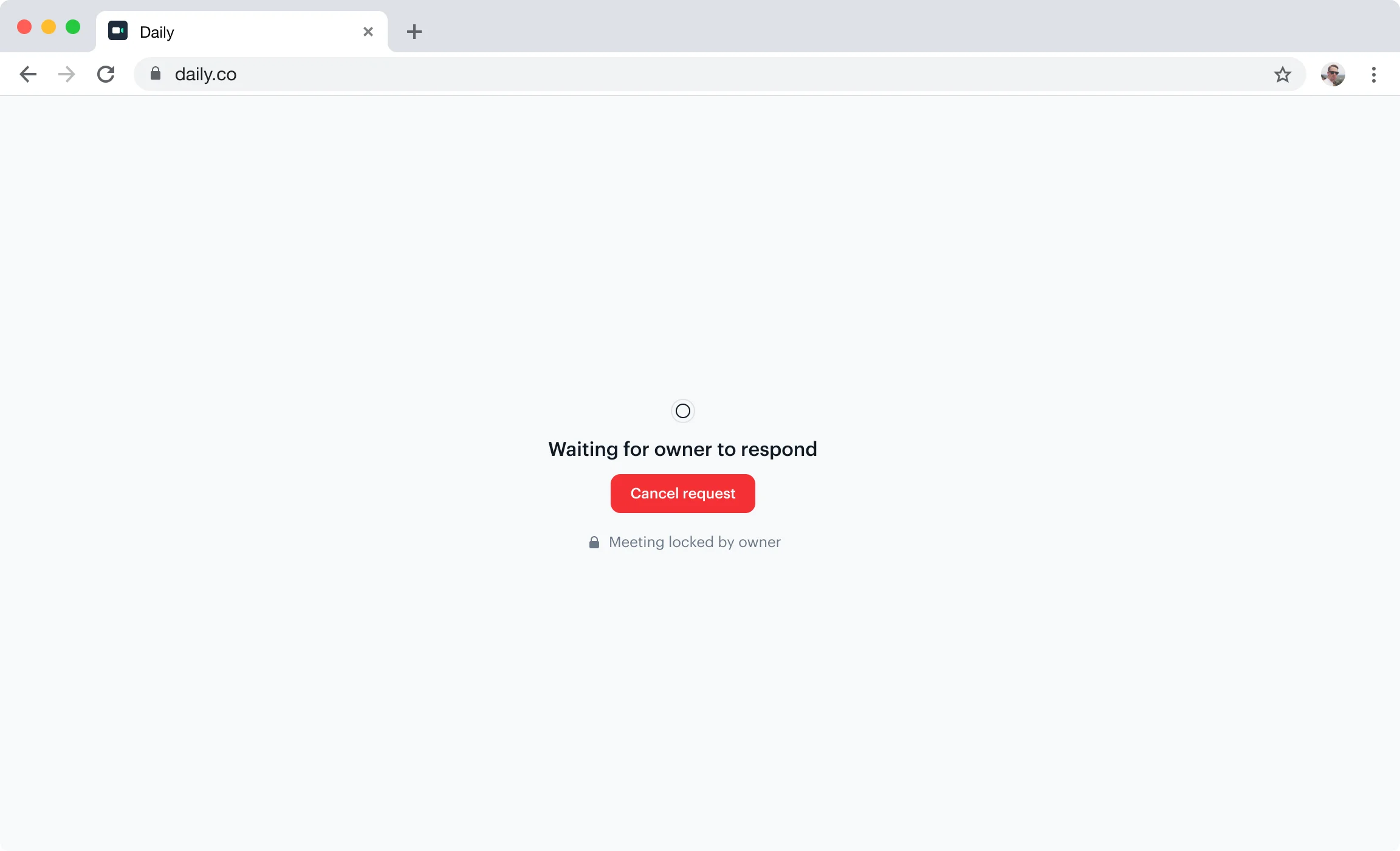 When a user knocks, they enter a waiting state. A room owner — someone who joined with `is_owner: true` in their meeting token — must be present to approve or deny the request.
### Listening for waiting participants
Owners should listen for the following events to respond to knocking participants in real time:
* [`waiting-participant-added`](/reference/daily-js/events/participant-events#waiting-participant-added) — fires when a participant starts knocking
* [`waiting-participant-updated`](/reference/daily-js/events/participant-events#waiting-participant-updated) — fires when a waiting participant updates their display name
* [`waiting-participant-removed`](/reference/daily-js/events/participant-events#waiting-participant-removed) — fires when a waiting participant leaves or gives up
```javascript theme={null}
call.on('waiting-participant-added', (event) => {
console.log('Someone is knocking:', event.participant);
});
```
### Getting the list of waiting participants
Use [`waitingParticipants()`](/reference/daily-js/instance-methods/waiting-participants) to get the current set of participants in the waiting state at any point:
```javascript theme={null}
const waiting = call.waitingParticipants();
// { 'participant-id': { id, name, ... }, ... }
```
### Admitting or denying waiting participants
Use [`updateWaitingParticipant()`](/reference/daily-js/instance-methods/update-waiting-participant) or [`updateWaitingParticipants()`](/reference/daily-js/instance-methods/update-waiting-participants) to accept or deny access:
```javascript theme={null}
// Admit a single participant
call.updateWaitingParticipant(participantId, { grantRequestedAccess: true });
// Deny a single participant
call.updateWaitingParticipant(participantId, { grantRequestedAccess: false });
// Admit everyone currently waiting
call.updateWaitingParticipants('*', { grantRequestedAccess: true });
```
When a user knocks, they enter a waiting state. A room owner — someone who joined with `is_owner: true` in their meeting token — must be present to approve or deny the request.
### Listening for waiting participants
Owners should listen for the following events to respond to knocking participants in real time:
* [`waiting-participant-added`](/reference/daily-js/events/participant-events#waiting-participant-added) — fires when a participant starts knocking
* [`waiting-participant-updated`](/reference/daily-js/events/participant-events#waiting-participant-updated) — fires when a waiting participant updates their display name
* [`waiting-participant-removed`](/reference/daily-js/events/participant-events#waiting-participant-removed) — fires when a waiting participant leaves or gives up
```javascript theme={null}
call.on('waiting-participant-added', (event) => {
console.log('Someone is knocking:', event.participant);
});
```
### Getting the list of waiting participants
Use [`waitingParticipants()`](/reference/daily-js/instance-methods/waiting-participants) to get the current set of participants in the waiting state at any point:
```javascript theme={null}
const waiting = call.waitingParticipants();
// { 'participant-id': { id, name, ... }, ... }
```
### Admitting or denying waiting participants
Use [`updateWaitingParticipant()`](/reference/daily-js/instance-methods/update-waiting-participant) or [`updateWaitingParticipants()`](/reference/daily-js/instance-methods/update-waiting-participants) to accept or deny access:
```javascript theme={null}
// Admit a single participant
call.updateWaitingParticipant(participantId, { grantRequestedAccess: true });
// Deny a single participant
call.updateWaitingParticipant(participantId, { grantRequestedAccess: false });
// Admit everyone currently waiting
call.updateWaitingParticipants('*', { grantRequestedAccess: true });
```