> ## Documentation Index
> Fetch the complete documentation index at: https://docs.daily.co/llms.txt
> Use this file to discover all available pages before exploring further.
# Large real-time calls
> Learn how to configure Daily rooms for WebRTC-powered calls of up to 1,000 active participants.
Daily defines large calls as sessions with up to 1,000 active participants. Conference breakout rooms or workshops, corporate trainings, and other virtual events where any participant may need to speak all fall under this category.
Platforms to support large sessions can be built using [Daily Prebuilt](/docs/prebuilt) or any of Daily's Client SDKs. No matter your platform, core Daily features like recording, live streaming, and transcription are all available.
## Configuration
To support large calls of over 50 participants and up to 1,000 participants, you'll need to set the following domain/room configuration options:
* The [`experimental_optimize_large_calls`](/reference/rest-api/rooms/update-room#body-properties-experimental-optimize-large-calls) room configuration must be set to `true`. This setting is optional for custom clients, but required for Prebuilt. On custom clients, this setting as the same affect as `start_audio_off`.
* The [`enable_terse_logging`](/reference/rest-api/rooms/get-room#response-config-enable-terse-logging) room configuration option must be set to `true` when a room is expected to have more than 200 participants joining. When this setting is enabled, certain per-participant logs will be suppressed to reduce overhead and prevent performance issues. You can control room participant limits using the [`max_participants`](/reference/rest-api/rooms/get-room#response-config-max-participants) room configuration option.
* Be sure that mesh SFU is enabled. This can be done at the [room](/reference/rest-api/rooms/update-room#body-properties-enable-mesh-sfu) or [domain](/reference/rest-api/domain/set-domain-config#body-properties-enable-mesh-sfu) level. *Note: This is on be default, so you only need to set it if it has been disabled.*
## Daily Prebuilt
The `experimental_optimize_large_calls` room configuration will have several side effects in Daily Prebuilt to help manage your call's performance with such a large number of participants:
* The local participant will be automatically muted on join. They can unmute as needed once they've joined a call.
* The grid view will show a maximum of 12 participants in the grid at a time, compared to the default of 25 and maximum of 49.
* Only 16 users can be unmuted at the same time. When more than 16 users are unmuted, the oldest active speaker will be automatically muted.
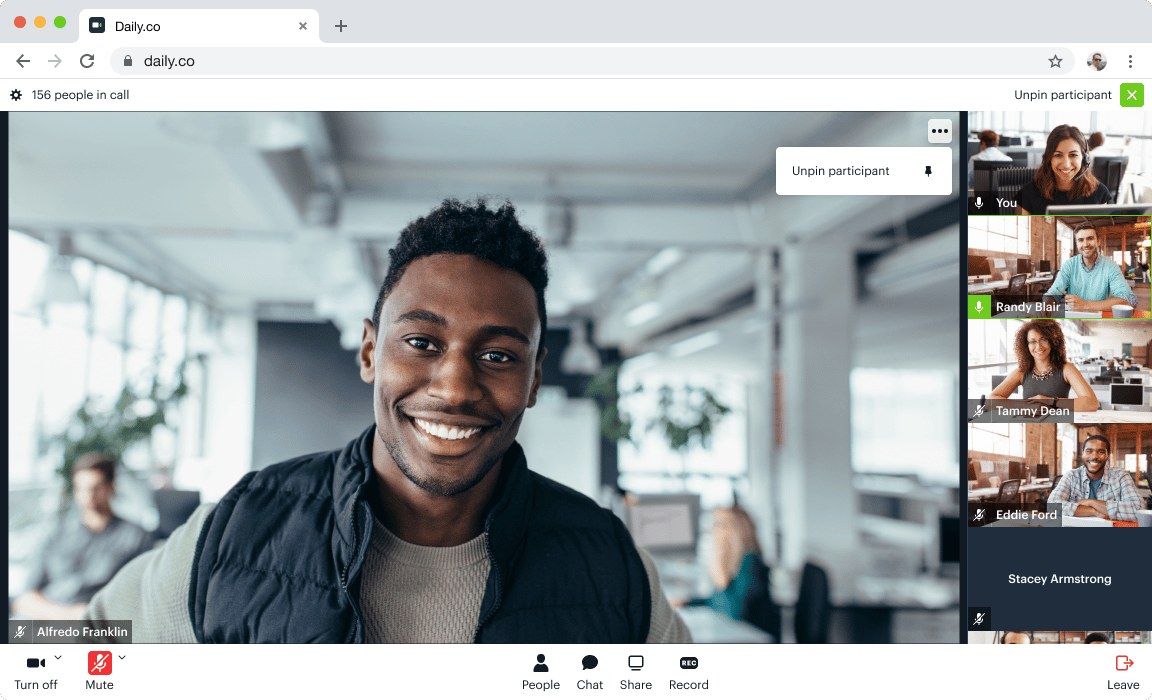
In addition to these room settings, Daily Prebuilt is built to optimize performance based on its layout options. With Daily Prebuilt, each participant can view the call with either of the following two views:
1. Active speaker layout, where the person currently speaking takes up the majority of the screen.
 2. Grid view, a paginated grid layout with a subset of participants visible on screen.
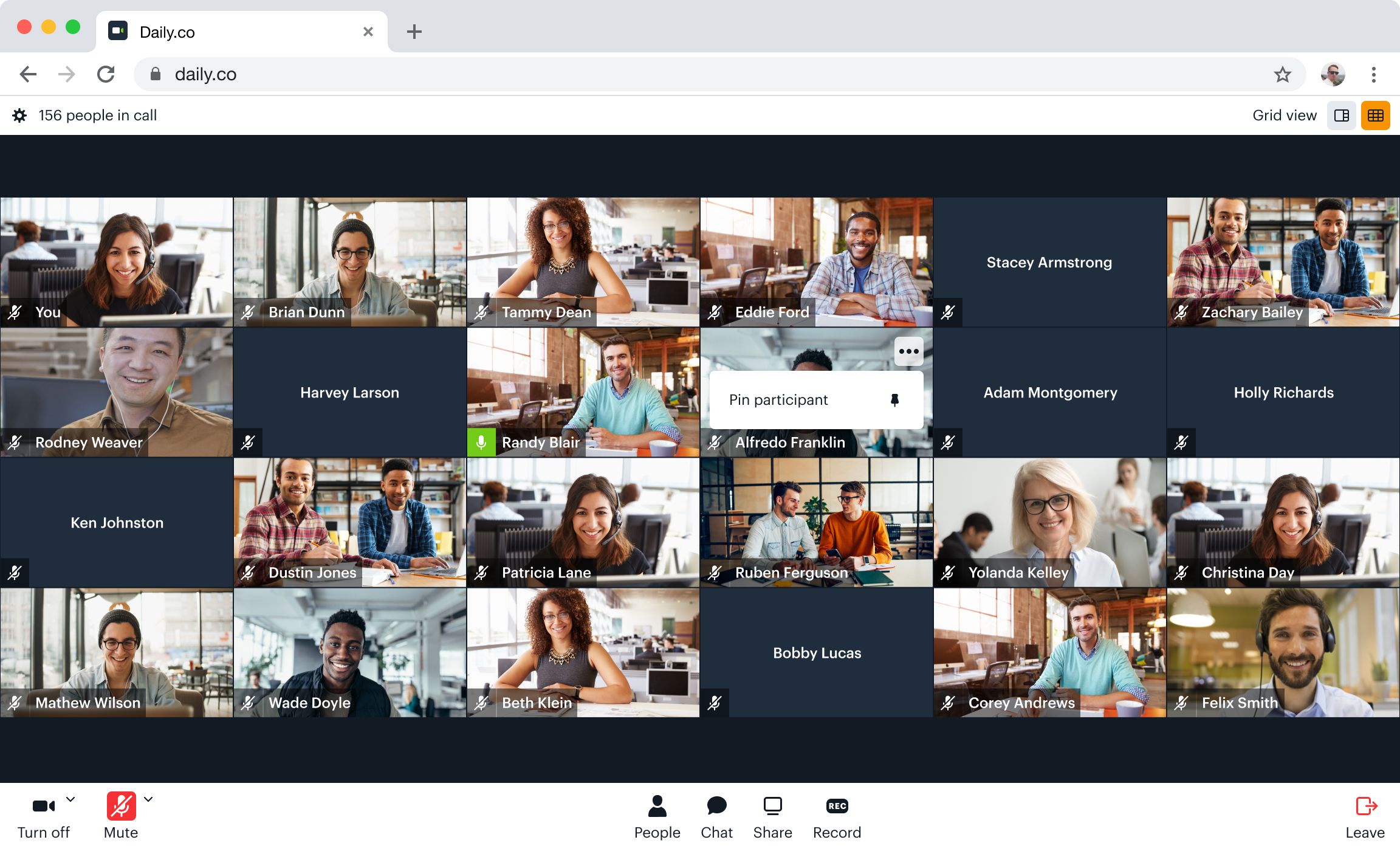 In larger calls, grid view will automatically be paginated and active speaker mode will have a scrollable participant bar for the non-active participants. These features help avoid all media tracks being rendered at the same time.
## Custom Clients
Interactive sessions built using one of Daily's Client SDKs not only offer deeper control over branding, design, and experience, but also open up potential for direct [track subscription management](/docs/guides/scaling-calls/best-practices-to-scale-large-experiences#track-subscriptions).
These calls can support up to 1,000 participants with all cameras on, with each participant viewing (and receiving tracks from) at most 12 other participants at a time.
To further optimize performance of custom apps hosting large calls, read our [guide on best practices for scaling large experiences](/docs/guides/scaling-calls/best-practices-to-scale-large-experiences).
In larger calls, grid view will automatically be paginated and active speaker mode will have a scrollable participant bar for the non-active participants. These features help avoid all media tracks being rendered at the same time.
## Custom Clients
Interactive sessions built using one of Daily's Client SDKs not only offer deeper control over branding, design, and experience, but also open up potential for direct [track subscription management](/docs/guides/scaling-calls/best-practices-to-scale-large-experiences#track-subscriptions).
These calls can support up to 1,000 participants with all cameras on, with each participant viewing (and receiving tracks from) at most 12 other participants at a time.
To further optimize performance of custom apps hosting large calls, read our [guide on best practices for scaling large experiences](/docs/guides/scaling-calls/best-practices-to-scale-large-experiences).