> ## Documentation Index
> Fetch the complete documentation index at: https://docs.daily.co/llms.txt
> Use this file to discover all available pages before exploring further.
# Embed video chat quickly with Daily Prebuilt
> Use Daily Prebuilt to embed a fully functioning video chat widget into your website or app.
## Daily Prebuilt
[Daily Prebuilt](https://www.daily.co/prebuilt) is a complete, full-featured video call component that you can embed in your app or website with just a few lines of code. Once you create a Daily room URL, you can embed it in any website or app.
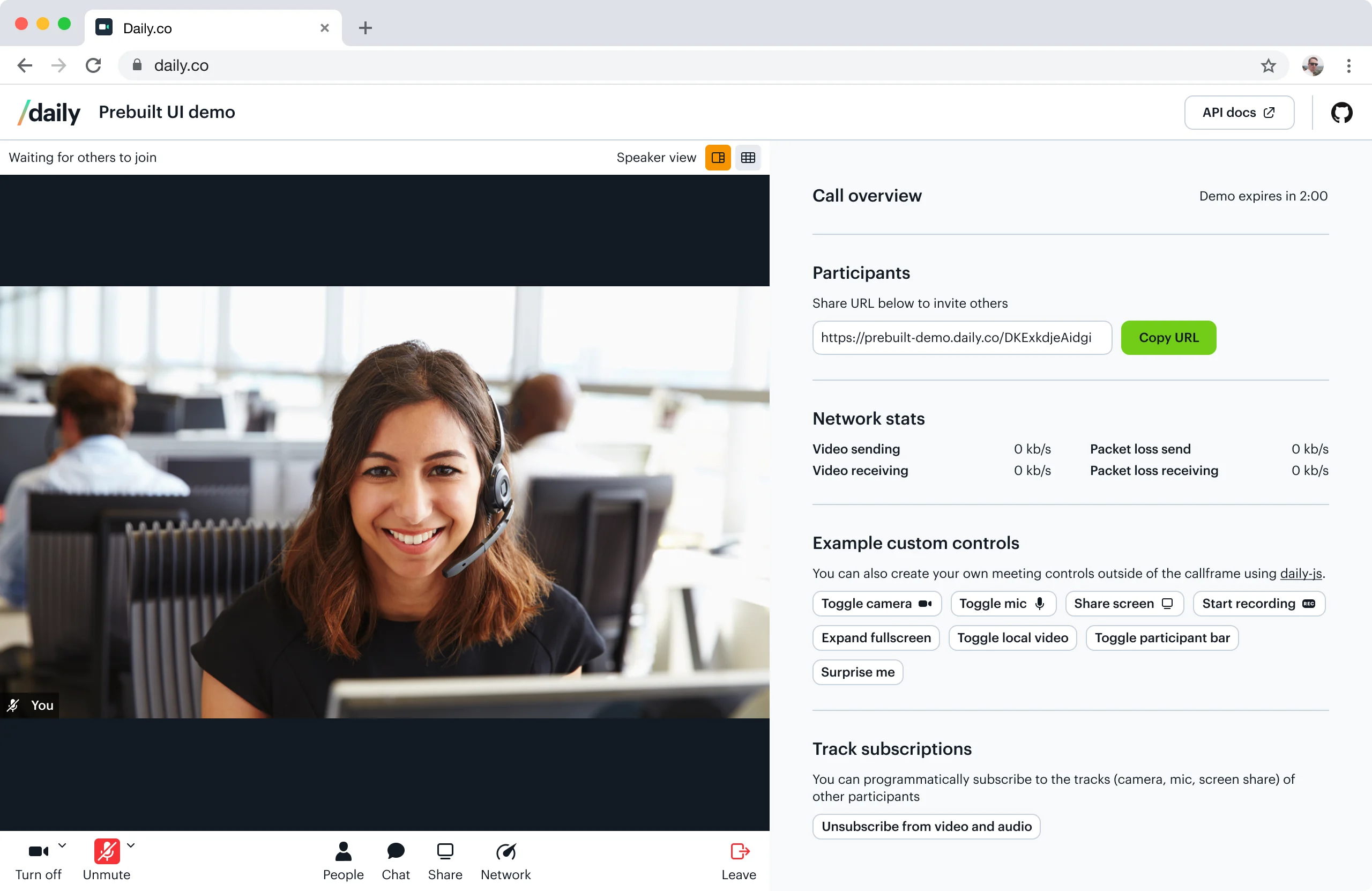 *Our embedded Daily Prebuilt demo app.*
## When to use Daily Prebuilt
If speed is your top priority, Daily Prebuilt is the best choice: in minutes, you can prototype video calls within your application. You might also want to consider using Daily Prebuilt if video chat is a feature that you need to add, but not necessarily one that you need to customize. If you *do* want to customize your video chat interface, you'll want to use the [Daily call object](/docs/daily-js).
> **Jump in:**
>
> * [See a live demo](https://prebuilt-ui.netlify.app/)
> * [Sample code](https://github.com/daily-demos/prebuilt-ui)
> * [Step-by-step guide](#step-by-step-guide-embed-daily-prebuilt)
## Daily Prebuilt features
* Ready-to-use video chat interface
* Built-in bandwidth management
* Cross-browser compatibility
* Screen sharing
* Active speaker and grid layout modes
* Text chat
* Emoji reactions
* Hand raising
* Participant list
* Custom avatar images
* Network analytics display
* Localized interfaces
* Electron compatible
* [Recording](/reference/daily-js/instance-methods/start-recording)
* [HIPAA compliance](/docs/guides/privacy-and-security/hipaa)
**HIPAA pricing**
Building a HIPAA compliant video chat with Daily is available with the [Healthcare add-on](https://dashboard.daily.co/billing), and involves a few additional steps to set up. Read our [HIPAA guide](/docs/guides/privacy-and-security/hipaa#how-to-enable-hipaa-compliance) and [pricing page](https://www.daily.co/pricing) for more information.
## Step-by-step guide: embed Daily Prebuilt
First, you'll need a Daily room URL — create one via the [dashboard](https://dashboard.daily.co/rooms) or the [REST API](/reference/rest-api/rooms/create-room). Once you have one ready, replace `DAILY_ROOM_URL` in the code snippet below with your own room URL (e.g. `https://your-team.daily.co/hello`).
```html theme={null}
```
### Importing `daily-js` through NPM
As an alternative to the `script` import shown here, you can also import `daily-js` via our [NPM package](https://www.npmjs.com/package/@daily-co/daily-js) as follows:
```bash theme={null}
npm install @daily-co/daily-js
// or with yarn
yarn add @daily-co/daily-js
```
You can pass [configuration properties](/reference/daily-js/types/daily-call-options) to `DailyCall.createFrame()` to customize how the embedded Daily Prebuilt looks. Here's an example that sets the Daily Prebuilt to fullscreen:
```javascript theme={null}
call = window.Daily.createFrame({
showLeaveButton: true,
iframeStyle: {
position: 'fixed',
top: '0',
left: '0',
width: '100%',
height: '100%',
},
});
```
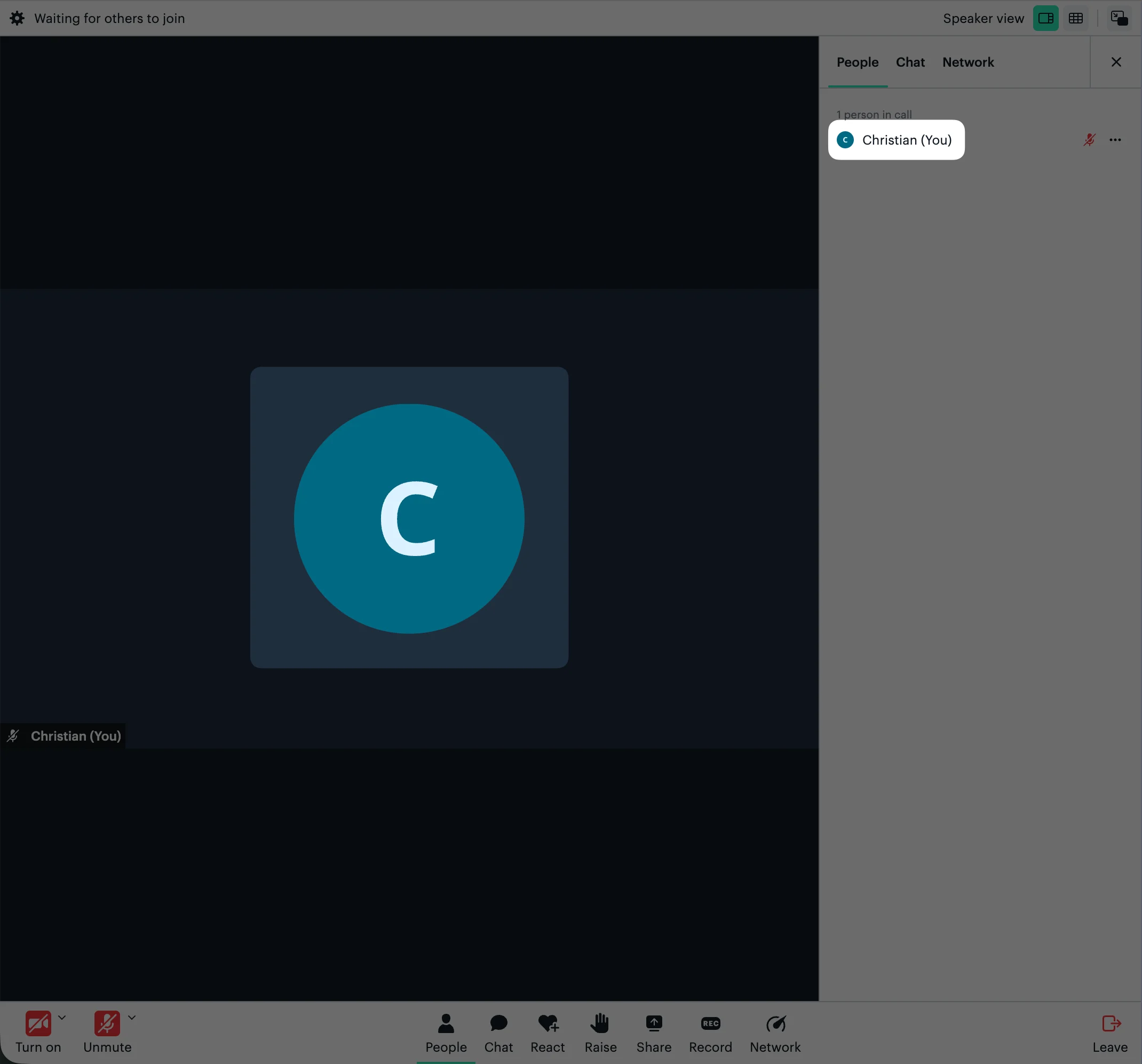
You can also set custom avatar images that will be displayed for muted participant tiles and in the People tab. When a custom avatar image is set, it will displayed on the participant's tile and in the People tab:
```javascript theme={null}
call = window.Daily.createFrame({
userData: {
avatar: 'https://example.com/avatar.jpg',
},
});
```
*Our embedded Daily Prebuilt demo app.*
## When to use Daily Prebuilt
If speed is your top priority, Daily Prebuilt is the best choice: in minutes, you can prototype video calls within your application. You might also want to consider using Daily Prebuilt if video chat is a feature that you need to add, but not necessarily one that you need to customize. If you *do* want to customize your video chat interface, you'll want to use the [Daily call object](/docs/daily-js).
> **Jump in:**
>
> * [See a live demo](https://prebuilt-ui.netlify.app/)
> * [Sample code](https://github.com/daily-demos/prebuilt-ui)
> * [Step-by-step guide](#step-by-step-guide-embed-daily-prebuilt)
## Daily Prebuilt features
* Ready-to-use video chat interface
* Built-in bandwidth management
* Cross-browser compatibility
* Screen sharing
* Active speaker and grid layout modes
* Text chat
* Emoji reactions
* Hand raising
* Participant list
* Custom avatar images
* Network analytics display
* Localized interfaces
* Electron compatible
* [Recording](/reference/daily-js/instance-methods/start-recording)
* [HIPAA compliance](/docs/guides/privacy-and-security/hipaa)
**HIPAA pricing**
Building a HIPAA compliant video chat with Daily is available with the [Healthcare add-on](https://dashboard.daily.co/billing), and involves a few additional steps to set up. Read our [HIPAA guide](/docs/guides/privacy-and-security/hipaa#how-to-enable-hipaa-compliance) and [pricing page](https://www.daily.co/pricing) for more information.
## Step-by-step guide: embed Daily Prebuilt
First, you'll need a Daily room URL — create one via the [dashboard](https://dashboard.daily.co/rooms) or the [REST API](/reference/rest-api/rooms/create-room). Once you have one ready, replace `DAILY_ROOM_URL` in the code snippet below with your own room URL (e.g. `https://your-team.daily.co/hello`).
```html theme={null}
```
### Importing `daily-js` through NPM
As an alternative to the `script` import shown here, you can also import `daily-js` via our [NPM package](https://www.npmjs.com/package/@daily-co/daily-js) as follows:
```bash theme={null}
npm install @daily-co/daily-js
// or with yarn
yarn add @daily-co/daily-js
```
You can pass [configuration properties](/reference/daily-js/types/daily-call-options) to `DailyCall.createFrame()` to customize how the embedded Daily Prebuilt looks. Here's an example that sets the Daily Prebuilt to fullscreen:
```javascript theme={null}
call = window.Daily.createFrame({
showLeaveButton: true,
iframeStyle: {
position: 'fixed',
top: '0',
left: '0',
width: '100%',
height: '100%',
},
});
```
You can also set custom avatar images that will be displayed for muted participant tiles and in the People tab. When a custom avatar image is set, it will displayed on the participant's tile and in the People tab:
```javascript theme={null}
call = window.Daily.createFrame({
userData: {
avatar: 'https://example.com/avatar.jpg',
},
});
```
 Read about all the `DailyCall` properties in our [reference docs](/reference/daily-js/types/daily-call-options), including [`iframeStyle`](/reference/daily-js/types/daily-call-options#param-iframe-style) and [`userData`](/reference/daily-js/types/daily-call-options#param-user-data).
## Related guides
* [Customize Daily Prebuilt's UI](/docs/prebuilt/customizing-daily-prebuilt)
* [Customizing Daily Prebuilt calls with color themes](/docs/prebuilt/customizing-daily-prebuilt-calls-with-color-themes)
Read about all the `DailyCall` properties in our [reference docs](/reference/daily-js/types/daily-call-options), including [`iframeStyle`](/reference/daily-js/types/daily-call-options#param-iframe-style) and [`userData`](/reference/daily-js/types/daily-call-options#param-user-data).
## Related guides
* [Customize Daily Prebuilt's UI](/docs/prebuilt/customizing-daily-prebuilt)
* [Customizing Daily Prebuilt calls with color themes](/docs/prebuilt/customizing-daily-prebuilt-calls-with-color-themes)