> ## Documentation Index
> Fetch the complete documentation index at: https://docs.daily.co/llms.txt
> Use this file to discover all available pages before exploring further.
# Customize Daily Prebuilt's UI
> Learn about different ways to customize Daily Prebuilt, a ready-to-use video chat UI.
If you need to build a fully custom UI, use the [Daily call object](/docs/daily-js).
## Feature configuration
Many parts of the in-call experience can be customized by changing [domain](/reference/rest-api/domain), [room](/reference/rest-api/rooms), or [meeting token](/reference/rest-api/meeting-tokens) properties.
### Domain and room properties
*If a property is set at both the domain and room level, the room setting takes precedence.*
| Domain and room level properties |
| -------------------------------- |
| `enable_people_ui` |
| `enable_prejoin_ui` |
| `enable_network_ui` |
| `enable_emoji_reactions` |
| `enable_hand_raising` |
### Room and meeting token properties
*If a property is set at both the room and meeting token level, the meeting token setting takes precedence.*
| Room and meeting token level properties |
| --------------------------------------- |
| `enable_screenshare` |
| `enable_recording` |
| `start_with_video_off` |
These UI-related properties can be specified at the **room** level:
| Room level properties |
| --------------------- |
| `enable_knocking` |
| `enable_chat` |
And these UI-related properties can be configured using **meeting tokens**:
| Meeting token level properties |
| ---------------------------------------------------------------- |
| `is_owner` |
| `start_cloud_recording` |
| `close_tab_on_exit` |
| `redirect_on_meeting_exit` (can also be set at the domain level) |
### Pre-join experience
If you're using [Daily Prebuilt](https://daily.co/prebuilt), setting `enable_prejoin_ui` to `true` at either the room or domain level turns on a lobby experience for call participants. They can check their camera and microphone before joining a call, and also wait to be admitted by the host if the room is private and they are joining without a token.
You can also take advantage of a suite of Daily methods and events geared towards implementing a custom lobby if you're building on top of the [Daily call object](/docs/daily-js). With these methods and events you can:
* Determine the local participant's access level, even before attempting to join a meeting: [`preAuth()`](/reference/daily-js/instance-methods/pre-auth), [`accessState()`](/reference/daily-js/instance-methods/access-state), [`'access-state-updated'`](/reference/daily-js/events/lifecycle-events#access-state-updated)
* Request elevated access to a meeting: [`requestAccess()`](/reference/daily-js/instance-methods/request-access)
* Manage pending access requests (if you're a meeting owner): [`waitingParticipants()`](/reference/daily-js/instance-methods/waiting-participants), [`updateWaitingParticipant()`](/reference/daily-js/instance-methods/update-waiting-participant), [`updateWaitingParticipants()`](/reference/daily-js/instance-methods/update-waiting-participants), [`'waiting-participant-added'`](/reference/daily-js/events/participant-events#waiting-participant-added), [`'waiting-participant-updated'`](/reference/daily-js/events/participant-events#waiting-participant-updated), [`'waiting-participant-removed'`](/reference/daily-js/events/participant-events#waiting-participant-removed)
These methods and events are also all available when using Daily Prebuilt if you'd like to build similar waiting room experiences around the call embed.
### Leave behavior
Two properties control what happens when a user leaves a meeting from a standalone browser tab: `close_tab_on_exit` and `redirect_on_meeting_exit`.
If `close_tab_on_exit` is set to `true`, the browser tab closes when the user clicks the *leave meeting* button in the in-call menu bar.
If the `redirect_on_meeting_exit` property is set, the property value will be interpreted as a URL that the browser should redirect to when the user clicks the *leave meeting* button. A query string that includes the parameter `recent-call=/` is appended to the URL.
By default, there is no *leave meeting* button when you embed Daily Prebuilt. You control that meeting flow with your own UI code outside the iframe. Or you can add a leave call button to the embedded UI with our [Javascript API](/docs/daily-js).
### Branding
By default, Daily branding is shown in the call UI.
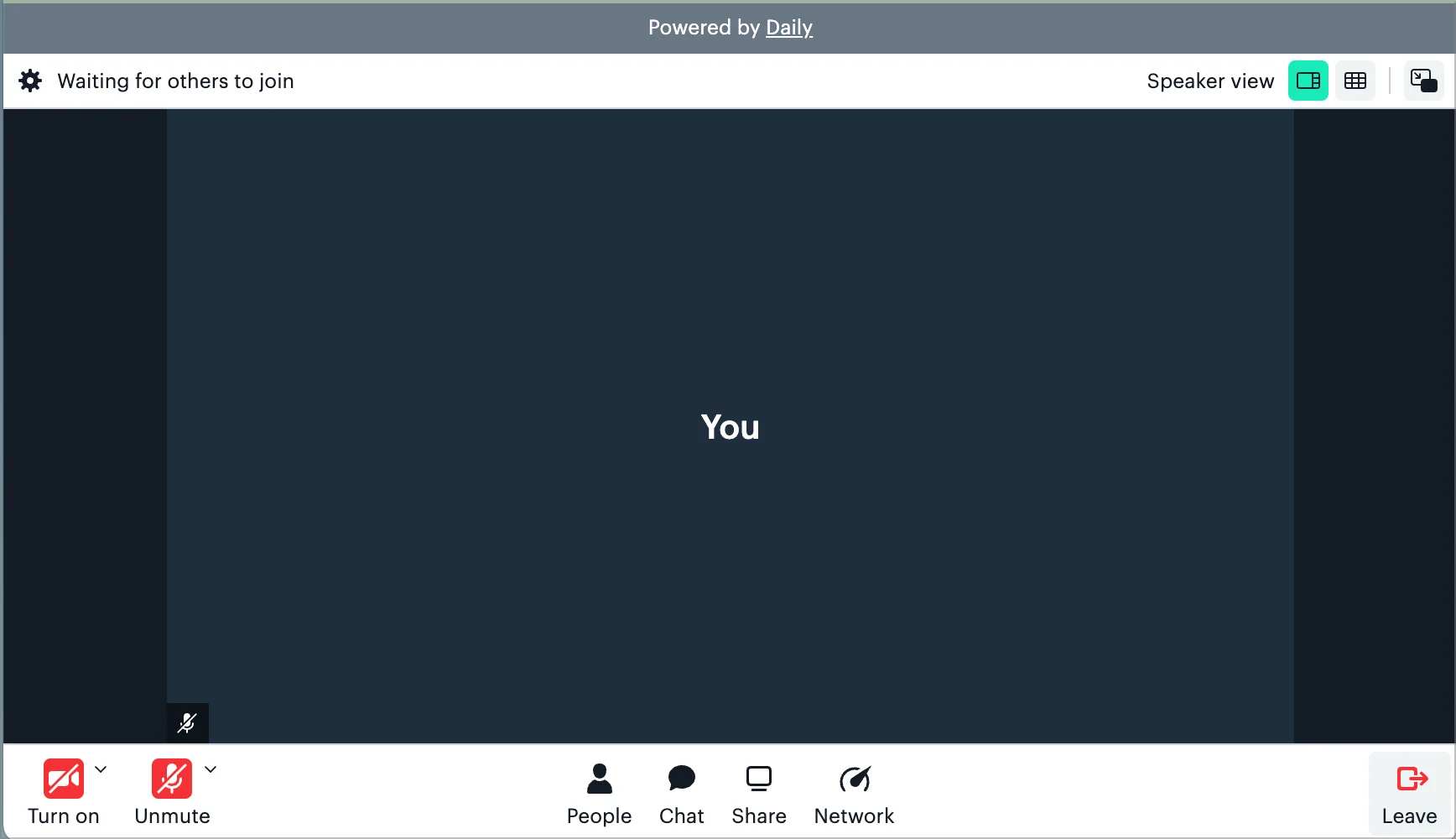 There is no associated cost to remove Daily branding from the call UI; you simply need to [add your credit card information](https://dashboard.daily.co/billing) to your account and hide Daily branding via the `hide_daily_branding` [domain property](/reference/rest-api/domain/get-domain-config#response-config-hide-daily-branding).
## JavaScript API customization
The following customizations are applied via the daily-js API rather than room or domain configuration. They require a call instance created with [`createFrame()`](/reference/daily-js/factory-methods/create-frame) or [`wrap()`](/reference/daily-js/factory-methods/wrap).
For color theming, see [Customizing Daily Prebuilt calls with color themes](/docs/prebuilt/customizing-daily-prebuilt-calls-with-color-themes).
## Custom CSS
Inject CSS into the Prebuilt iframe for styling beyond what the theme colors allow. You can pass CSS options at construction time via [`createFrame()`](/reference/daily-js/factory-methods/create-frame):
```javascript theme={null}
const call = Daily.createFrame({
bodyClass: 'my-call-theme',
cssFile: 'https://example.com/daily-overrides.css',
cssText: `
.daily-video-tile { border-radius: 12px; }
.daily-controls { background: transparent; }
`,
});
```
Or update CSS after construction using [`loadCss()`](/reference/daily-js/instance-methods/load):
```javascript theme={null}
call.loadCss({
bodyClass: 'updated-theme',
cssFile: 'https://example.com/updated.css',
cssText: '.my-class { color: red; }',
});
```
CSS class name(s) added to the `` element inside the Prebuilt iframe.
URL of an external stylesheet to load inside the iframe.
Inline CSS string injected as a `
There is no associated cost to remove Daily branding from the call UI; you simply need to [add your credit card information](https://dashboard.daily.co/billing) to your account and hide Daily branding via the `hide_daily_branding` [domain property](/reference/rest-api/domain/get-domain-config#response-config-hide-daily-branding).
## JavaScript API customization
The following customizations are applied via the daily-js API rather than room or domain configuration. They require a call instance created with [`createFrame()`](/reference/daily-js/factory-methods/create-frame) or [`wrap()`](/reference/daily-js/factory-methods/wrap).
For color theming, see [Customizing Daily Prebuilt calls with color themes](/docs/prebuilt/customizing-daily-prebuilt-calls-with-color-themes).
## Custom CSS
Inject CSS into the Prebuilt iframe for styling beyond what the theme colors allow. You can pass CSS options at construction time via [`createFrame()`](/reference/daily-js/factory-methods/create-frame):
```javascript theme={null}
const call = Daily.createFrame({
bodyClass: 'my-call-theme',
cssFile: 'https://example.com/daily-overrides.css',
cssText: `
.daily-video-tile { border-radius: 12px; }
.daily-controls { background: transparent; }
`,
});
```
Or update CSS after construction using [`loadCss()`](/reference/daily-js/instance-methods/load):
```javascript theme={null}
call.loadCss({
bodyClass: 'updated-theme',
cssFile: 'https://example.com/updated.css',
cssText: '.my-class { color: red; }',
});
```
CSS class name(s) added to the `` element inside the Prebuilt iframe.
URL of an external stylesheet to load inside the iframe.
Inline CSS string injected as a `