> ## Documentation Index
> Fetch the complete documentation index at: https://docs.daily.co/llms.txt
> Use this file to discover all available pages before exploring further.
# Daily.createFrame()
> Creates a DailyCall instance with an embedded Daily Prebuilt iframe appended to the DOM.
`Daily.createFrame(parentEl, { properties })`
{"✓"} Prebuilt {"✗"} Custom
Creates a [`DailyCall`](/reference/daily-js/daily-call-client) instance and embeds a Daily Prebuilt `iframe` in the DOM. Both arguments are optional. If `parentEl` is provided, the `iframe` is appended as a child of that element; otherwise it is appended to `document.body`.
## Parameters
Optional. The DOM element to append the Daily Prebuilt `iframe` into. Defaults to `document.body` if omitted.
Optional configuration. If `url` is not set here, it must be provided when calling [`join()`](/reference/daily-js/instance-methods/join) or [`load()`](/reference/daily-js/instance-methods/load). See [`DailyCallOptions`](/reference/daily-js/types/daily-call-options) for the full list of options.
## Prebuilt-specific options
`createFrame()` supports three options that are specific to how it embeds and controls the Daily Prebuilt iframe.
### iframeStyle
A JavaScript CSS properties object applied directly to the `iframe` element. If omitted, the default styles depend on the parent: when appended to `document.body` the iframe floats as a window in the bottom-right corner; when appended to a specific `parentEl` it fills the width and height of that element.
```javascript theme={null}
// Make the call fullscreen
const call = Daily.createFrame({
iframeStyle: {
position: 'fixed',
top: 0,
left: 0,
width: '100%',
height: '100%',
},
});
```
### layoutConfig
Customizes Grid View tile counts when Active Speaker View is disabled (via the `activeSpeakerMode` property or [`setActiveSpeakerMode()`](/reference/daily-js/instance-methods/set-active-speaker-mode)). Specifies the minimum and maximum participant tiles per page when the browser is resized.
```javascript theme={null}
Daily.createFrame({
layoutConfig: {
grid: {
minTilesPerPage: 3, // default: 1, minimum: 1
maxTilesPerPage: 36, // default: 25, maximum: 49
},
},
});
```
### userData
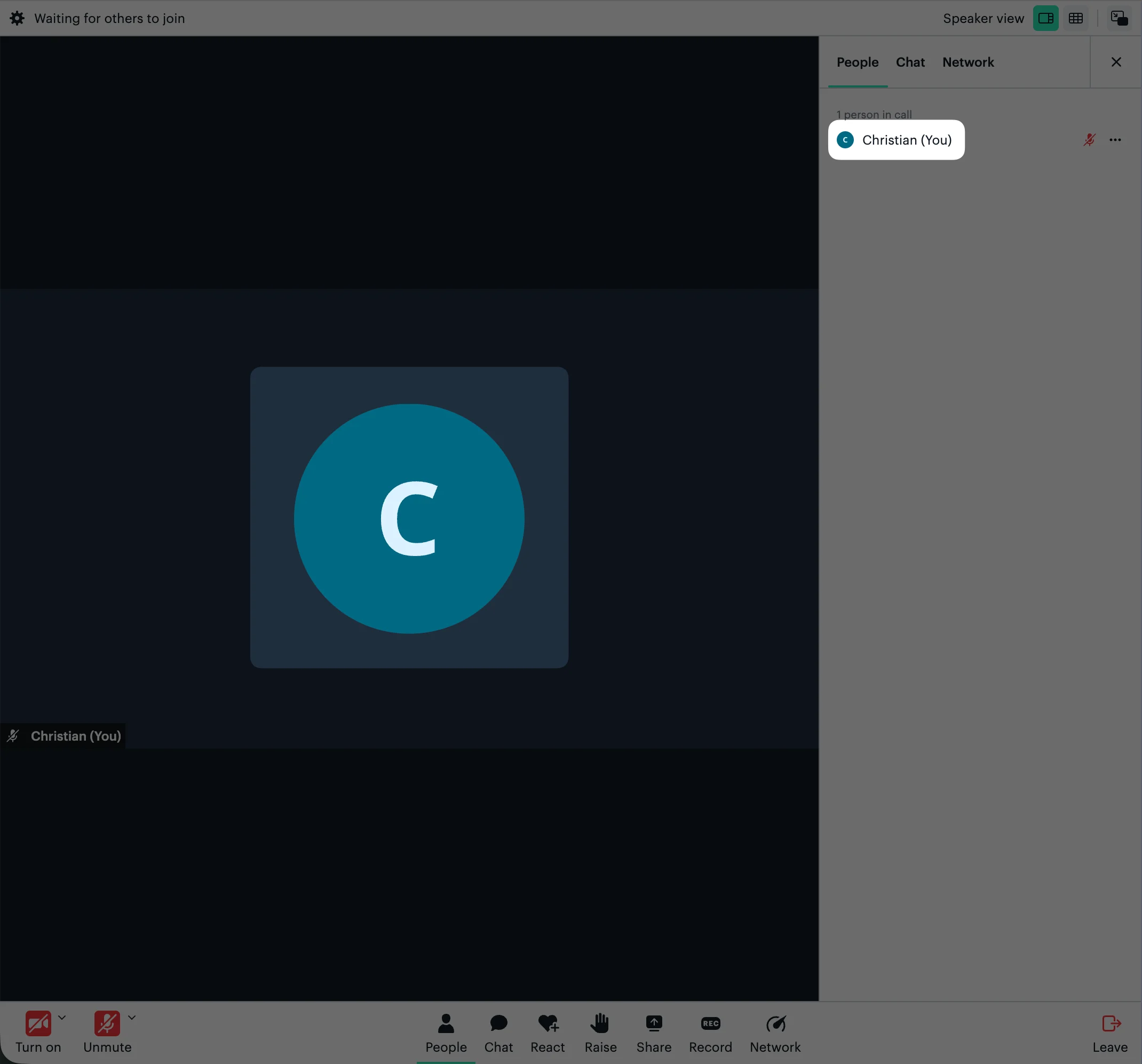
Custom data associated with the local participant. In Daily Prebuilt, setting `userData.avatar` to a publicly accessible image URL displays that image on muted participant tiles and in the People tab. See [`setUserData()`](/reference/daily-js/instance-methods/set-user-data) to update it after joining.
```javascript theme={null}
Daily.createFrame(parentEl, {
userData: {
avatar: 'https://example.com/avatar.jpg',
},
});
```
 ## Return value
Returns a new [`DailyCall`](/reference/daily-js/daily-call-client) instance.
## Example
```javascript theme={null}
const call = Daily.createFrame(document.getElementById('call-container'), {
url: 'https://your-domain.daily.co/room-name',
});
await call.join();
```
## See also
* [DailyCallOptions](/reference/daily-js/types/daily-call-options)
* [Daily.createTransparentFrame()](/reference/daily-js/factory-methods/create-transparent-frame)
* [join()](/reference/daily-js/instance-methods/join)
* [leave()](/reference/daily-js/instance-methods/leave)
* [setActiveSpeakerMode()](/reference/daily-js/instance-methods/set-active-speaker-mode)
* [Call modes](/docs/daily-js/concepts/call-modes)
* [Call configuration](/docs/daily-js/concepts/call-configuration)
* [Daily Prebuilt demo](https://github.com/daily-demos/prebuilt-ui/)
* [Fullscreen Daily Prebuilt demo](https://github.com/daily-demos/fullscreen-prebuilt-ui/)
## Return value
Returns a new [`DailyCall`](/reference/daily-js/daily-call-client) instance.
## Example
```javascript theme={null}
const call = Daily.createFrame(document.getElementById('call-container'), {
url: 'https://your-domain.daily.co/room-name',
});
await call.join();
```
## See also
* [DailyCallOptions](/reference/daily-js/types/daily-call-options)
* [Daily.createTransparentFrame()](/reference/daily-js/factory-methods/create-transparent-frame)
* [join()](/reference/daily-js/instance-methods/join)
* [leave()](/reference/daily-js/instance-methods/leave)
* [setActiveSpeakerMode()](/reference/daily-js/instance-methods/set-active-speaker-mode)
* [Call modes](/docs/daily-js/concepts/call-modes)
* [Call configuration](/docs/daily-js/concepts/call-configuration)
* [Daily Prebuilt demo](https://github.com/daily-demos/prebuilt-ui/)
* [Fullscreen Daily Prebuilt demo](https://github.com/daily-demos/fullscreen-prebuilt-ui/)