

Dashboard
Default room settings
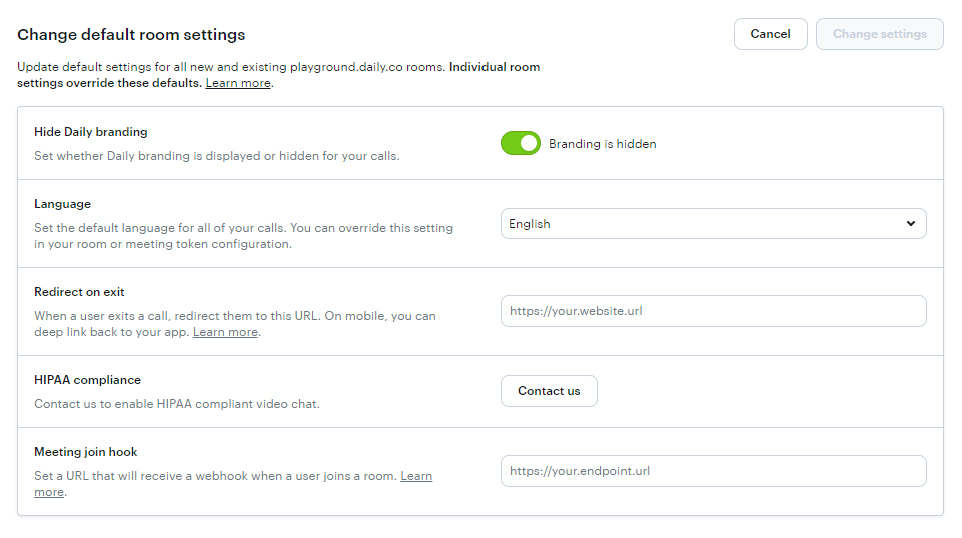
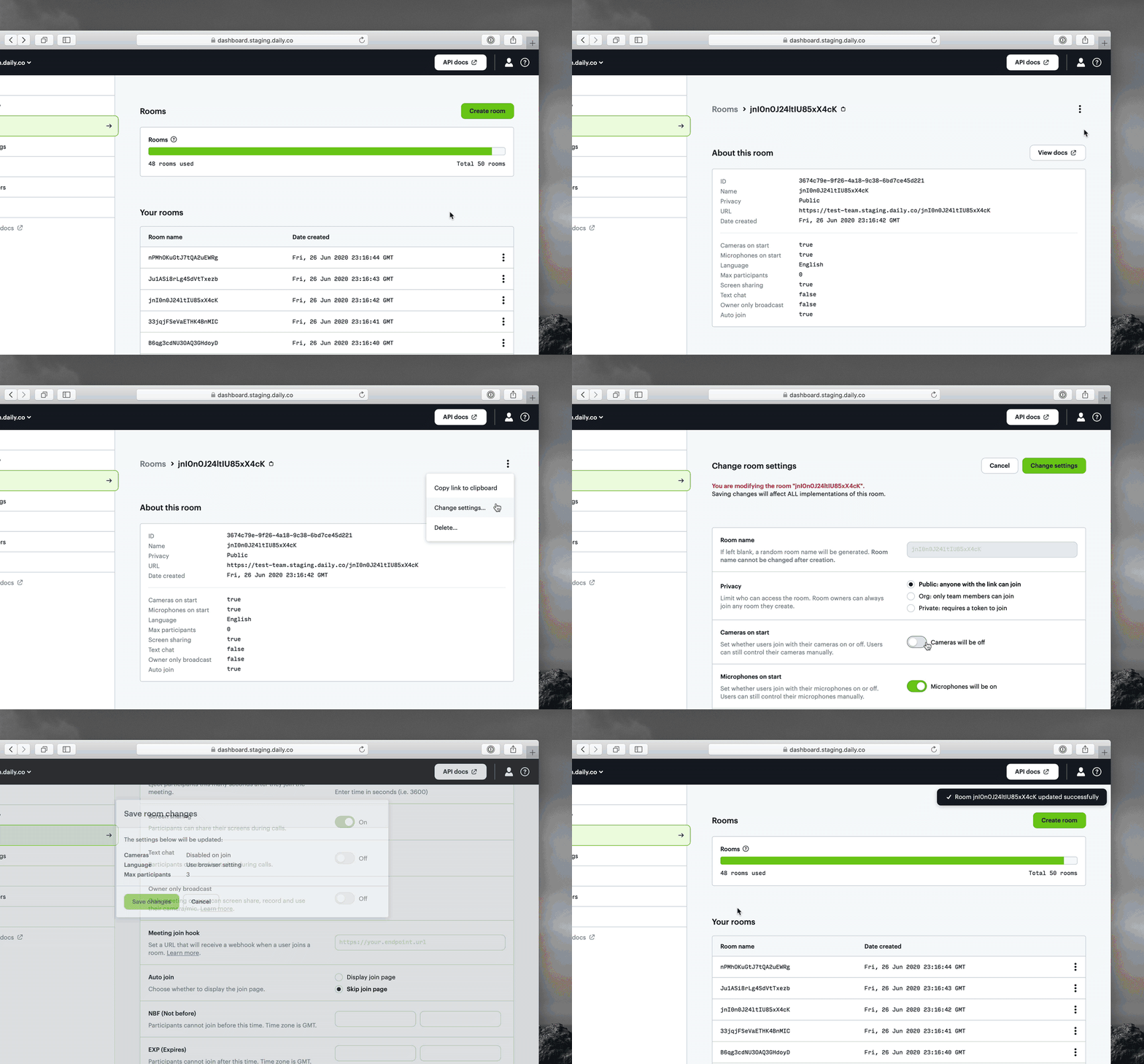
Previously, the only way you could change your default room settings was through our REST API. In keeping with our approach of continuously adding functionality to the dashboard, you can now edit your default room settings there as well.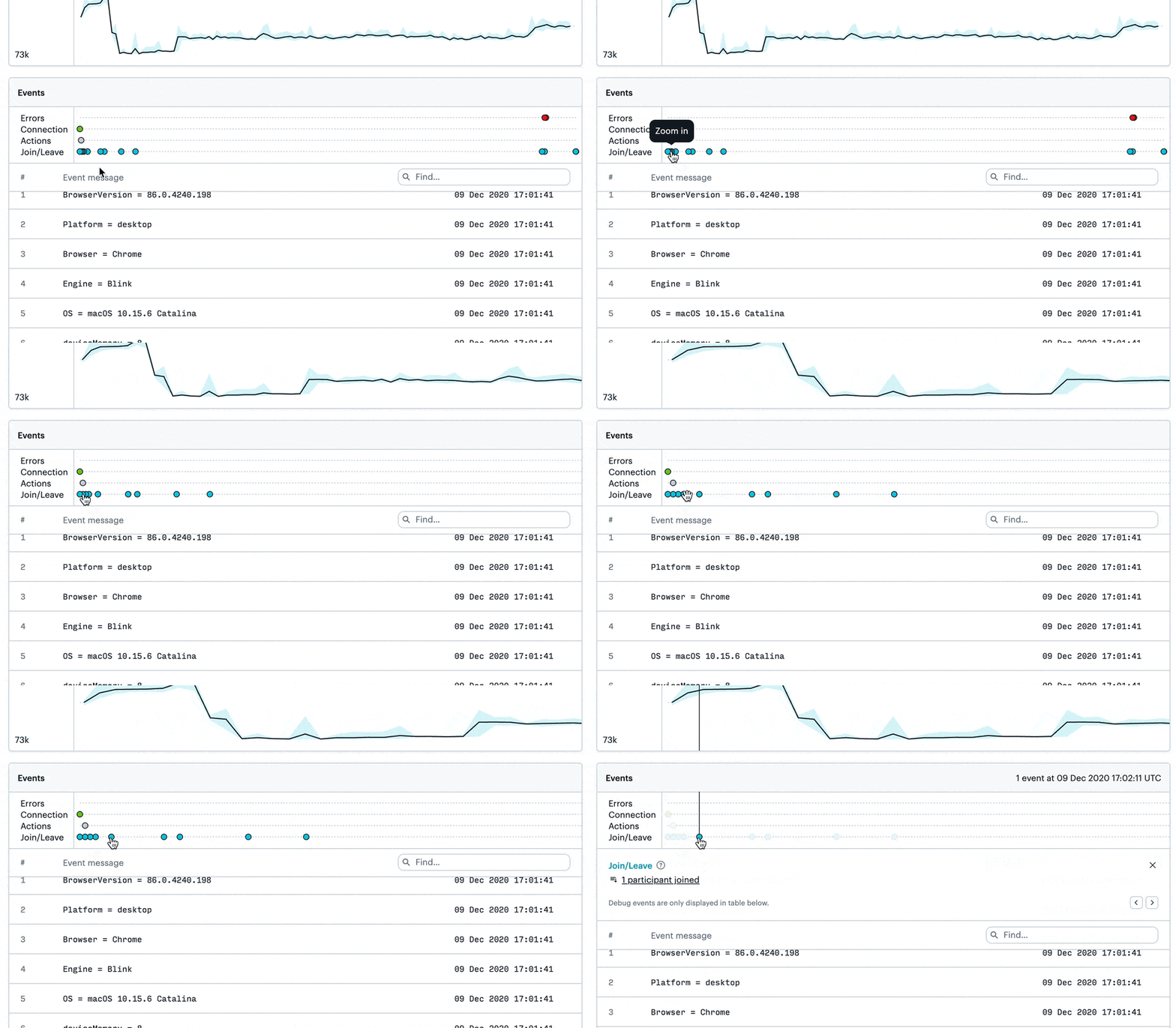
Event clusters
In our last release, we found that real world data results in clusters of events, especially in long meetings and/or meetings with a lot of attendees. When events are clustered, they’re difficult to interact with. To improve the UX for event clusters, we’ve added a shortcut to zoom into a cluster of events.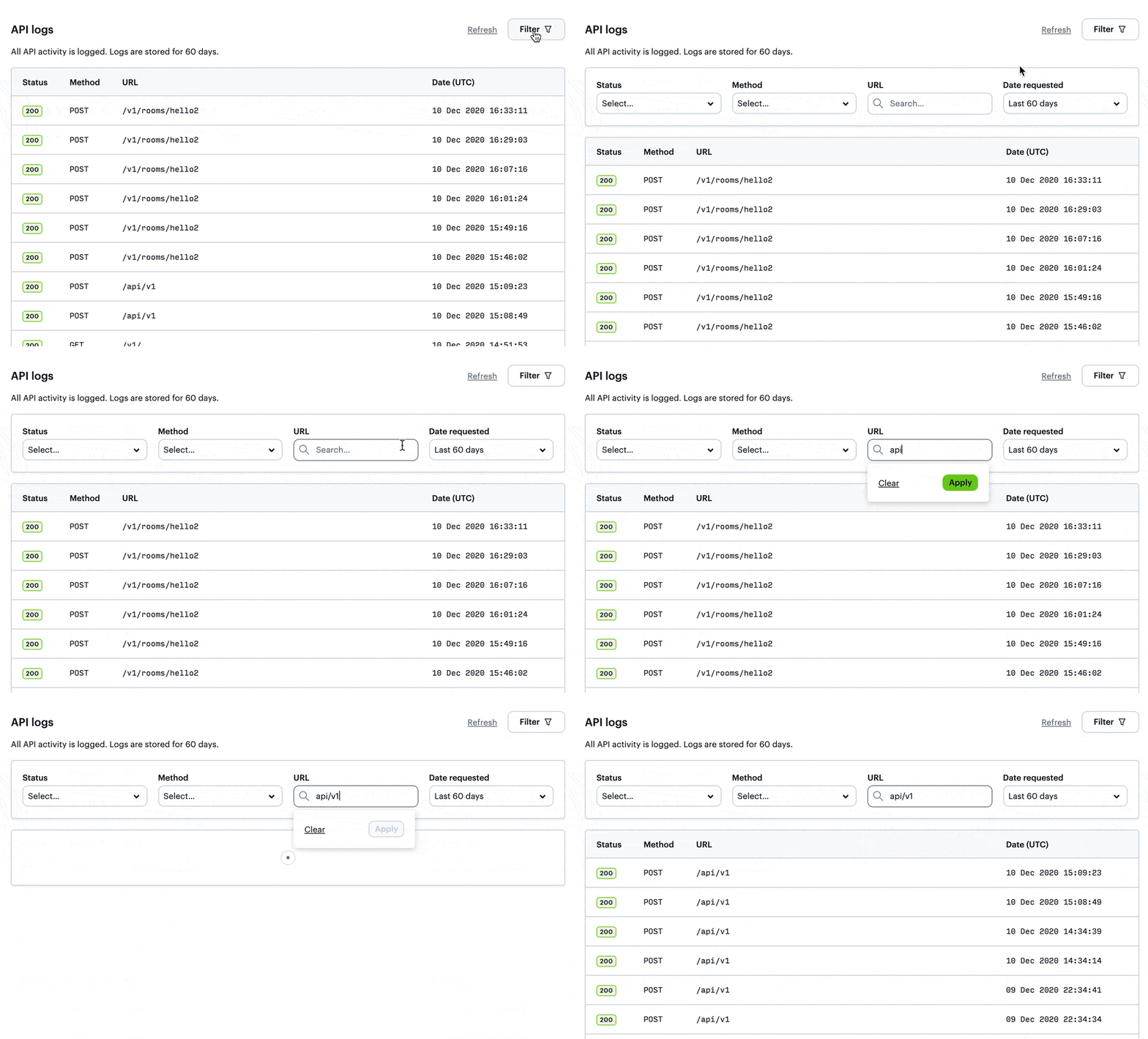
Demos
We’ve simplified our demos experience to make it as easy as possible for you to get started exploring what you can do with Daily. Demos now live in the daily-demos org on GitHub. Each of them has a button so that you can easily deploy to Netlify. We’ve also added a new awesome-daily repo that serves as an overview to all things Daily. We’d love to showcase community apps here, so PRs are welcome!Note: we’ll keep the old demos repo around for reference for a while until we’re sure we’ve ported over everything that’ll be useful. If there’s anything that’s missing, please don’t hesitate to reach out!
Dark mode! Events timeline! …and so much more. Click to see what we’ve been up to at Daily.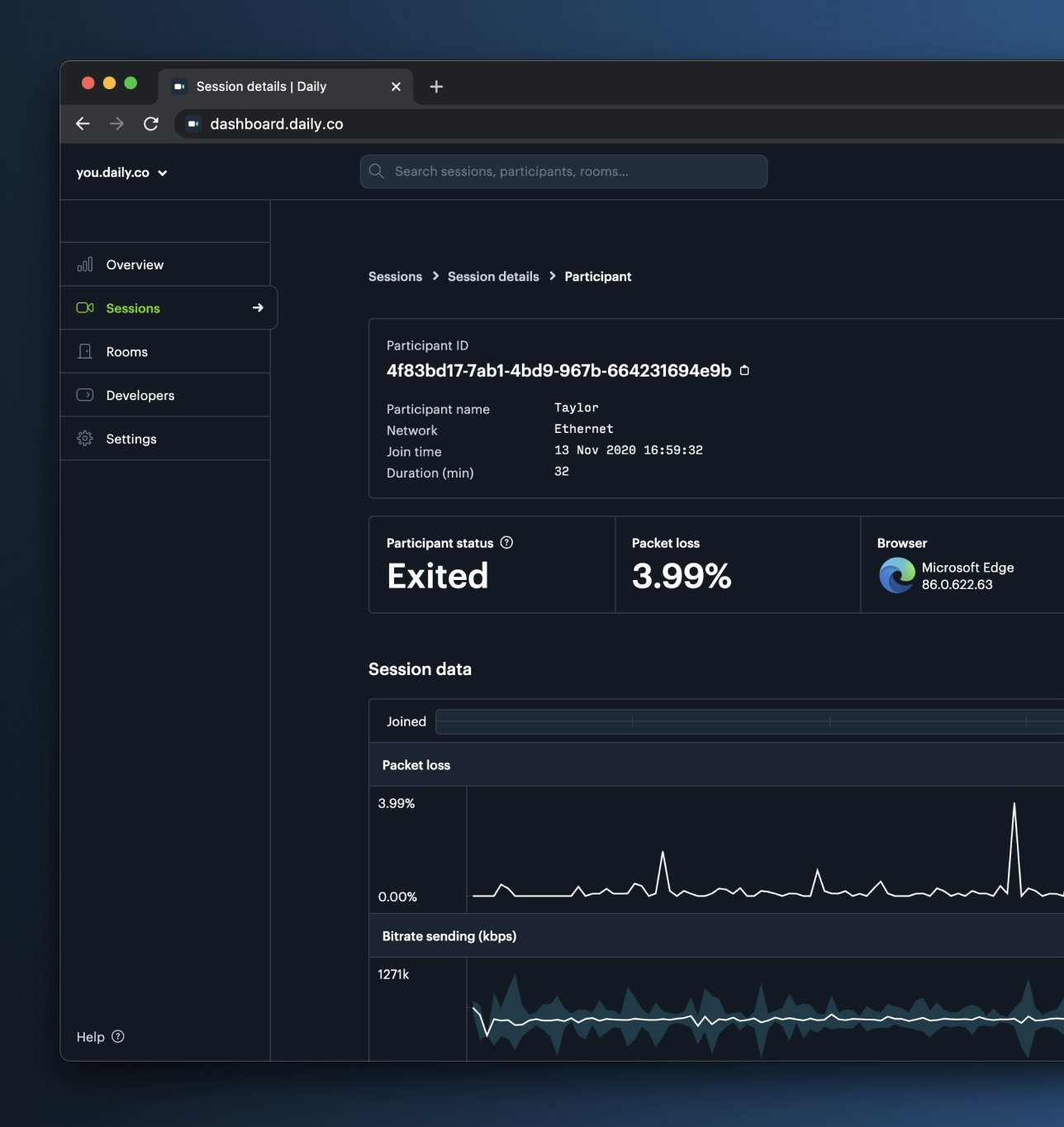
November 23, 2020 🦃
Dashboard
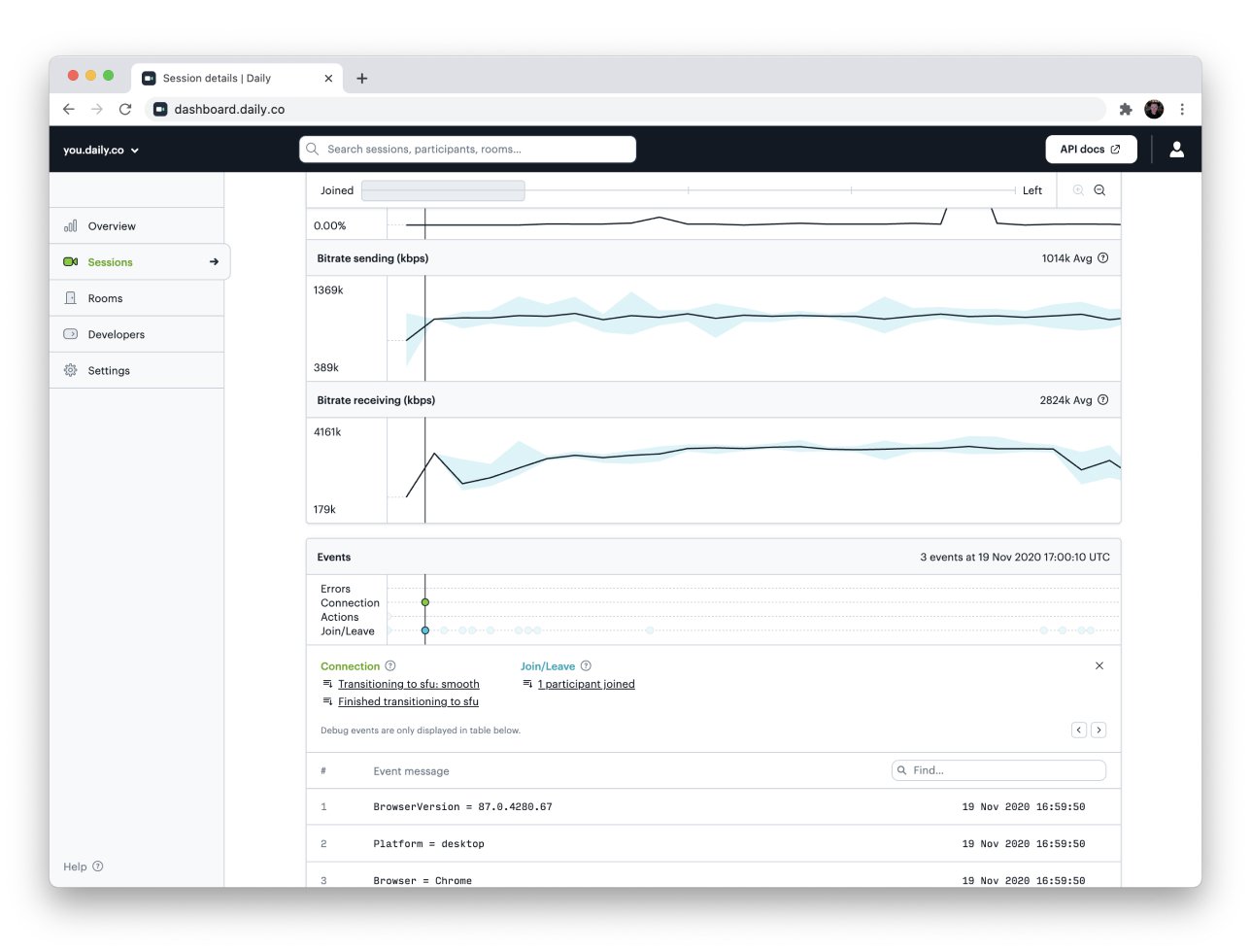
As you may have noticed, the dashboard is now available in Dark Mode. If you visit Settings you can set this explicitly, or it’ll default to match your global system settings.In the Sessions view for each participant will also see a timeline that visualizes four groups of events:- Errors
- Connection mode changes (P2P, SFU switches)
- User actions (mic, cam, screenshare on/off)
- Users joining, leaving, reconnecting
- Free: 1 day
- Launch: 3 days
- Scale: 21 days
- Custom options for enterprise plans
- 📈 Improved the metrics plotting for longer meetings, making it easier to see and interact with call metrics data
- ⚛️ Now display logs and metrics for React Native clients
Core Call Experience
- 🖥 Removed the 2 screenshare limit in call object mode
API
- 🎁 Added new
/presenceendpoint
Libraries
react-native-daily-js 0.3.0 now supports logs and metrics. You can view them in your Dashboard. daily-js now includes several improvements to support features in react-native-daily-js.daily-js0.9.995- Release Notesdaily-js0.9.994- Release Notesreact-native-daily-js0.3.0- Release Notesreact-native-daily-js0.2.0- Release Notes
Demos
New blog posts
Read about a new /logs endpoint, updated dashboard, and react-native-daily-js in this week’s changelog.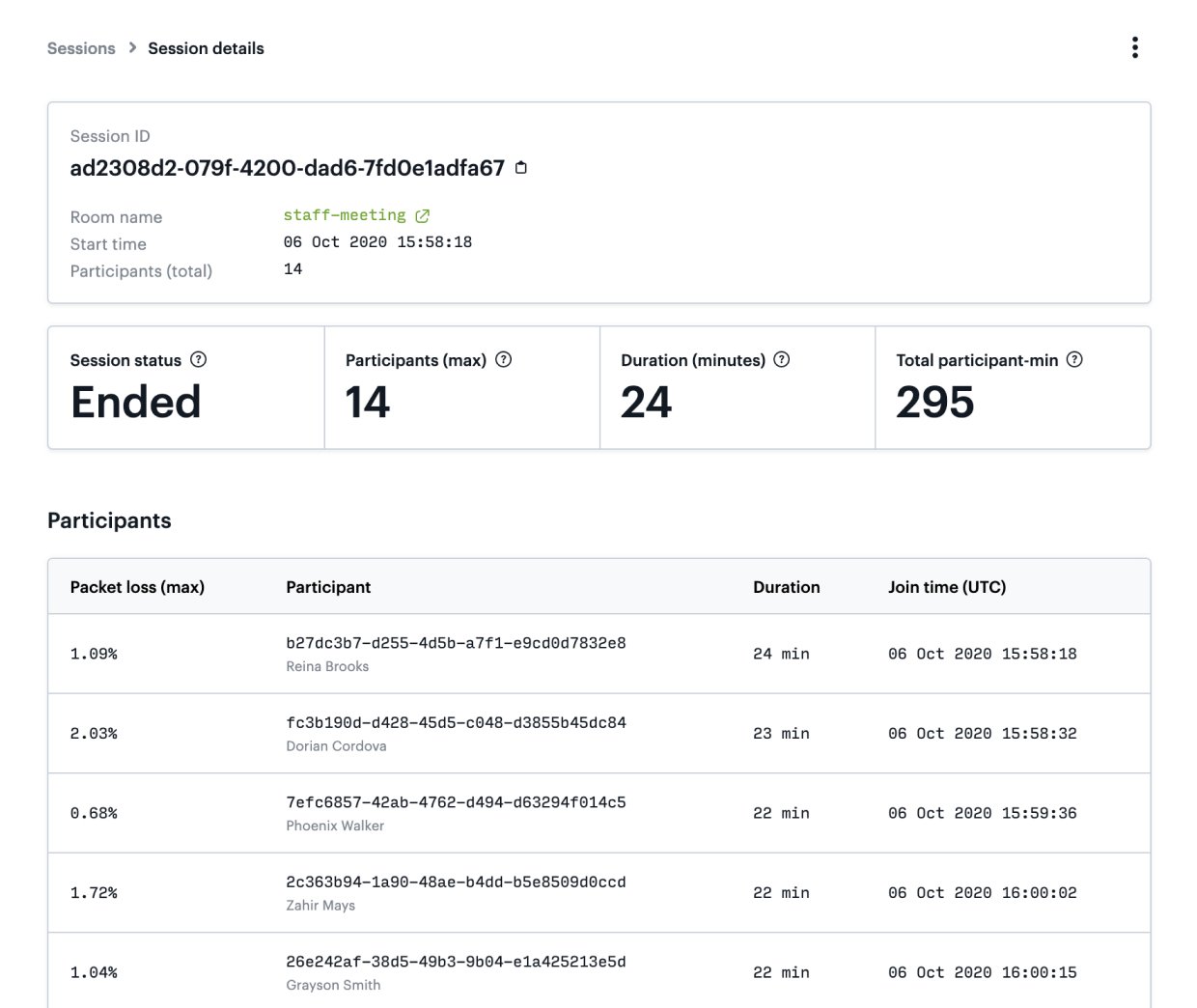
October 26, 2020
Introducing call logs and metrics
All Daily calls now expose logs and metrics, so you can dig into your video call quality.- Logs provide a record of the events that take place during a call.
- Metrics are WebRTC stats that help you understand and characterize video call quality and performance.
You can view these new features either in your dashboard or through the new
/logsendpoint.
Dashboard
In the recently launched Sessions tab, you can now explore an individual participant’s session data. There you’ll find their call logs and metrics, along with other participant details./logs
The/logs endpoint returns even more granular detail about your calls, including track level details. Check out a walkthrough on our blog, see the endpoint in action through the Daily Call Explorer, or read our full documentation.react-native-daily-js (public beta)
react-native-daily-js gives React Native developers access to the same APIs and server-side infrastructure that powers daily-js web calls. It:- Brings the Daily call object to mobile devices, so developers can access call primitives, respond to call events, and build entirely custom, native video chat experiences.
- Handles connections between callers, including all the quirks that can come up when participants are on different browsers and devices.
- Provides access to participants’ network stats, enabling call-quality insights.
Call experience and other updates
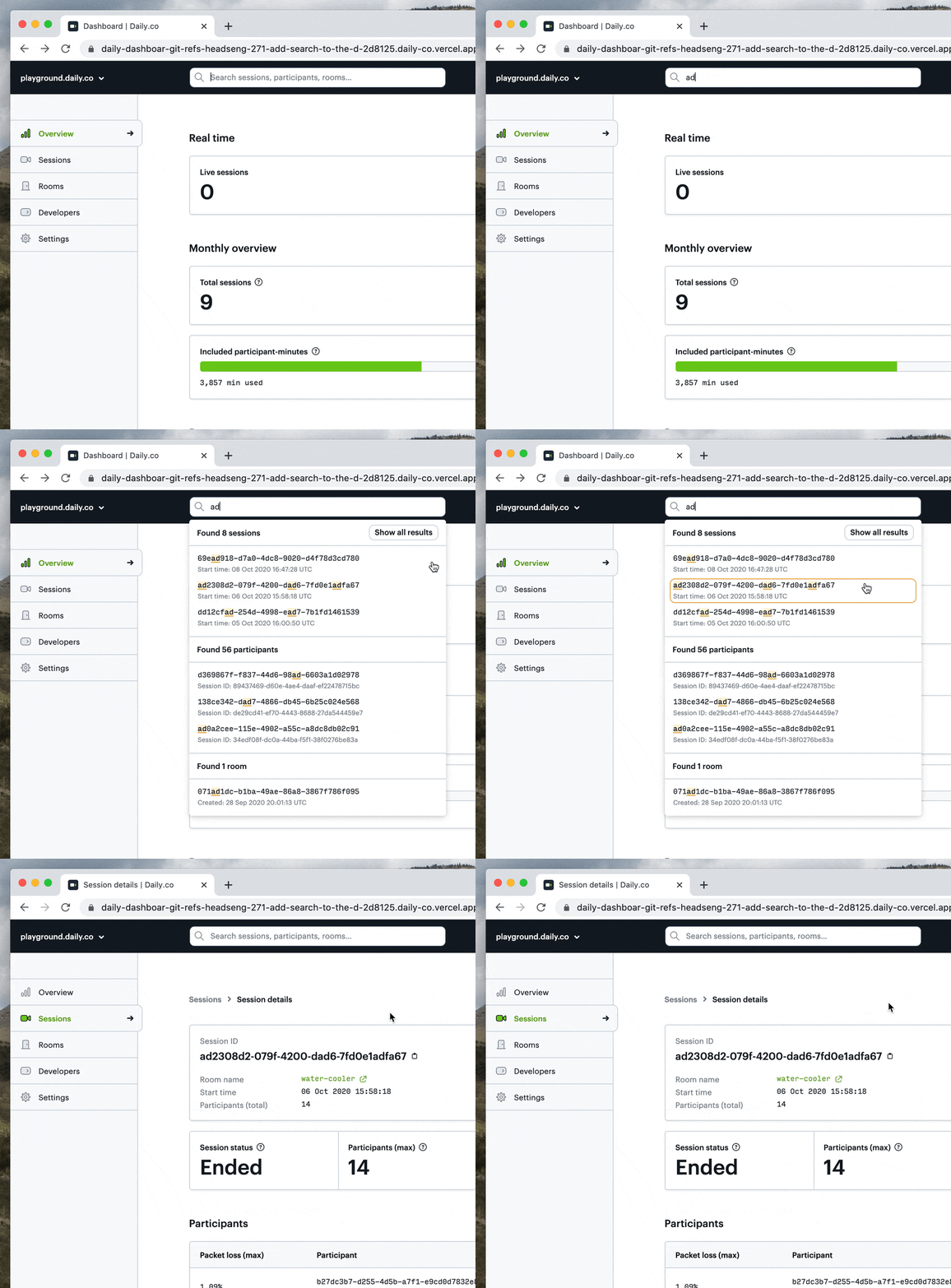
- 🔍 Shipped search in the dashboard, so you can look up specific session, room, and participant information more quickly
- ✨ Refreshed our brand, launching a new Daily homepage and dropping the “.co”
- 🚦 Shipped a new status page
- 🔒 Improved account security by introducing extra email verification for new accounts
- ✅ Released daily-js version 0.9.994: Added preload support to enable later performance improvements once a call loads Improved TypeScript declarations to better separate React Native and web functionality Fixed a bug related to mic enablement on iOS meetings, so call events continue even when app is backgrounded
- ✅ Added support for teams using multiple subdomains for sharing links to different sessions, participants, and API logs
- ✅ Fixed some bugs related to inviting and joining a team
- ✅ changeFixed a bug where certain expired rooms weren’t marked as expired
Dashboard
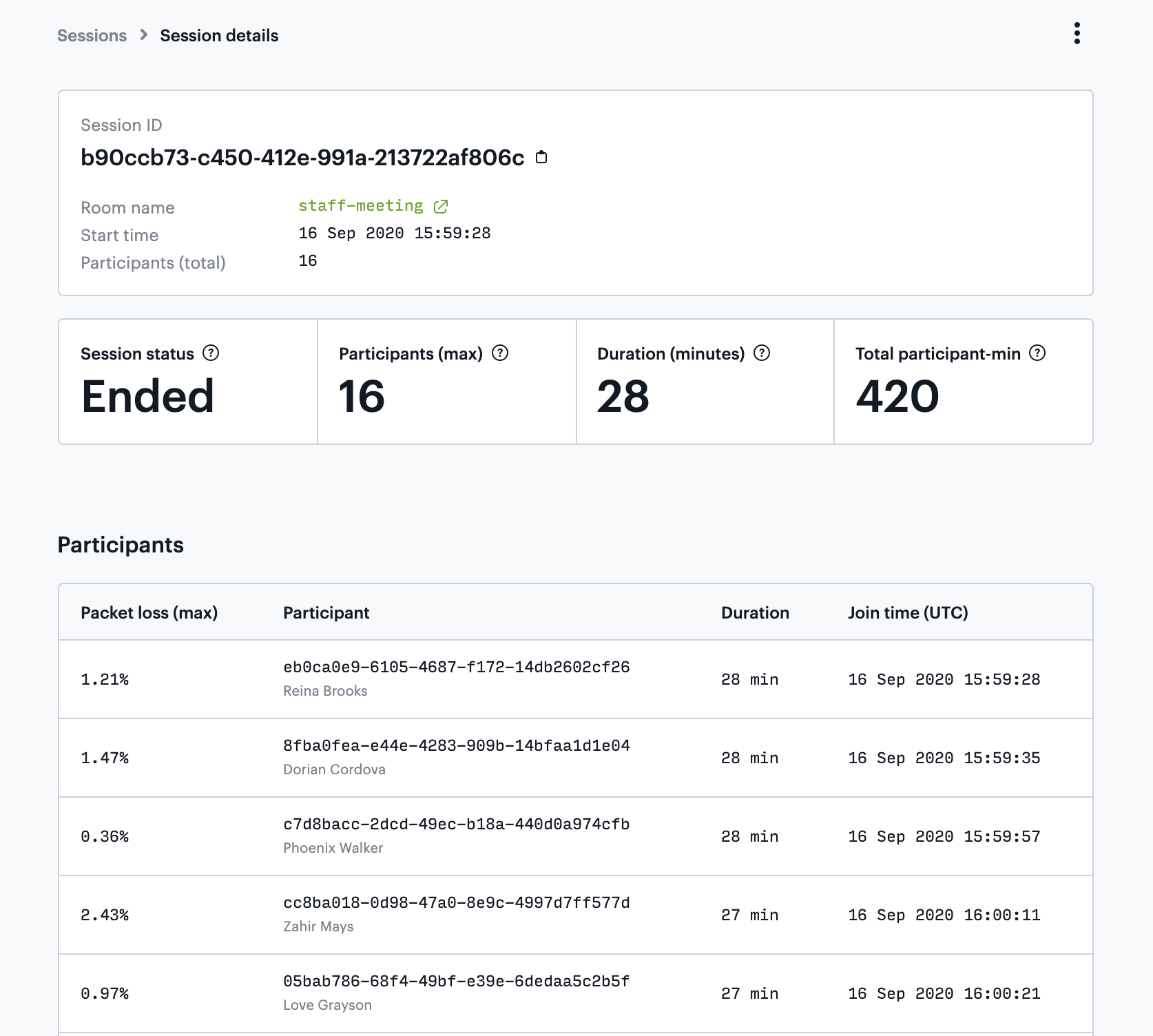
The dashboard continues to become your team’s best friend. You can now view all of your session information for both live and past meetings on the new Sessions tab.- View all of your sessions along with metadata like start time, duration, and number of participants
- Access details about any specific session to see which participants joined, how long they were in a meeting, and whether their connection experience packet loss
- See how many meetings are happening in real time on the Overview tab
- Teams using HIPAA compliant video chat can now create and modify rooms from the Rooms tab
- Improved the 404 page to help you get back on track more quickly
- Fixed an accessibility issue where menus weren’t keyboard accessible
- Fixed an issue where newly created rooms wouldn’t appear right away in the rooms list
Core call experience
- 🌏 Added language support for 6 new languages (‘sv’ | ‘es’ | ‘tr’ | ‘it’ | ‘ka’ | ‘jp’)
- 🎥 Fixed rare case where camera light remained on if someone left during a getUserMedia() call
- ⬛ Fixed black video track issue in call object mode when experimentalChromeVideoMuteLightOff: true, and in SFU mode
- 📹 Added better support for missing camera and/or mic:
- fixed an issue resulting from a user having a camera but no mic
- added better messaging in the camera-error meeting event to include when a camera and/or mic are not detected. ErrorMsg options are now:
- devices Error : (new) camera and/or mic are not detected. check the values of audioOk and videoOk for which one(s) are not available.
- not allowed : the user/browser/os has blocked access to the camera and/or mic
- camera/mic error: other
- ✅ Improved
participant-lefthandling for websocket signaling when users quickly disconnect and reconnect - ✅ Fixed unhandled rejection in mediasoup for AwaitQueue
- ✅ Fixed reconnect issues on Chrome
- 📱 Improved detection and messaging for https on iOS
New blog posts
We’re back after some well deserved time off! The last few weeks have been focused on call scaling, stability and behind-the-scenes work in preparation for bigger features that we’ll soon be sharing.
August 31, 2020
Dashboard
Last Changelog we launched API logs in the dashboard: https://dashboard.daily.co/developers.Since then, we’ve clarified how the dashboard records successful GET requests. The Response body now reads, “Response bodies are not saved…” We also continued working on internal backend code improvements related to API logs.Additionally:- Revamped the breadcrumb navigation to make it easier to navigate through sections with multiple levels
- Added a custom 404 page that provides helpful steps to recover from an unfound page
- Fixed an issue where unsupported recording files were displaying on the Recordings tab
- Improved page loading speeds by streamlining the resources that are used
Core call experience
- Improved switching from p2p to SFU
- Device selections now persist across sessions for calls in iframe mode
- Improved https detection for pre-built UI
- Fixed Firefox Android issue that prompted call participants to allow cam and mic permissions multiple times
- Fixed delay for participants who join a call with both their audio and video muted
- Shipped infrastructure improvements to strengthen call reliability
- Fixed reconnect issues when in WebSocket signalling mode
- Fixed screenshare recordings in customLayout mode
New blog posts
The focus of the latest release of the dashboard is providing insight into how you are interacting with the API. If you head to your dashboard, you will now see API logs!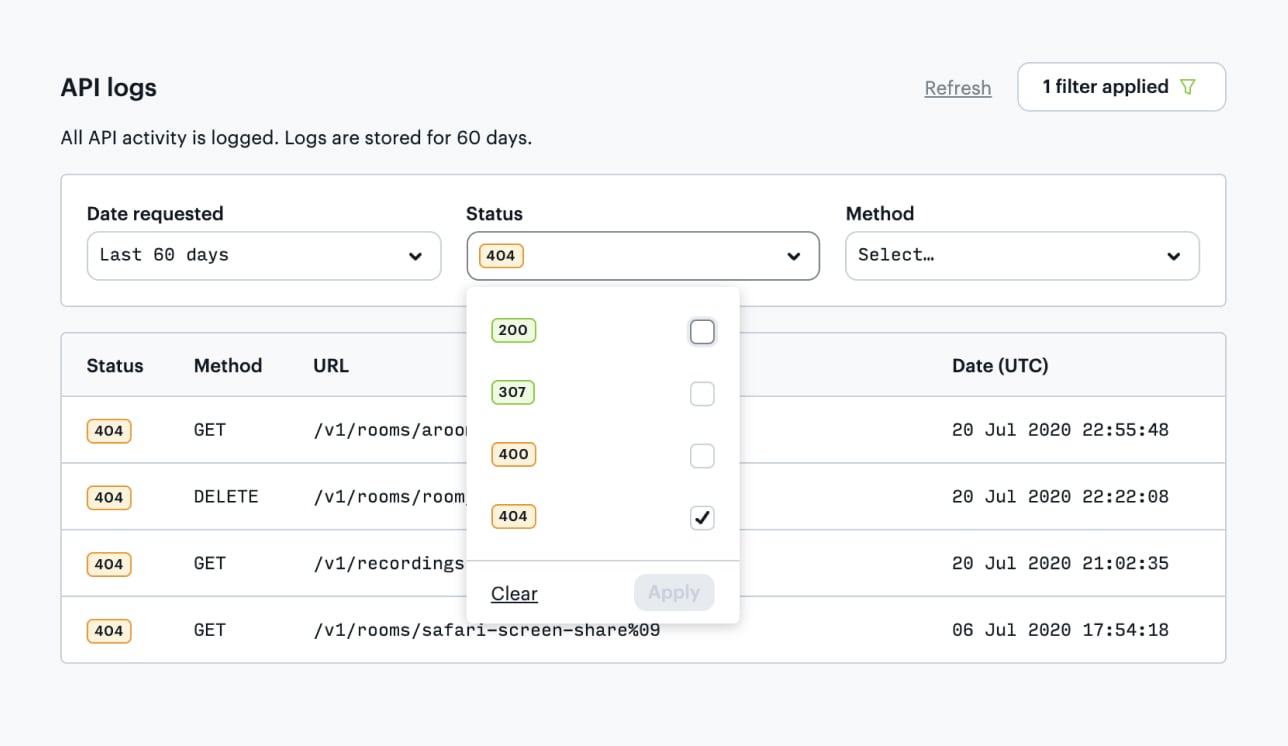
Dashboard
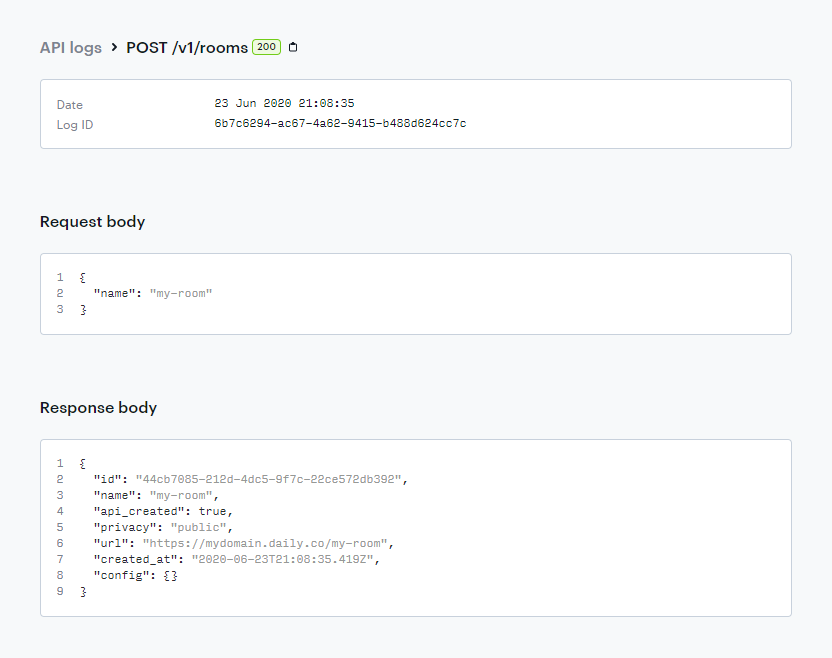
The focus of the latest release of the dashboard is providing insight into how you are interacting with the API. If you head to https://dashboard.daily.co/developers you will now see API logs!- View API logs from the last 60 days
- Find logs of interest through basic filtering
- Inspect the request and response bodies for API calls
- Share logs with teammates using a URL
Core call experience
- Fixed an issue where repeatedly muting and unmuting caused tracks to not be in the proper state
- Fixed an issue where the camera light might come on after exiting a meeting in rare cases
- Improved lots of internal backend code related to API logs and showing them in the dashboard
July 24, 2020
Dashboard
- Fixed data display bug in Overview when refreshing
- Fixed “Sign up with Google…” bug in rare case when
gapiwas not loaded - Improved form input experience on iOS for date and time
Core call experience
- Improved local participant view for portrait aspect ratio
- Fixed bug where a user with multiple system language dialects installed would not see an equivalent to their language of choice (eg.
en-CAnow defaults toen) - Fixed desktop audio sharing for Electron builds
Dashboard Updates
- Admins to change the role of their teammates
- Users can securely modify their email
daily-js
See full 0.9.992 release notesFeatures:
- Added Track subscription APIs and live streaming APIs
- Desktop audio now works when sharing screen
- Added support for multiple concurrent iframe-based calls on a page
- Added TypeScript type declarations
- Added Polish language support
- Fixed Safari screen sharing from iframe-based call
- Fixed prior meeting state leaking into local state in next meeting