

Prerequisites
- A Daily SIP trunk — note its
sip_urifrom the create call, for examplesip:examplecorp-supporttelnyx.siptrunk.sip-us.daily.co. - A Telnyx account with a phone number.
Configure the connection
1
Create a SIP Connection
In the Telnyx Mission Control Portal, open SIP Trunking from the side menu
and click + Create SIP Connection.Under Details, set Name to something memorable (for example 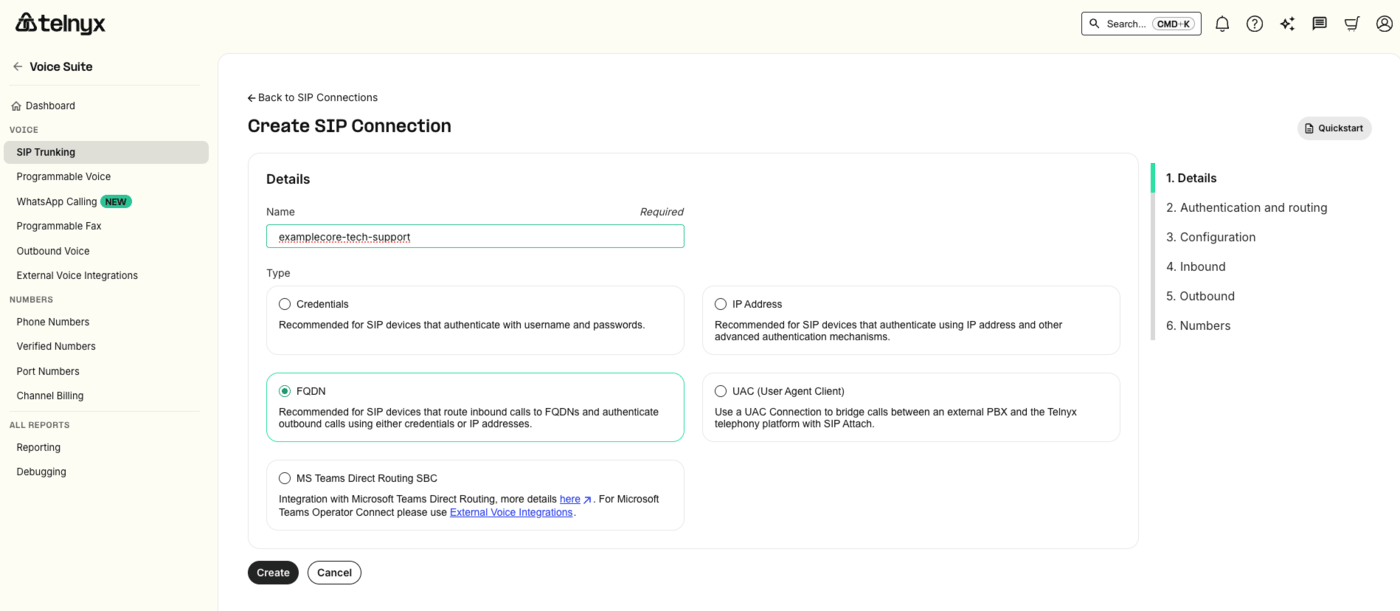
examplecorp-support) and pick FQDN
as the Type — the option recommended for SIP devices that route inbound calls to FQDNs. Click Create.2
Route inbound calls to Daily
On 2. Authentication and routing, find the FQDNs panel and click + Add FQDN. In the dialog: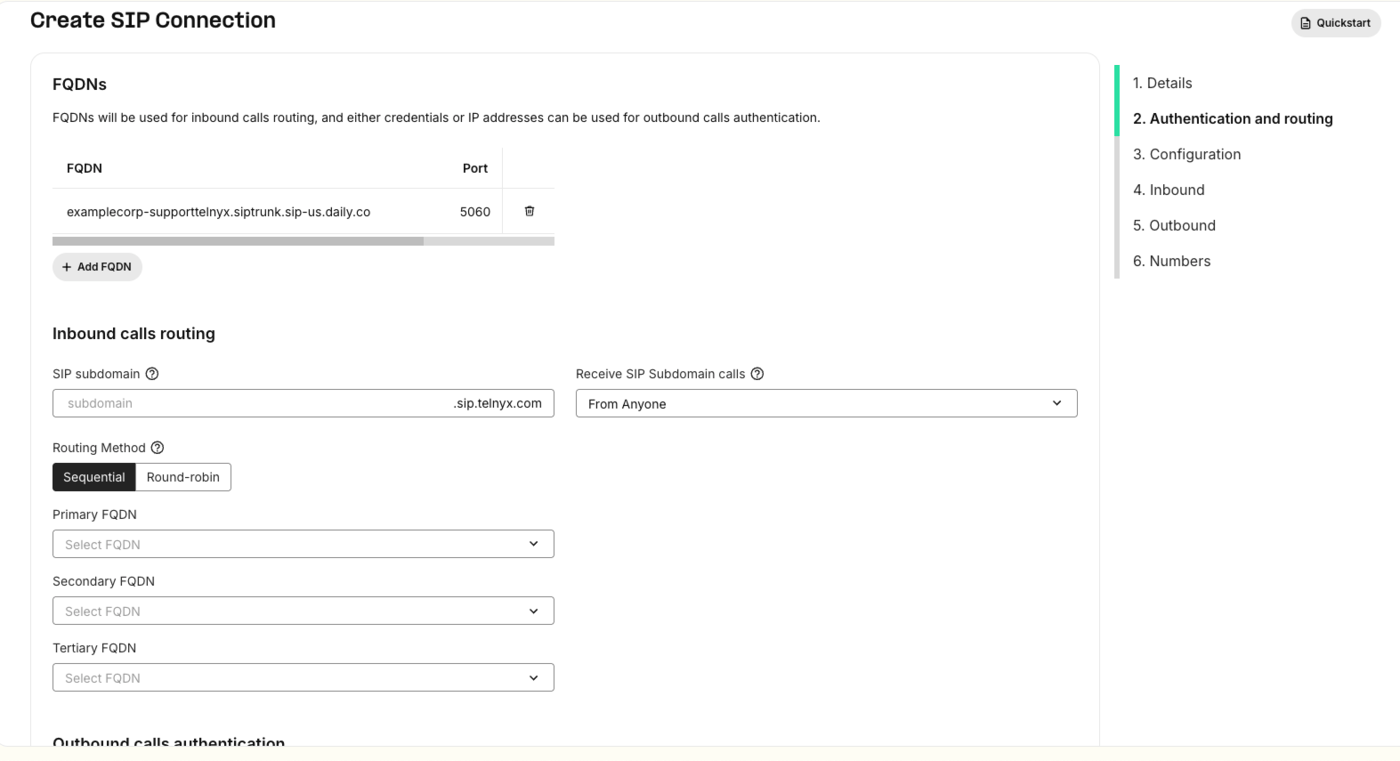
-
DNS record type —
A, which is what you want for a plain hostname. (SRVis there if you’d rather point at an SRV record.) -
FQDN — the host from your
sip_uri, with nosip:scheme and no user part:examplecorp-supporttelnyx.siptrunk.sip-us.daily.co. Telnyx fills the user part with the dialed number; Daily routes on the host label and ignores it either way. -
Port —
5060for UDP/TCP, or5061for TLS.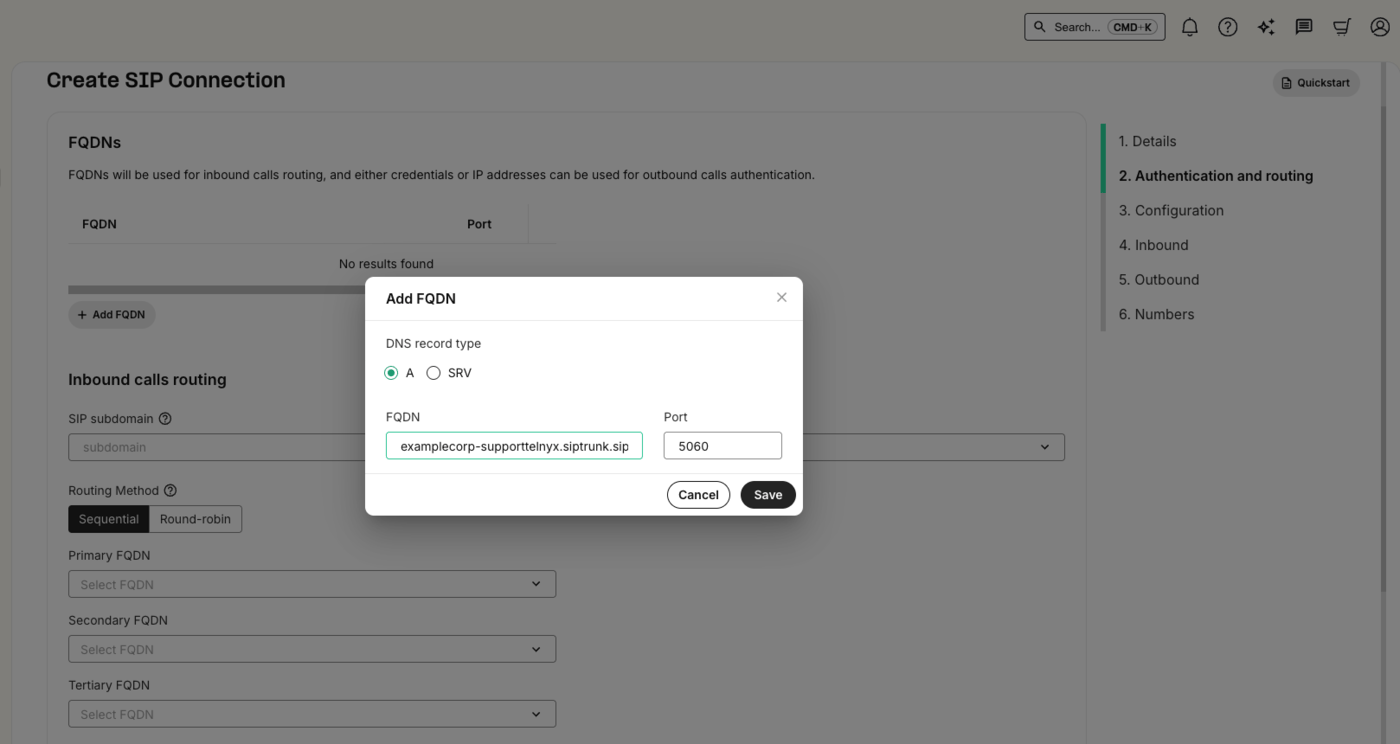
3
Assign your number
On 6. Numbers, the Assign numbers table lists the numbers on your account. Use the link action on the
number that should route to Daily, then click Complete. A number delivers inbound calls to whichever
connection it is assigned to.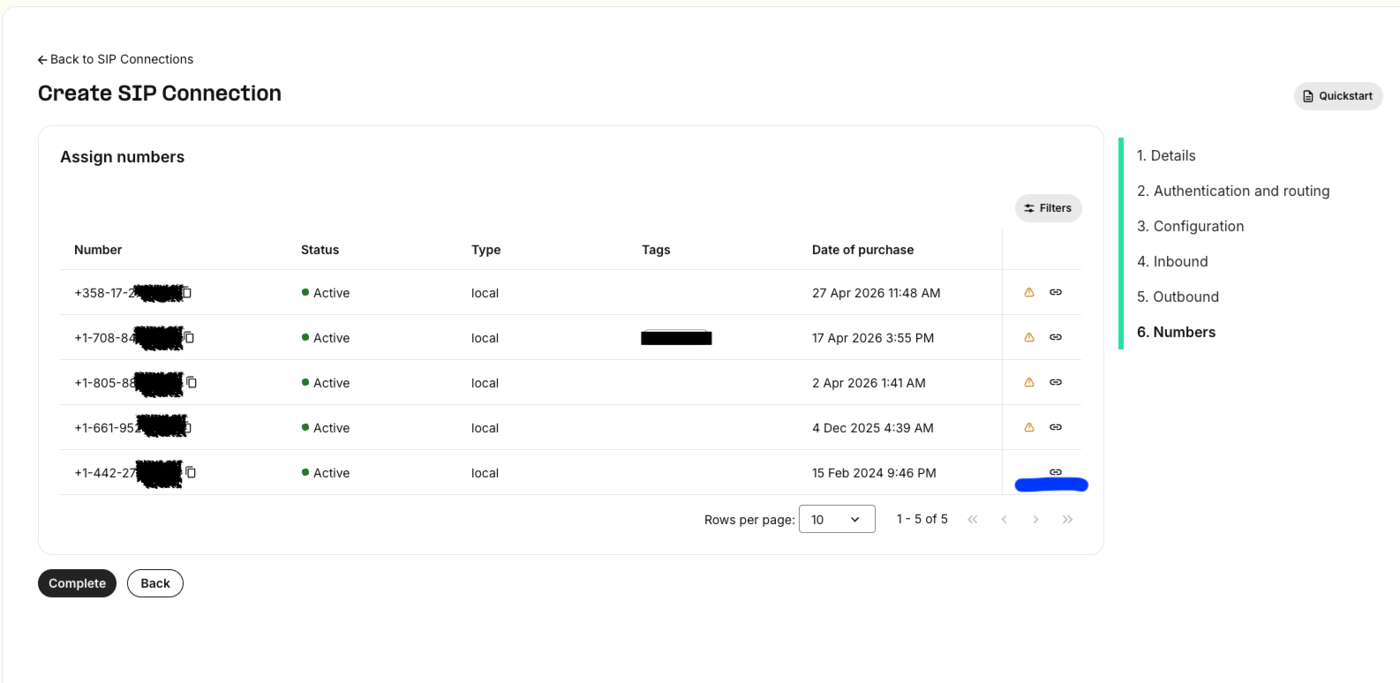
4
Secure the trunk
Add Telnyx’s published signaling IP ranges to the Daily trunk’s
trunk_config.allowed_ips so it accepts calls
from Telnyx and nobody else — see Securing the trunk below.Securing the trunk
Telnyx sends SIP signaling from a small set of static anycast IPs, published per SIP region — a primary and a secondary. They are independent of the FQDN you configured: the FQDN is where Telnyx sends calls, these are what it sends them from. For the US region (sip.telnyx.com):
Telnyx’s addresses change from time to time, so confirm them against
sip.telnyx.com before you go live.
Pass caller context (optional)
Telnyx can send customX-* SIP headers on the INVITE. Daily forwards them verbatim in the notification’s
call.sipHeaders (up to 32 headers), so you can map the call to your business context:
Test
Call your Telnyx number. Your backend receives thesip_trunk.incoming webhook while you hear ringback; once it
responds 2xx you are connected to the Daily room.
A real notification from a Telnyx-originated call looks like this:
sourceIpis192.76.120.10, the US region’s primary signaling IP from the allowlist above — a quick way to confirm which Telnyx region served the call.ToandrequestUricarry the:5060port, because that’s the port set on the FQDN entry in step 2. A TLS connection on 5061 shows up the same way.pAssertedIdentitycarries averstatparameter —TN-Validation-Passedis Telnyx’s STIR/SHAKEN attestation result for the caller.pAssertedIdentitykeeps the quoting from the SIP header, so it arrives as"15551234567"<sip:…>including the quote characters — it is the raw header value.fromDisplayNameis unquoted, so you can show it to a user as-is.sipHeadersis empty unless your upstream attachesX-*headers to the INVITE.
Troubleshooting
- Call fails immediately, nothing reaches your webhook — the source IP isn’t in
allowed_ips. Check the signaling IP in the Telnyx call detail record against the list you configured. 404from Daily — the FQDN doesn’t match a trunk host. Re-copy the host from thesip_uriin the API response rather than typing it, and make sure you left off thesip:scheme.- Call connects but there’s no audio — confirm your connection offers a codec Daily negotiates, and that it reaches Daily on the port you configured (5060, or 5061 for TLS). If you enabled SRTP, the FQDN entry needs 5061/TLS rather than 5060.