

Prerequisites
- A Daily SIP trunk — note its
sip_urifrom the create call, for examplesip:examplecorp-supporttwilio.siptrunk.sip-us.daily.co. - A Twilio account with a phone number and Elastic SIP Trunking enabled.
Configure the trunk
1
Create an Elastic SIP Trunk
In the Twilio Console, open Elastic SIP Trunking → Manage → Trunks and click
Create new SIP Trunk. Give it a friendly name (for example 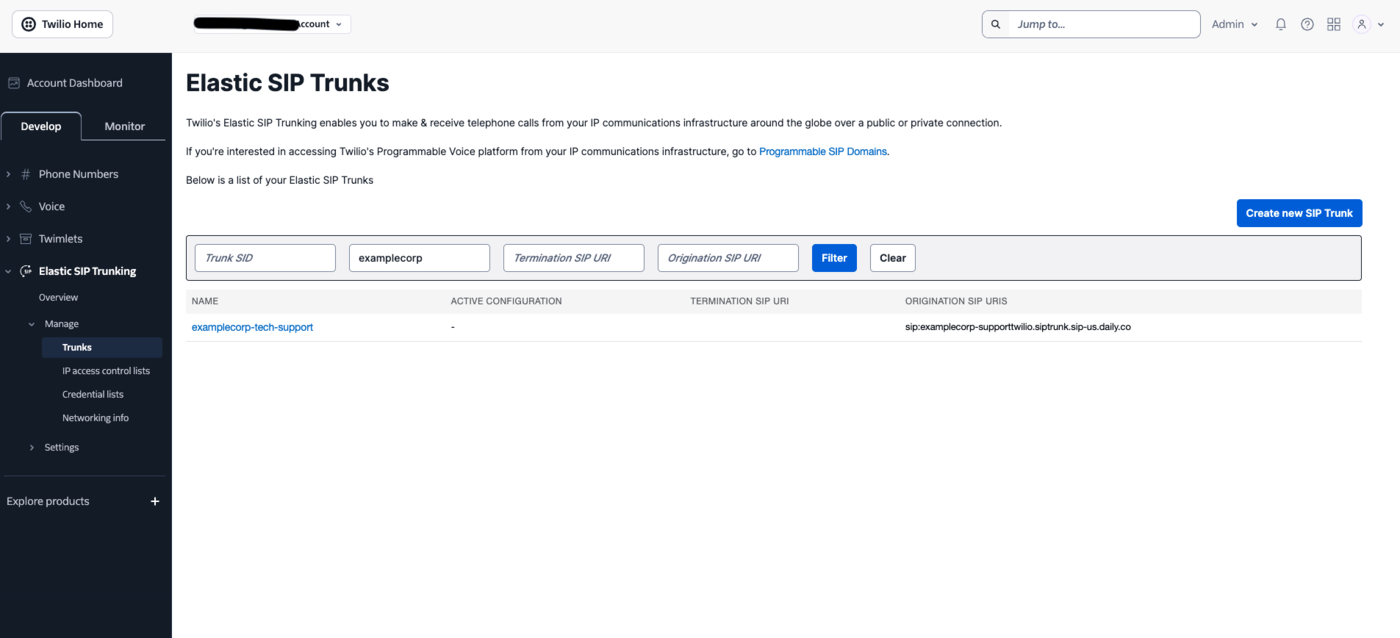
examplecorp-support) and save. The trunk opens
with a side menu of General, Termination, Origination, and Numbers.transport=tls in step 2. Leaving
it off is fine too: the call then runs as plain SIP with unencrypted RTP. Either way, admission is handled by
the IP allowlist in step 4.2
Point Origination at Daily
Open Origination and, under Origination URIs, click Add new Origination URI. Fill in the
Add Origination URL dialog: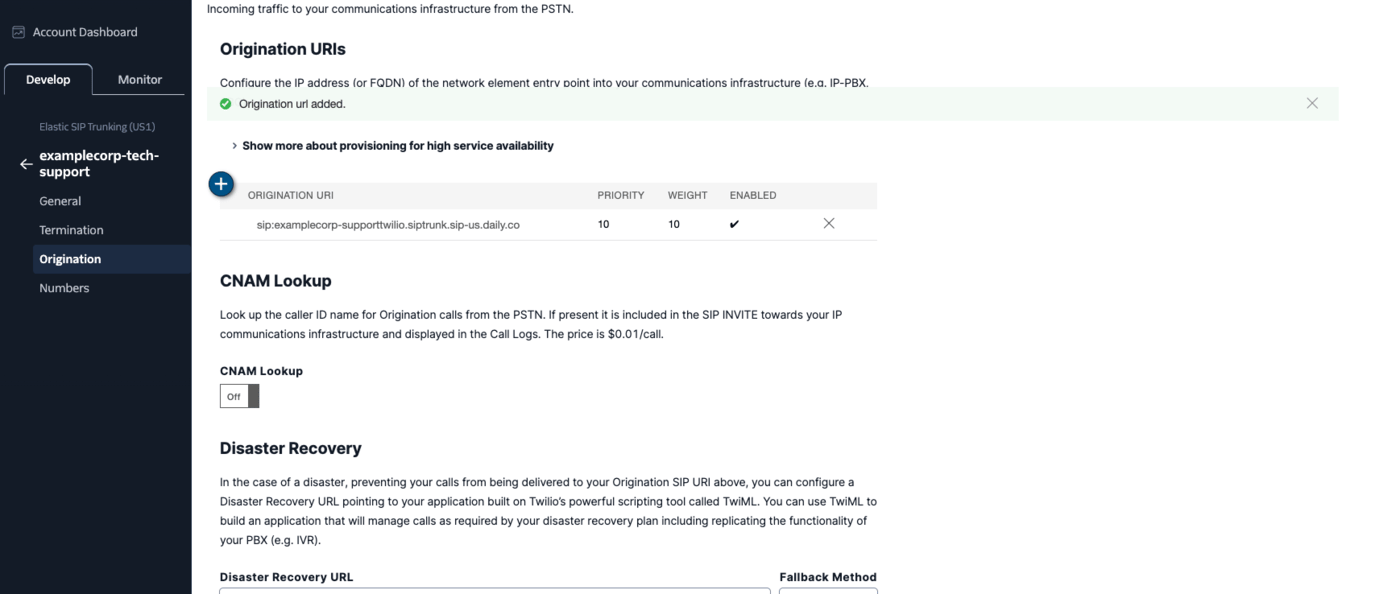
-
Origination SIP URI — your Daily
sip_uri, host only:sip:examplecorp-supporttwilio.siptrunk.sip-us.daily.co. Leave the user part off and let Twilio populate it with the dialed number. Daily routes on the host label and ignores the user part entirely, so a custom user part buys you nothing — and it changes Twilio’s behaviour, moving the dialed number into a SIPDiversionheader instead. -
Priority — prefilled
10; the range is0–65535and the lowest number is tried first. -
Weight — prefilled
10; the range is1–65535, and a higher number takes more of the load between equal-priority URIs. -
Enabled — leave it enabled.
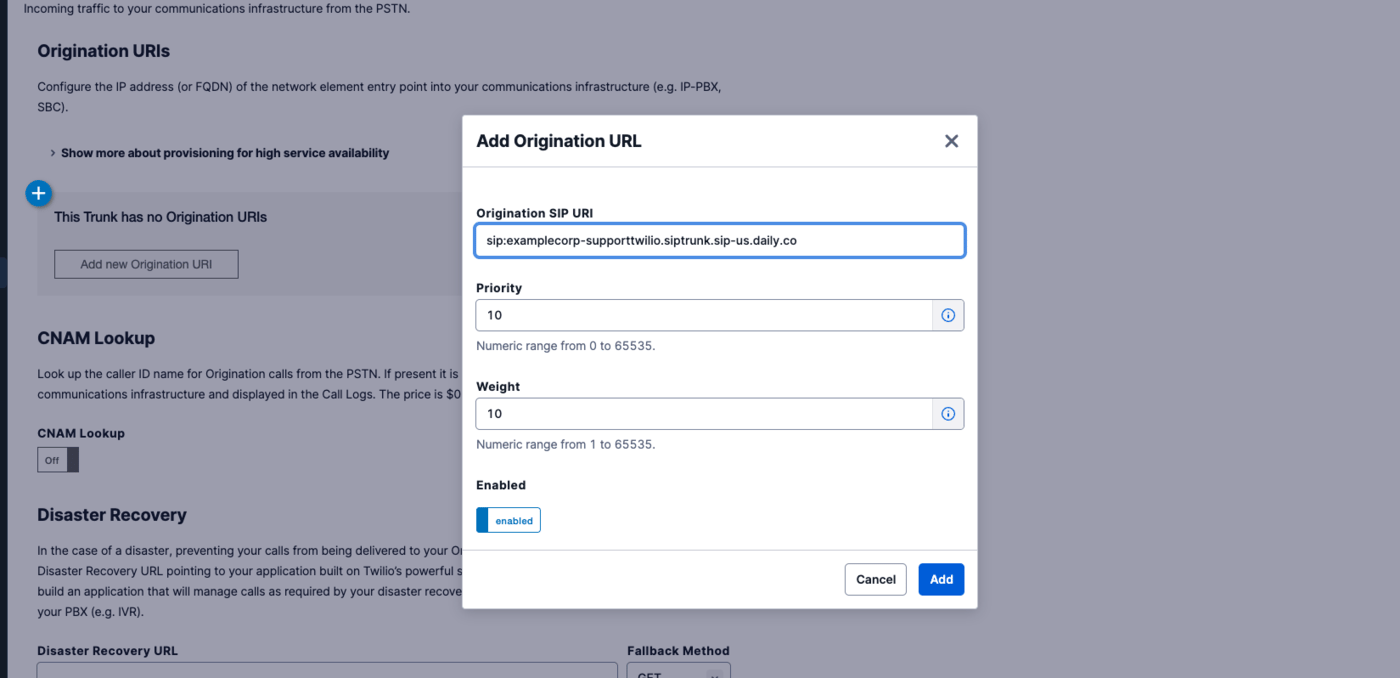
sip:examplecorp-supporttwilio.siptrunk.sip-us.daily.co:5061;transport=tls. Twilio defaults to UDP, and also
supports transport=tcp. Daily accepts UDP and TCP on 5060 and TLS on 5061. If you enabled Secure Trunking in
step 1, this TLS form is required rather than optional.3
Attach your phone number
Open Numbers and use Add a number to attach the Twilio number that should route to Daily — the menu
lets you pick an existing number or buy a new one. Attached numbers are listed with their friendly name and
emergency-address status.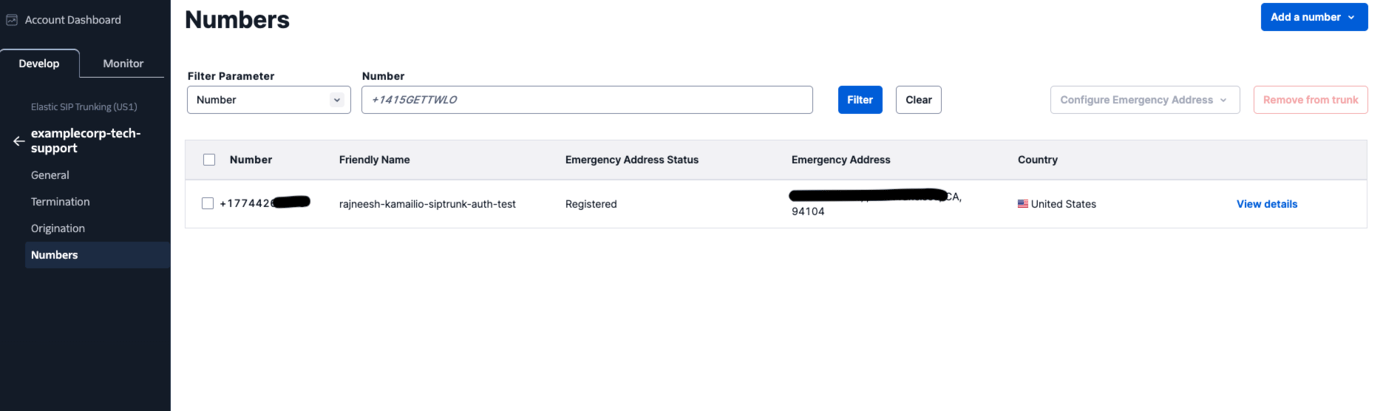
4
Secure the trunk
Add Twilio’s signaling IP ranges to the Daily trunk’s
trunk_config.allowed_ips so it accepts calls from
Twilio and nobody else — see Securing the trunk below.Securing the trunk
Secure a Twilio trunk with Daily’s IP allowlist. Twilio’s Credential Lists authenticate Termination traffic — calls your infrastructure sends to Twilio — so they don’t apply here; Twilio does not present digest credentials on the Origination calls it sends to you. Twilio signals from a small, published set of ranges per edge location. Add every edge you route through:54.172.60.0/30, not 54.172.60.1/30.
Pass caller context (optional)
Twilio can attach custom SIP headers prefixedX- to the INVITE — for example via a TwiML <Sip> dial or
trunk settings. Daily forwards them verbatim in the notification’s call.sipHeaders (up to 32 headers), so you
can map the call to your business context:
Test
Call your Twilio number. Your backend receives thesip_trunk.incoming webhook while you hear ringback; once it
responds 2xx you are connected to the Daily room.
A real notification from a Twilio-originated call looks like this:
sourceIpfalls inside54.172.60.0/30, the North America Virginia range from the allowlist above — a quick way to confirm which edge served the call.- Twilio attaches its own
X-Twilio-*headers without any configuration:X-Twilio-CallSidcorrelates the Daily room back to a Twilio call record, andX-Twilio-VerStatcarries the STIR/SHAKEN attestation result. Any headers you add yourself arrive alongside them. diversionis populated for a forwarded call, here withreason=unconditional.pAssertedIdentitykeeps the quoting from the SIP header, so it arrives as"+15551234567" <sip:…>including the quote characters — it is the raw header value.fromDisplayNameis unquoted, so you can show it to a user as-is.sipCallIdHeaderis not a stable host-qualified id — Twilio’s carries@0.0.0.0. Treat it as an opaque string.
Troubleshooting
- Call fails immediately, nothing reaches your webhook — the source IP isn’t in
allowed_ips. Check which edge Twilio actually used against its published ranges, and remember the ranges are/30, not whole/24s. 404from Daily — the Origination URI host doesn’t match a trunk. Re-copy thesip_urifrom the API response rather than typing it.- Secure Trunking is on and the call never arrives — Twilio rejects non-encrypted calls under that
setting, so the Origination URI has to use
:5061;transport=tls(see step 1). Turning Secure Trunking on while Origination still points at 5060/UDP is the usual cause. - Call connects but there’s no audio — confirm Twilio offers a codec Daily negotiates. With Secure Trunking on, also confirm signaling is reaching Daily on 5061/TLS.