

If you’re new to call recording with Daily, check out the recording guide first.
Using Oracle Cloud Infrastructure instead of AWS? See Custom OCI storage. That setup is not self-serve — it starts with a request to Daily support.
S3 bucket configuration requirements
The target S3 bucket can be in any AWS region and must have versioning enabled. Select “Enable” under “Bucket Versioning” when creating your S3 bucket.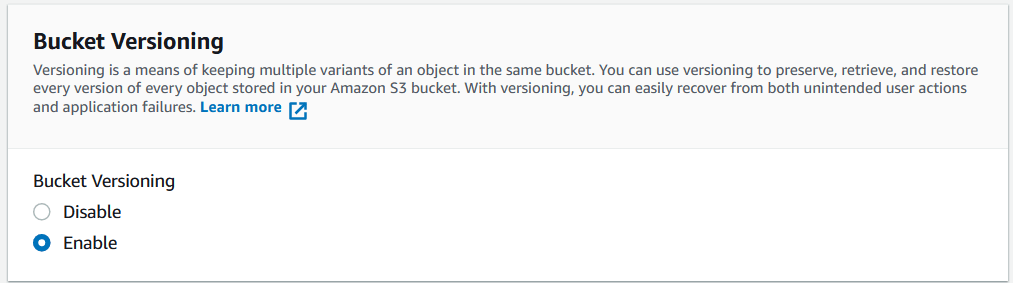
Shortcut: automated setup script
Our team has created a GitHub repo with a custom script that configures your S3 bucket for Daily recordings automatically. You’ll need:- Your Daily domain name (the subdomain of your Daily room URLs — e.g.
https://your-domain.daily.co/room-name) - The bucket name
- The bucket region
Creating an IAM policy with appropriate permissions
AWS Identity and Access Management (IAM) controls access to AWS resources. To allow Daily to store recordings in your bucket, create an IAM policy with these permissions:your-bucket-name with the name of your S3 bucket.
Create this policy in the IAM dashboard under Policies → Create.
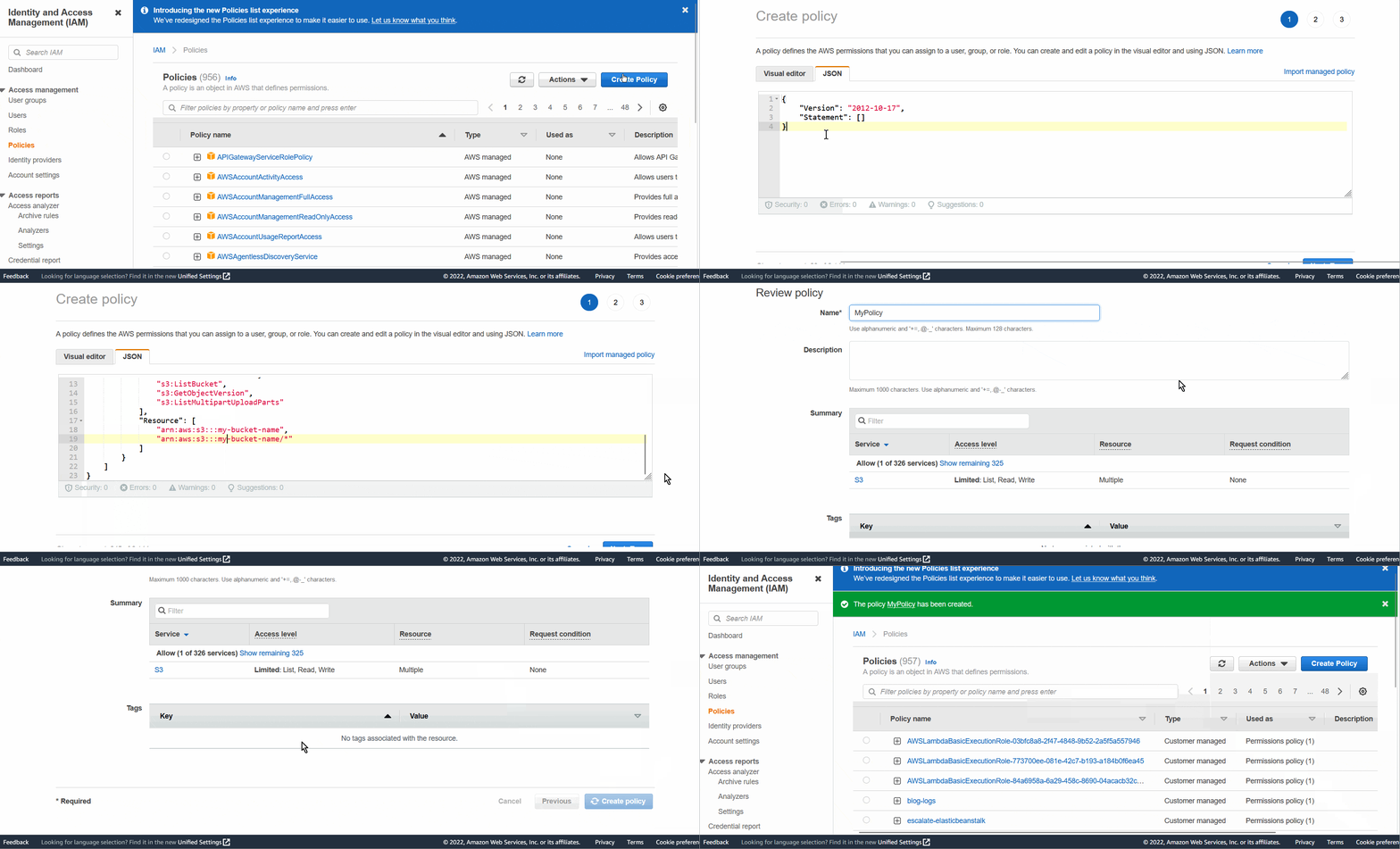
What each permission is for
Everything above
s3:GetObject is write-side work: Daily needs it to get the recording into your bucket and to close out uploads cleanly. The two Get permissions are the only ones that let Daily read your recordings.
Optional: a write-only policy
If your security policy says Daily should never be able to read your recordings, you can drop the read permissions:- Download and playback links from Daily. The recording access link API and the recording player in the Daily dashboard both hand out a link that is signed with Daily’s role. Without read access, that link fails with a
403when someone opens it. Setallow_api_accesstofalseso your team does not get handed links that cannot work. - The MP4 seek atom. Daily can add a seek atom (also called “faststart”) to finished MP4 files, which is what lets a player jump to the middle of a video without downloading the whole thing. That step reads the file back out of your bucket, so it cannot run.
- Batch processor jobs. Anything that takes a finished recording and processes it (transcription, summaries, transmuxing) has to read the recording first.
Two things that often come up when people debug a tightened policy:
HeadObjectis authorized bys3:GetObject, so calls that only ask for file metadata show up ass3:GetObjectdenials in CloudTrail. AGetObjectdenial does not always mean something tried to read your recording.- The access link API does not fail loudly. It builds and signs the link without touching your bucket, so it still returns a
200with a URL. The403only shows up when someone opens the link.
Creating an IAM role for Daily
Create an IAM role with the policy attached. If you are already familiar with creating IAM roles, feel free to do so with the following settings. Otherwise, follow the walkthrough below.Role creation walkthrough
- In the IAM dashboard, click Roles → Create Role.
- For “Trusted Entity Type”, select AWS Account.
- Under “An AWS Account”, select Another AWS account.
- Enter
291871421005as the Account ID (this is Daily’s account). - Enter your Daily domain name as the “Require External ID”.
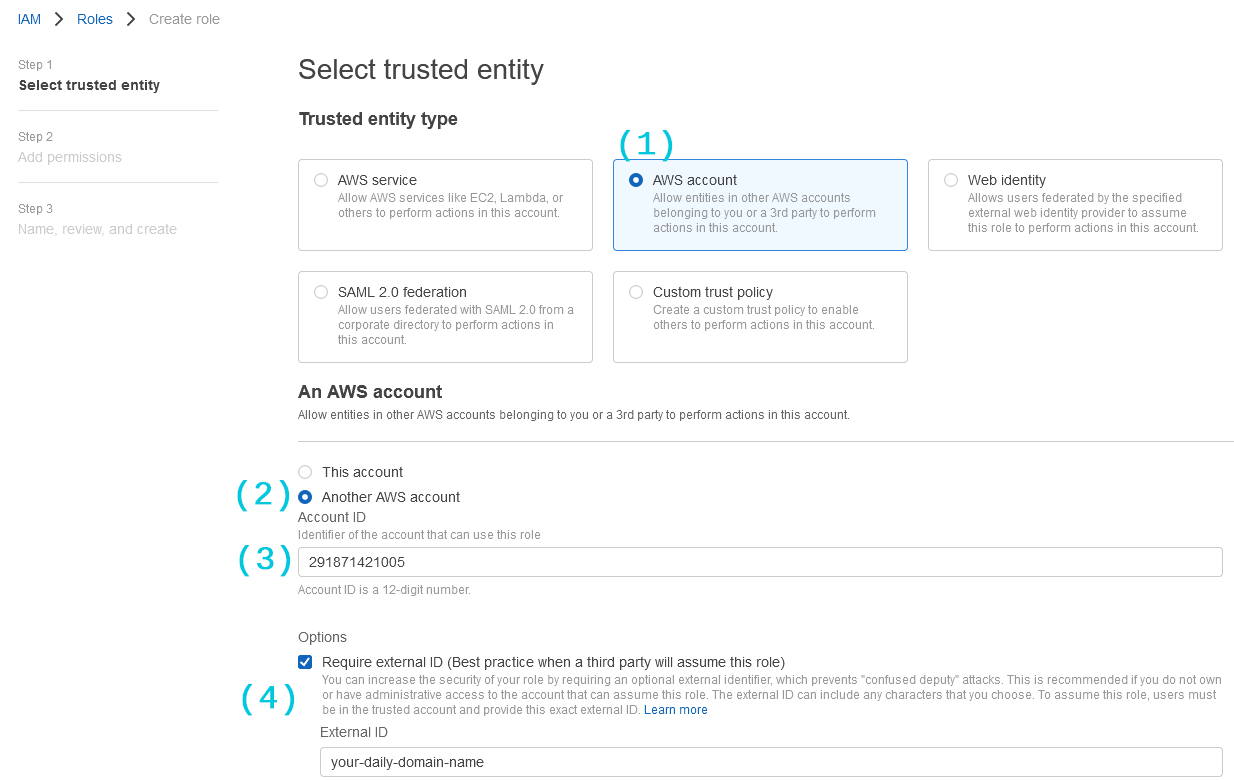
Your domain name is the first part of your room URLs:
https://[domain-name].daily.co/[room-name]. You can also find it as a query parameter at https://dashboard.daily.co/?domain=[domain-name].-
Click Next and attach the IAM policy you created.
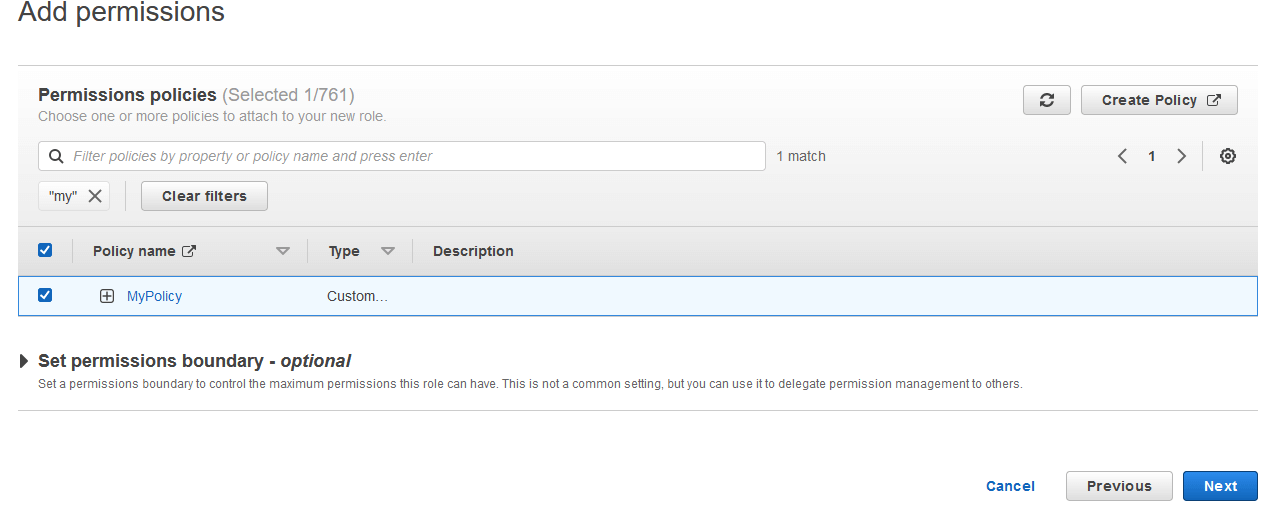
- Click Next again to give your role a name and click Create role.
-
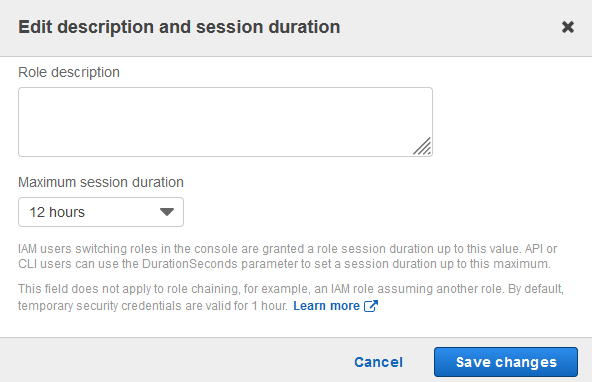
Find the role in your IAM Roles list, click Edit, and set Maximum session duration to 12 hours.
-
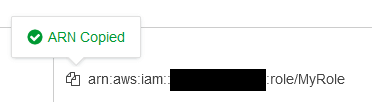
Copy the ARN (Amazon Resource Name) from the role page — you’ll need it in the next step.
Configuring your Daily domain or room to store recordings in S3
S3 storage can be configured at the room or domain level. Which configuration gets used depends on the following priority order (highest to lowest):- Customer S3 bucket at the room level
- Customer S3 bucket at the domain level
- Daily’s default storage (no configuration needed)
Recordings stored in a customer’s S3 bucket do not incur an additional Daily storage rate. The API will upload a test file (
daily-co-test-upload.txt) to verify permissions. The test file is written at the root of the bucket, not under your recordings_template path. If your IAM policy only allows s3:PutObject on a prefix, also allow it on daily-co-test-upload.txt, or the request fails with unable to upload test file to bucket.Examples
Set a custom S3 bucket at the room level:bucket_name— name of your S3 bucketbucket_region— AWS region of your S3 bucketassume_role_arn— ARN of the IAM role you created aboveallow_api_access— whether Daily’s recording access link API should allow downloading the recordingallow_streaming_from_bucket: whether download links open the recording in the browser (inline) instead of saving it to disk (attachment)
allow_api_access and allow_streaming_from_bucket change how Daily behaves. They do not change what your IAM policy allows. Turning allow_api_access off stops Daily from handing out a link, but it does not remove Daily’s read access to the bucket. If you want to remove read access, do it in the IAM policy: see the write-only policy above.Download link lifetime
The recording access link API takes an optionalvalid_for_secs query parameter that sets how long the returned download_link works. It accepts 900 (15 minutes) through 43200 (12 hours) and defaults to 3600 (1 hour).
expires field, a Unix timestamp for the moment the link stops working:
expires rather than adding valid_for_secs to the current time. It is authoritative when Daily grants a shorter lifetime than the one you asked for.
Daily signs the link using a temporary session on the IAM role you created above, and the link stops working when that session ends. The Maximum session duration you set on the role is a ceiling on that session, not a way to extend a link past the limit above.
If you have any questions or run into issues with the setup, contact us.