

default, single-participant, active-participant, portrait) to give you full control over composition, overlays, and presentation.

What VCS can do
VCS is a video-oriented layout engine based on JavaScript functions. It generates layouts called compositions, which let you turn Daily calls into engaging streamed and recorded content. Using VCS’s baseline composition, you can:- Apply custom video grid layouts and dominant-speaker views
- Add animated overlay graphics
- Display text overlays (titles, lower-thirds)
- Show image overlays (logos, watermarks)
- Embed live web content with the WebFrame component
- Customize layout based on participant count or call state
- Building a live streaming “studio” for streamers and creators
- Hosting interactive multiparty virtual events broadcast live to a wider audience via YouTube or Facebook Live
- Creating high-quality recorded content from live events (e.g. an online fitness studio archiving recorded classes)
The baseline composition
Daily provides a “baseline” composition as part ofdaily-js and react-native-daily-js. It’s available to any Daily call using the live streaming or recording APIs.
Most developers will find the baseline composition flexible enough to meet their needs — it supports a variety of grid formats, layout parameters, overlay text, overlay graphics, and more. The composition_id for the baseline is 'daily:baseline', which is also the default if you omit it.
If you need customization beyond what the baseline offers, the VCS SDK is open source and lets you build fully custom compositions from scratch.
Using the custom preset
To use VCS, set layout.preset to 'custom' in your startLiveStreaming() or startRecording() call:
composition_id— the composition to use.'daily:baseline'is the default and currently the only option.composition_params— parameters that configure how the composition behaves. Pass them instartLiveStreaming()orstartRecording()to set the initial layout, and inupdateLiveStreaming()orupdateRecording()to change the layout mid-stream.session_assets— a map of string keys to public asset URLs (e.g.'images/logo.png': 'https://...'). Think of this as a directory of files loaded from those URLs and named by their keys. Image asset keys must start with"images/"and must include the file extension. When you reference an image incomposition_paramsviaimage.assetName, use the key with the"images/"prefix removed, keeping the extension (soimages/logo.pngbecomeslogo.png).
updateLiveStreaming() or updateRecording():
VCS Simulator
The best way to explore VCS is with the VCS Simulator — an interactive tool that lets you configure baseline composition parameters and see results in real time, without writing code.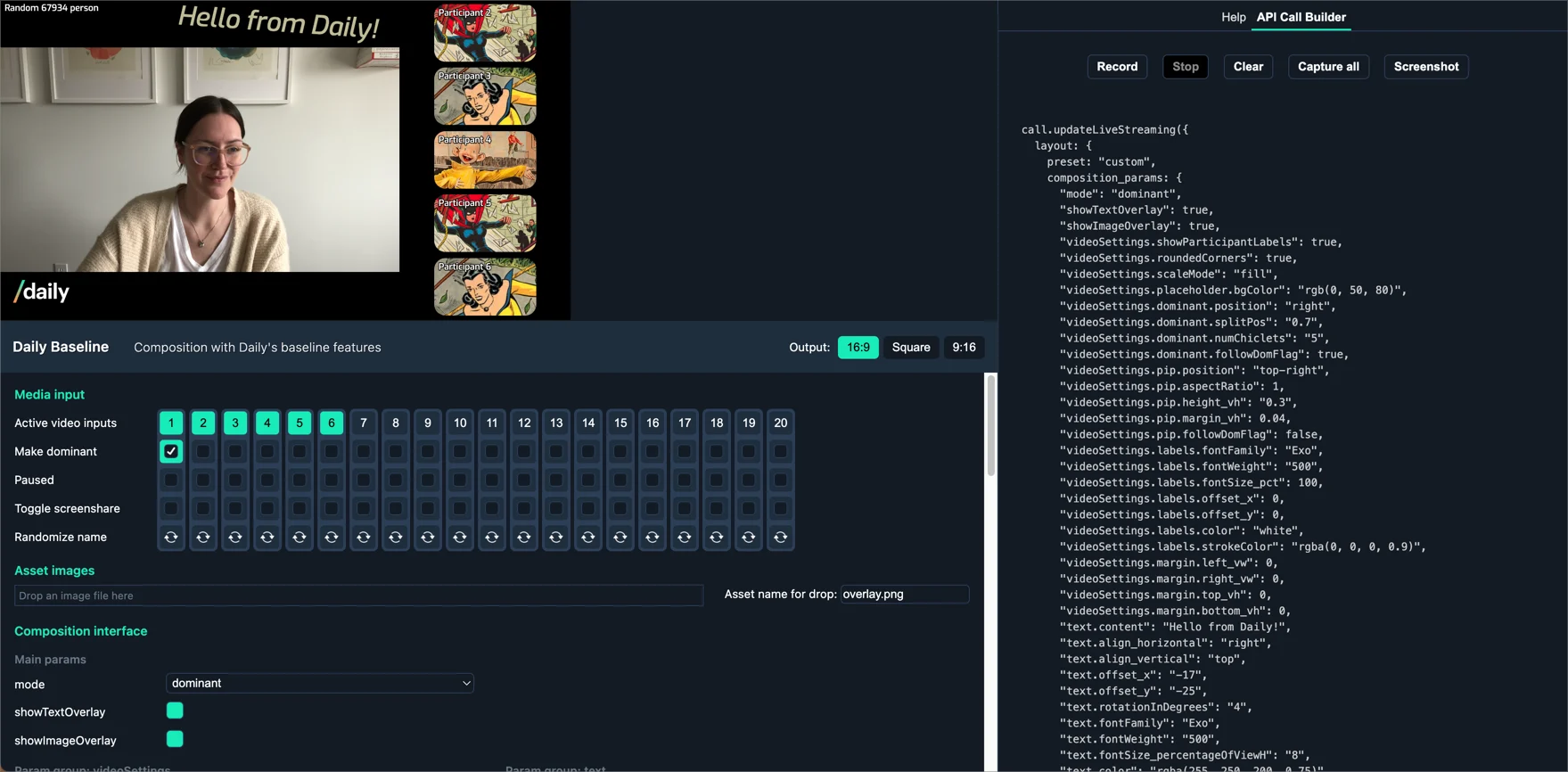
- Set
modeto'grid'and click the numbered video input buttons to preview grid layout changes. - Set
modeto'dominant'and click “Make dominant” to see the active speaker layout. - Enable
showTextOverlayand update the text content, alignment, and positioning. - Drag a PNG into the asset images box and enable
showImageOverlay.
API Call Builder
The API Call Builder tab in the Simulator generates ready-to-usecomposition_params based on your interactions:
- Record / Stop — capture parameter changes as you interact with the Simulator.
- Capture all — output all current parameter values, including defaults.
- Screenshot — get a preview image of your current composition.
- Clear — reset your recorded options.
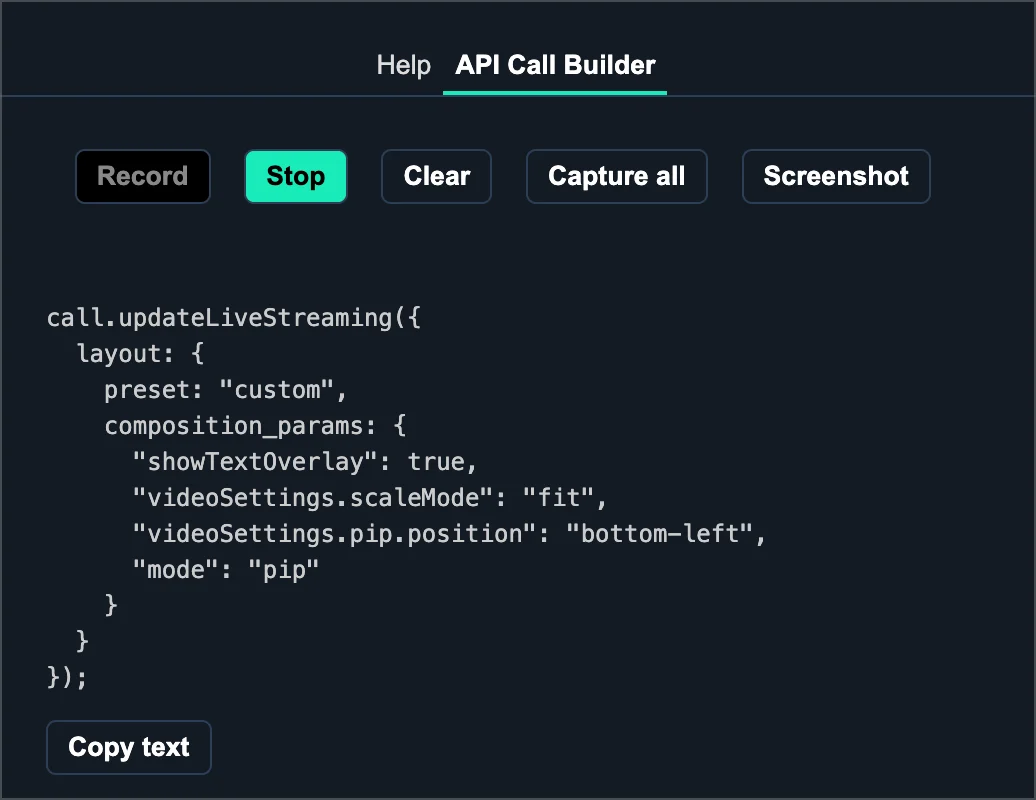
startLiveStreaming(), updateLiveStreaming(), startRecording(), and updateRecording().
Example configurations
Text overlay
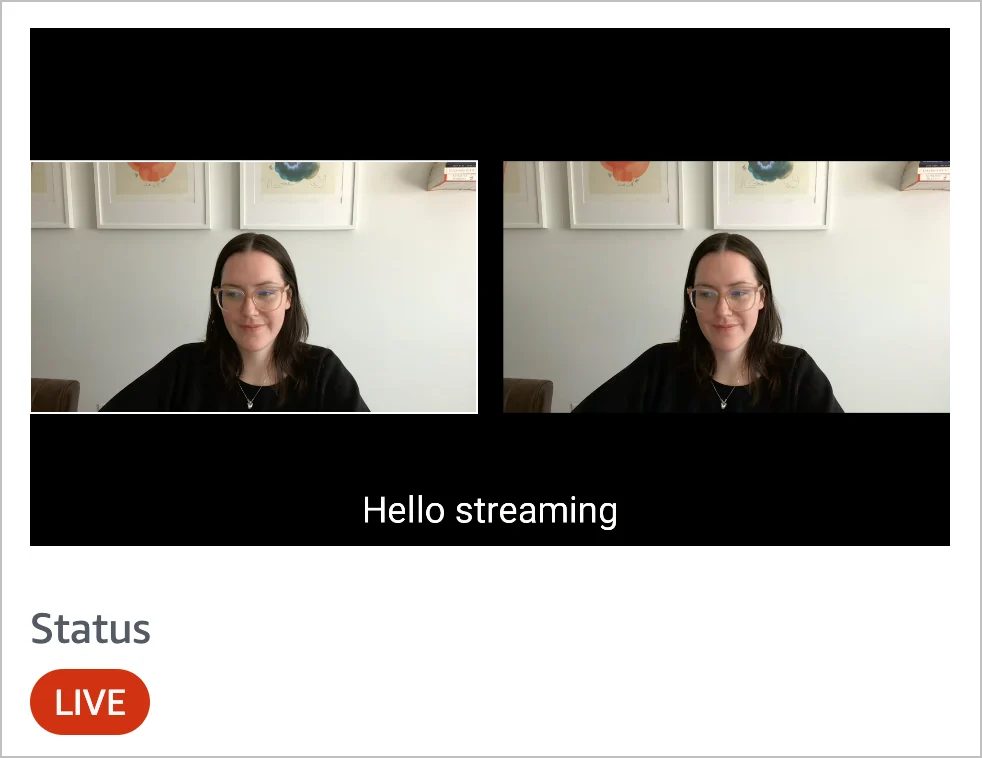
Dominant speaker layout
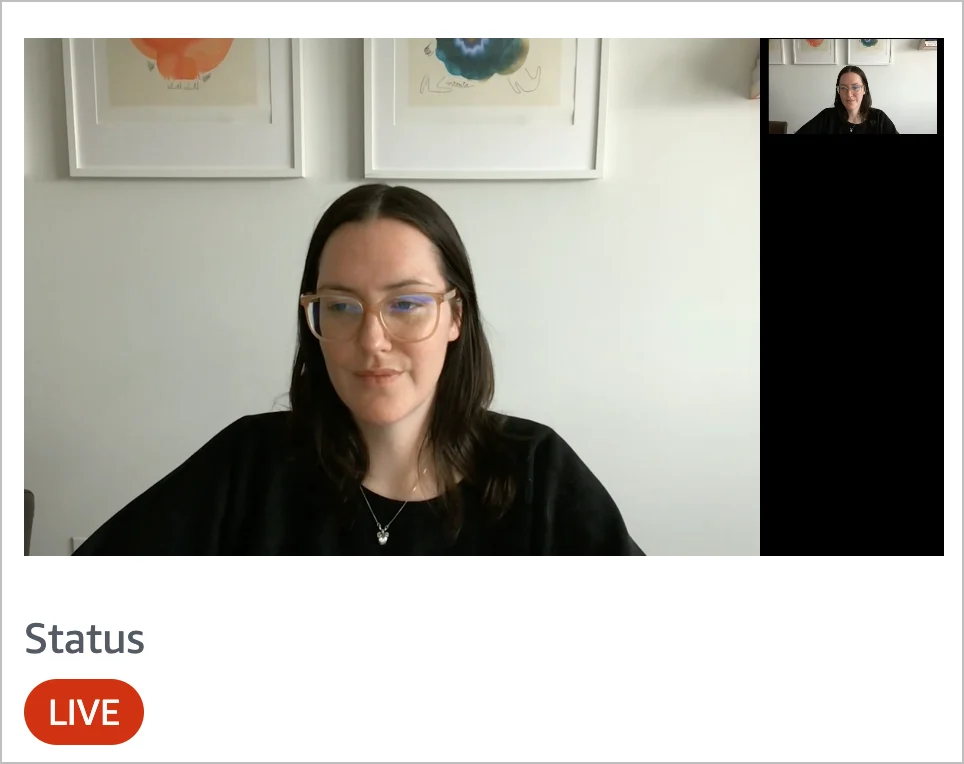
videoSettings.dominant.* parameters.
The “dominant” video corresponds to the current active speaker.
Testing with the Daily Prebuilt demo app
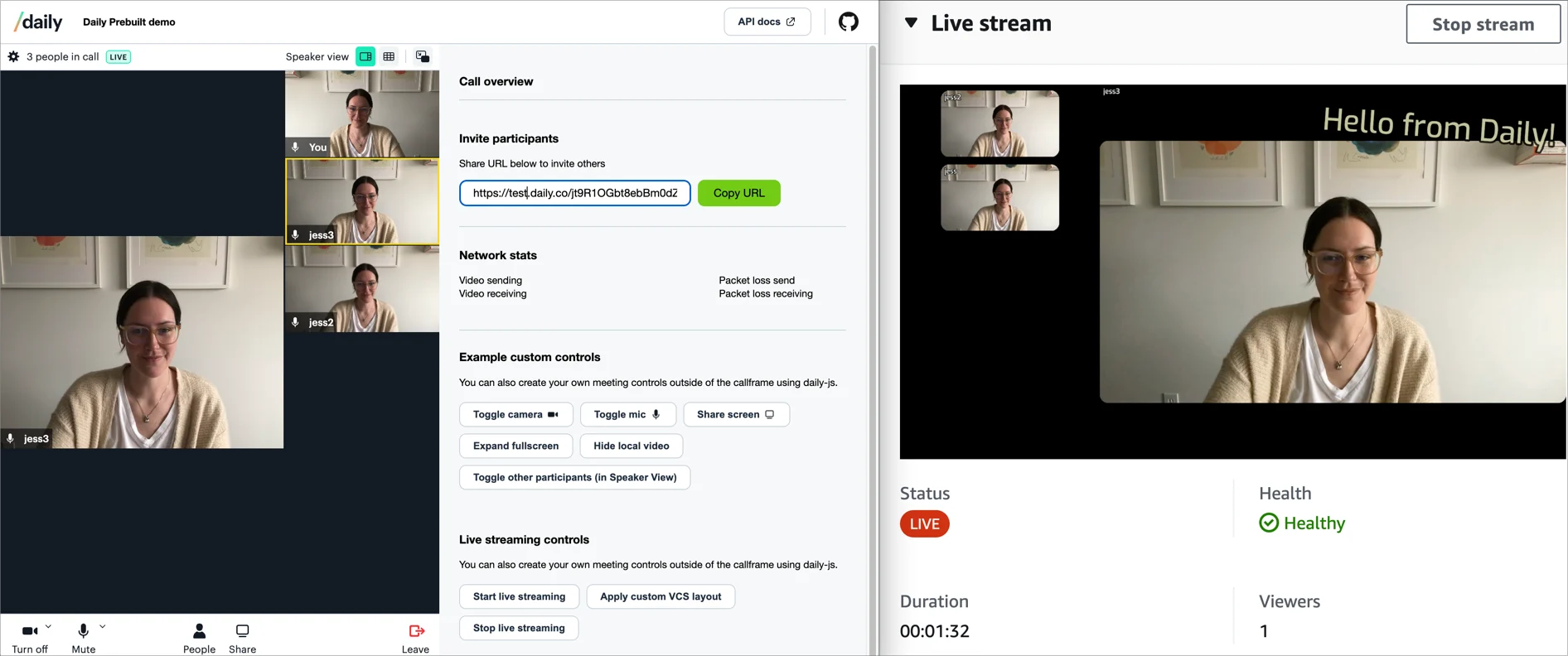
Thevcs-live-streaming branch of the Daily Prebuilt demo app includes UI for starting a live stream, applying VCS properties via updateLiveStreaming(), and stopping the stream. You can use any transcoder — YouTube Live, Mux, or AWS IVS all work.
VCS SDK
The baseline composition is open source. If you need customization beyond whatcomposition_params provides, the VCS SDK lets you build fully custom compositions from scratch.